Category: Digital Products

Practical guides on finding, building, pricing, and selling digital products like Notion templates, planners, spreadsheets, and AI workflow tools. Real strategies for turning simple digital assets into quiet income streams over time.

  • 7 Surprisingly Simple Notion Templates People Are Quietly Paying For in 2026

    7 Surprisingly Simple Notion Templates People Are Quietly Paying For in 2026

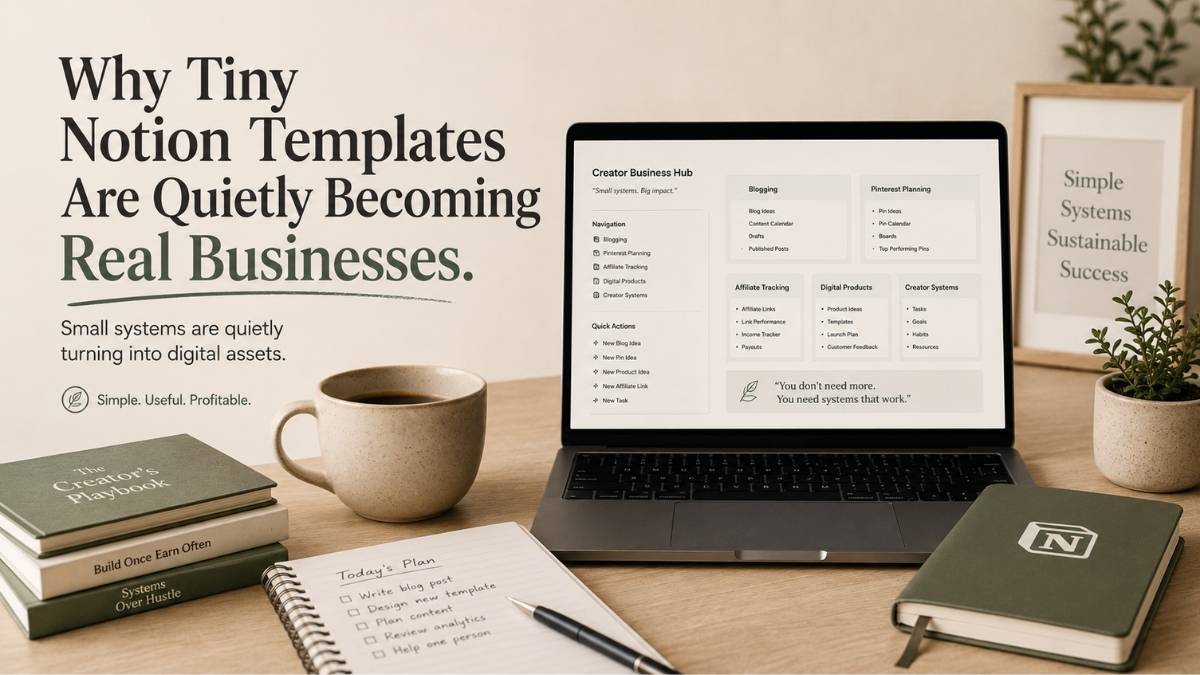
    Most people still assume digital products need to be massive to make money online. But one of the quieter trends growing right now is surprisingly small Notion templates built around very specific problems.

    Not giant productivity systems.

    Not complicated online courses.

    Just simple workflows that help people feel less overwhelmed.

    Over the last few weeks, I started noticing more creators selling templates for content planning, freelance client management, budgeting, Etsy workflows, and even AI organization systems. At first, I did not fully understand why these products were working so well. Then I spent one evening trying to organize my own blog ideas, Pinterest schedules, keyword research, screenshots, and product notes across five different apps.

    That was the moment the trend finally made sense to me.

    People are not paying for empty Notion pages. They are paying for clarity, structure, and reduced mental friction.

    And honestly, I think that is exactly why these smaller digital products are quietly growing right now.
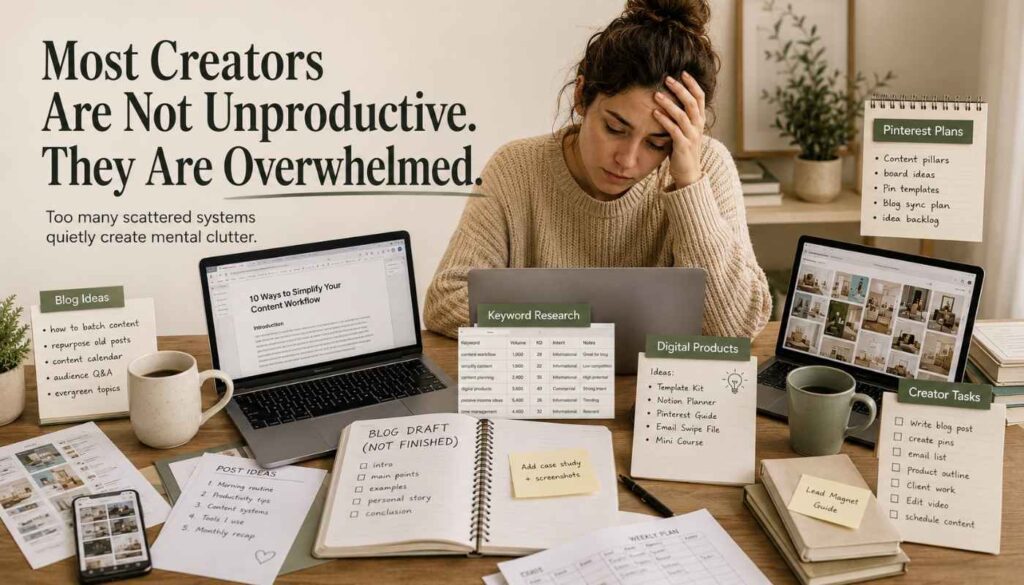
    Creator overwhelmed by scattered blog drafts, Pinterest planning, keyword research, spreadsheets, and digital product ideas.

    1. Content Planning Systems for Bloggers and Pinterest Creators

    This is probably one of the strongest template categories right now because it solves an immediate creator problem.

    Most bloggers and Pinterest creators do not struggle because they lack ideas. They struggle because their workflow slowly becomes disorganized. Article drafts pile up, Pinterest titles get buried, keyword research becomes difficult to track, and internal linking opportunities disappear into old notes.
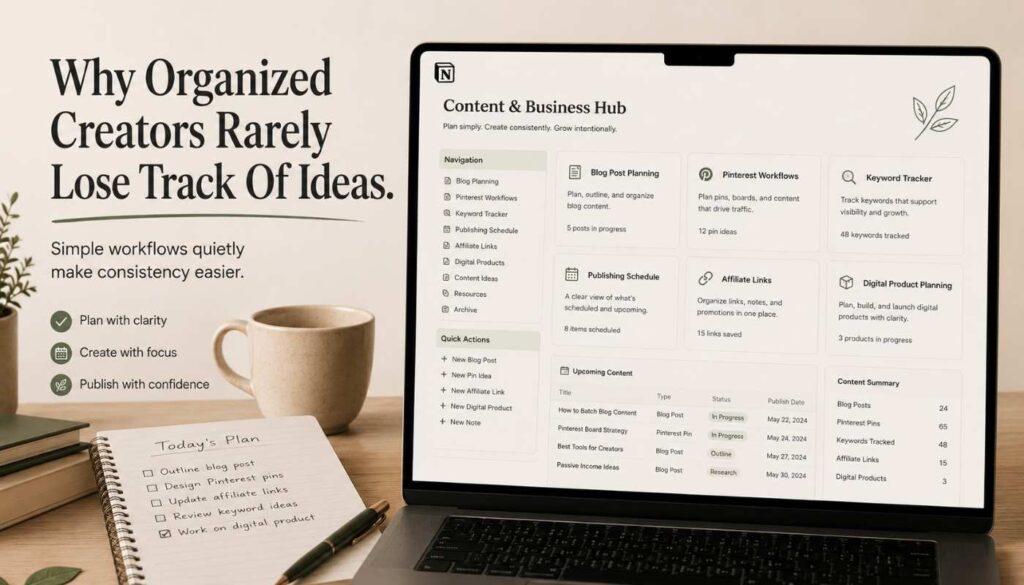
    Organized Notion style content planning dashboard for bloggers and Pinterest creators with keyword tracking and publishing workflow.

    A focused Notion content system can simplify all of that.

    Many creators are now building templates specifically for:

    Template type What it solves
    Blog post planning Keeps drafts, ideas, and publishing schedules in one place
    Pinterest workflows Organizes pin titles, boards, and scheduling in a single system
    Keyword organization Stores and categorizes research so nothing gets buried or lost
    Content calendars Maps out publishing plans across weeks and months at a glance
    Affiliate link tracking Logs links, platforms, and performance in one dashboard
    Digital product planning Tracks product ideas, launch stages, and sales notes together
    Internal linking systems Maps article connections so linking opportunities are never missed

    The interesting part is that these templates are often simple.

    But simplicity is exactly what makes them useful.

    This also connects closely to something I mentioned recently in my article about why most side hustles still are not growing. Most creators spend too much time reacting to chaos instead of building systems that reduce it.

    2. Freelance Client Dashboards

    Freelancers quietly deal with enormous amounts of mental clutter.

    Invoices, onboarding forms, deadlines, revisions, contracts, follow ups, and client notes quickly become difficult to manage once projects start piling up. Most freelancers begin with scattered spreadsheets and inboxes until the entire workflow becomes stressful.

    That is why freelance dashboards are steadily growing as digital products.

    A freelancer usually does not want a complicated CRM filled with unnecessary features. They want one clean place where they can quickly track:

    What a freelance dashboard tracks

    1 Active clients
    2 Invoices and payment status
    3 Deadlines and revision requests
    4 Monthly income overview
    5 Project notes and deliverables
    6 Follow up reminders

    The convenience becomes valuable very quickly once someone starts juggling multiple projects at once.

    3. Budgeting Templates for Side Hustlers and Creators

    This category feels especially underrated.

    Traditional budgeting templates are usually built for fixed salaries and predictable monthly expenses. But creators, Etsy sellers, bloggers, freelancers, and side hustlers often manage money very differently.

    Income fluctuates constantly.

    Expenses shift unpredictably.

    Taxes become confusing.

    Affiliate income arrives randomly.

    Digital product sales vary month to month.

    That creates strong opportunities for more niche financial templates specifically designed for online creators.

    For example:

    Product type Who it is for
    Etsy income tracker Etsy sellers tracking shop revenue, fees, and net income
    Creator tax dashboard Self-employed creators managing estimated taxes and deductions
    Side hustle budgeting system People with variable income who need flexible monthly budgets
    Affiliate income planner Bloggers and creators tracking affiliate commissions by platform
    Digital product revenue tracker Creators selling on Etsy, Gumroad, or their own website
    Freelance expense system Freelancers logging business expenses and tax-deductible costs

    Why niche-specific products convert better

    The more specific the audience, the easier it becomes for buyers to instantly feel:

    “This was built for someone exactly like me.”

    That emotional recognition matters far more than most beginners realize.

    This also connects naturally with my earlier article about building a digital products shop for passive income because many successful digital products are simply practical tools solving one frustrating problem clearly.

    4. Job Search and Career Tracking Systems

    This trend surprised me more than I expected.

    A lot of people applying for remote jobs now manage dozens of applications across LinkedIn, company websites, emails, resumes, interviews, networking conversations, and follow-ups. After a while, the process becomes mentally exhausting.

    Simple Notion job tracking systems are helping solve that problem.

    Users can organize:

    What a job search tracker organizes

    1 Applications and their current status
    2 Interview stages and preparation notes
    3 Resume versions by role or industry
    4 Networking contacts and conversations
    5 Follow up reminders and deadlines
    6 Salary expectations and negotiation notes
    7 Company research and culture notes

    Again, the value is not complexity.

    The value is reducing overwhelm.

    And honestly, I think that explains why these smaller digital products feel more believable than most passive income advice online today.

    5. AI Workflow Systems
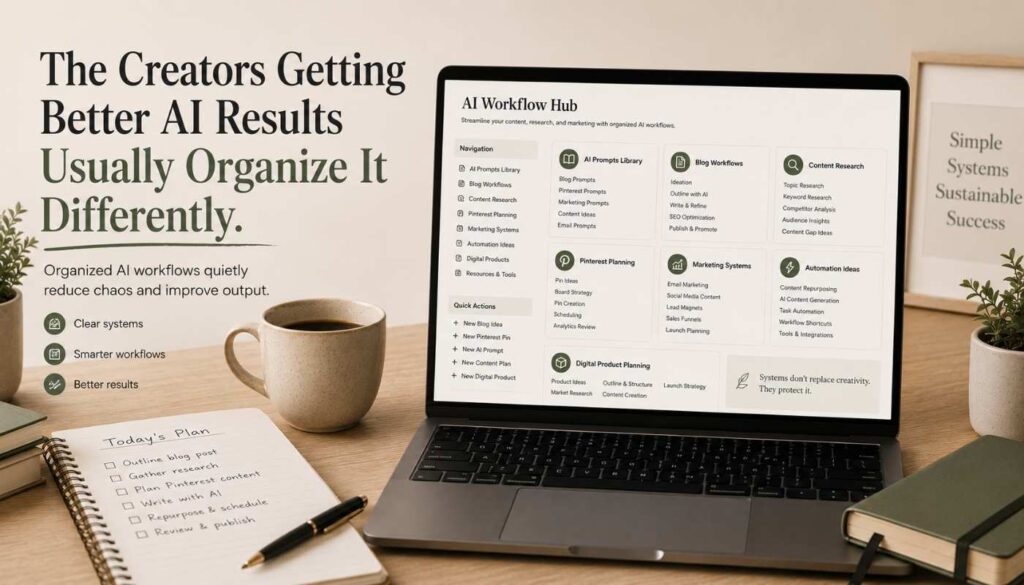
    Organized AI workflow dashboard for creators managing prompts, content ideas, research systems, and marketing workflows.

    This category still feels early, which makes it interesting.

    More creators now use AI tools daily, but most people still operate with scattered workflows. Prompts disappear into random chats, research gets lost across tabs, and useful outputs become difficult to organize later.

    That is creating a growing demand for templates that organize:

    Category What it organizes
    AI prompt library Saves and categorizes prompts so nothing gets lost in old chats
    Content workflow system Maps out how AI fits into each stage of content creation
    Research organization Stores AI-generated research outputs in a searchable format
    Marketing workflow Tracks campaigns, copy drafts, and scheduled content in one view
    Automation ideas log Captures workflow automation ideas before they get forgotten
    Client deliverables tracker Logs AI-assisted outputs by client, project, and deadline
    Content production pipeline Manages ideation, drafting, editing, and publishing as one flow

    This trend also connects directly with my recent Daily Pulse about the strange digital product people are quietly making money with. Buyers increasingly value products that simplify work instead of adding more information.

    And honestly, that shift makes perfect sense.

    Most people already feel overloaded with information online.

    What they want now is clearer systems.

    6. Etsy Product Research Dashboards

    Etsy sellers spend huge amounts of time researching product ideas, tracking trends, analyzing keywords, testing seasonal launches, and monitoring competitors.

    The problem is that most of this information slowly becomes disorganized.

    That is why Etsy research dashboards are becoming useful creator products. A focused template can help sellers track:

    What to track Why it matters
    Product ideas Captures new ideas before they disappear into random notes
    Seasonal trends Helps plan launches around high-demand periods in advance
    Keyword research Stores search terms so titles and tags stay optimized over time
    Pricing experiments Logs price changes and their effect on conversion and sales
    Launch timelines Keeps product launches organized from creation to listing
    Competitor observations Records what similar shops are doing well or missing
    Listing performance Tracks views, favourites, and sales to identify what is working

    This is especially powerful because the template directly supports income-generating work. Buyers are not purchasing an organization for the sake of the organization. They are purchasing a cleaner workflow that helps them make better business decisions.

    According to Etsy’s own seller resources, organization, listing optimization, and workflow consistency play major roles in helping sellers improve their shops over time.

    7. Personal Knowledge and Idea Systems

    This category feels broader, but it reflects a very real creator problem.

    Writers, marketers, bloggers, freelancers, and online business owners consume huge amounts of information daily. Screenshots, article ideas, podcast notes, research observations, marketing ideas, and random inspiration quickly pile up.

    Eventually, everything starts feeling fragmented.

    That is why personal knowledge systems are steadily growing. People want a cleaner way to organize ideas without constantly losing them across different apps and folders.

    Ironically, many creators today are not struggling because they lack information.

    They are struggling because they cannot manage the information they already have.

    Why These Small Digital Products Are Quietly Working
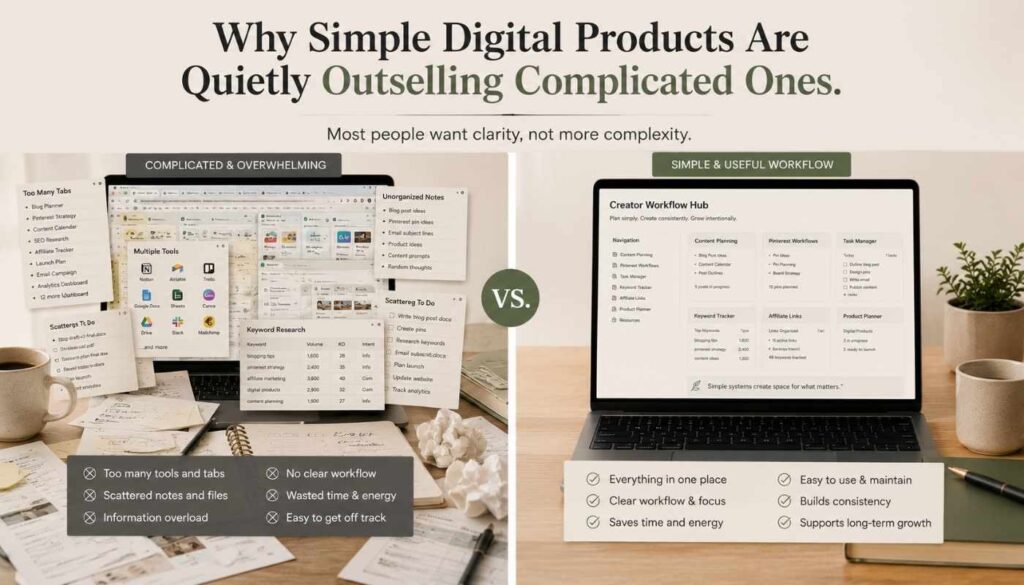
    Comparison showing simple useful creator workflow systems outperforming overwhelming complicated dashboards and information overload.

    One thing I keep noticing across almost every successful digital product category is that usefulness usually outperforms complexity.

    A lot of beginners assume they need giant systems before they can make money online. But many buyers simply want a practical tool that removes friction from one frustrating part of their workflow.

    That is what makes these templates interesting.

    They are not promising overnight success.

    They are solving small but annoying problems clearly.

    And honestly, I think that is exactly why they feel more trustworthy than most “make money online” advice floating around the internet right now.

    A small template may never look impressive on social media. But helping thousands of overwhelmed people feel more organized is still a very real business.

    And over time, those small digital assets can quietly compound into something much bigger.
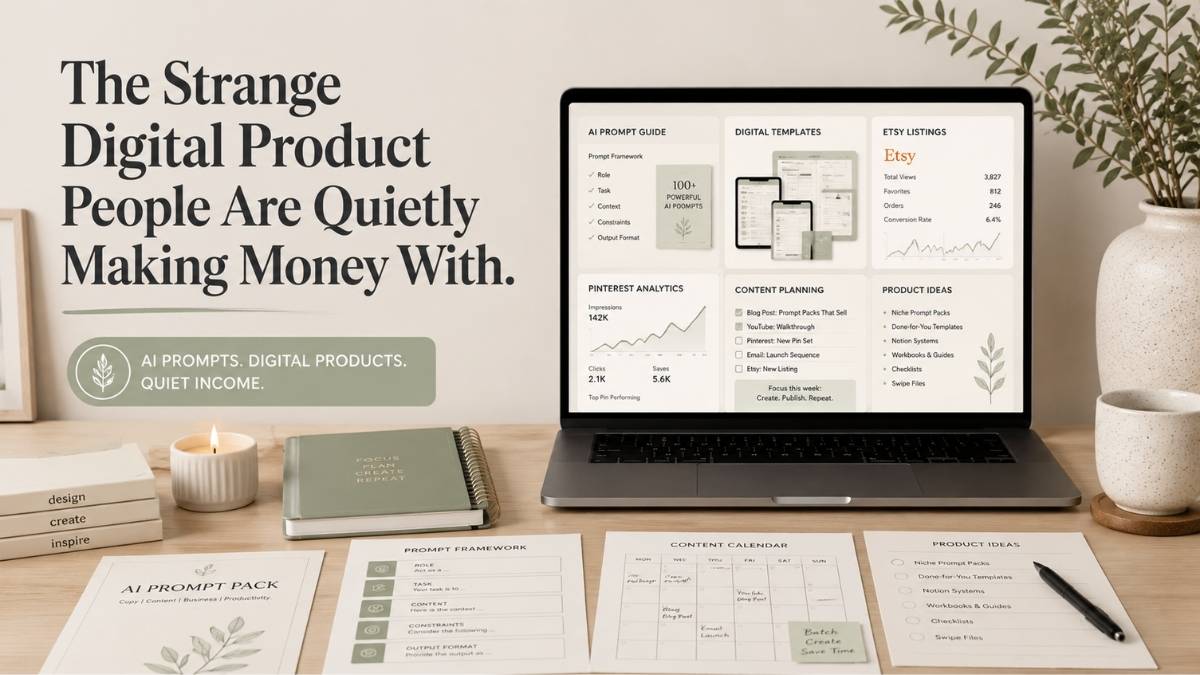
  • 1 Strange Digital Product People Are Quietly Making Money With

    1 Strange Digital Product People Are Quietly Making Money With

    Most people still think digital products mean ebooks, online courses, or printable planners. Those products still work, but over the last few months, I started noticing a quieter trend growing in the background.

    Creators were quietly making money selling something much simpler.

    Not massive programs. Not expensive software. Just prompt guides and AI prompt templates.

    At first, I honestly did not understand why people would pay for prompts when tools like ChatGPT are already available to everyone. But the more I looked into it, the more it started making sense. Most people are not struggling because they lack access to AI tools. They are struggling because they do not know how to use those tools effectively.

    That small difference has quietly created an entirely new type of digital product.

    Why AI Prompt Guides Are Suddenly Growing So Fast

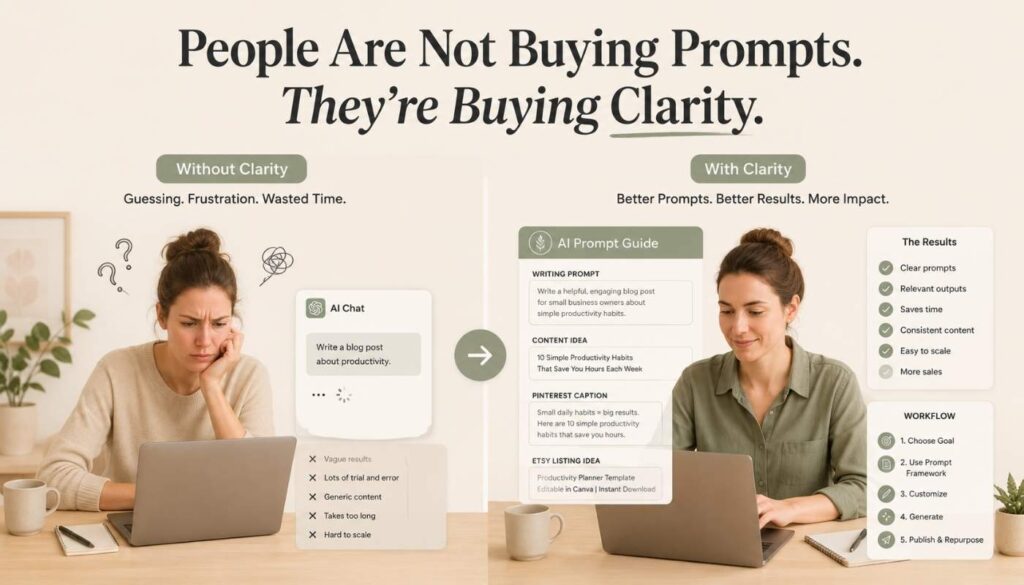
    Simple visual showing AI prompt guides helping creators get faster and clearer results.

    Right now, millions of people are opening AI tools every day hoping to save time, improve their work, or simplify their businesses. The problem is that most of them still stare at a blank screen without knowing what to type.

    They know AI can help them:

    ✍️ Write blog posts
    📣 Improve marketing
    📋 Organize projects
    💡 Create digital products
    ⚙️ Automate repetitive work

    But knowing AI is useful and knowing how to use it properly are two completely different things.

    That is exactly where prompt guides come in.

    Instead of spending hours experimenting with random instructions, people buy collections of prompts that are already organized around a specific result. A creator might sell:

    Prompt guide type Who it helps
    Etsy listing prompts Etsy sellers who want better product titles and descriptions
    Pinterest marketing prompts Creators who want more clicks and pin ideas
    Budgeting prompts People trying to manage and track personal finances with AI
    Email writing prompts Small business owners and creators who write marketing emails
    Content planning workflows Bloggers and social media creators planning consistent content

    Platforms like Etsy and Gumroad are already filled with creators quietly selling these products.

    The interesting part is that many of these products are surprisingly simple. But simplicity is often what makes digital products valuable in the first place.

    People are not paying for words on a screen. They are paying for clarity, convenience, and saved time.

    The Real Reason These Products Work

    One thing I keep noticing in the digital product space is that practical products usually outperform complicated ones.

    A lot of beginners assume they need to create huge courses or extremely polished systems before they can make sales online. In reality, many successful digital products solve one small but frustrating problem in a very simple way.

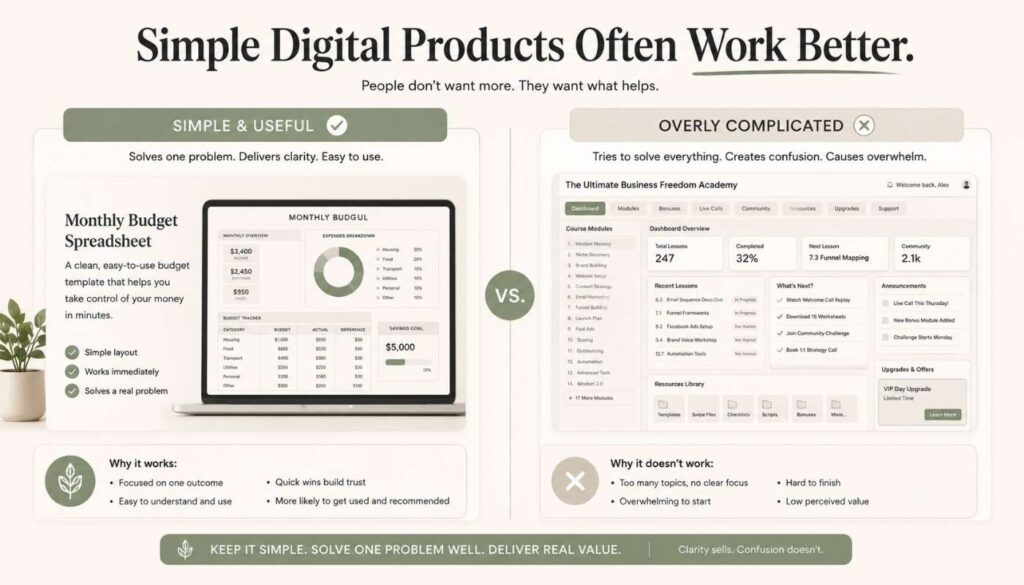
    A budgeting spreadsheet that helps someone organize their monthly finances can become more useful than a 300-page finance ebook they never finish reading. The same principle applies to prompt guides. Buyers are looking for shortcuts that reduce overwhelm and help them get results faster.

    That is why these products are quietly growing.

    Minimal comparison showing simple useful digital products outperforming overly complicated products.

    Not because prompts are revolutionary, but because people value tools that remove friction from their workflow.

    This also connects closely to something I explained earlier about why most people fail at passive income. Most people focus too much on complexity instead of usefulness.

    A Simple Example That Explains the Trend

    Imagine a small Etsy seller trying to improve their listings.

    They know AI tools could probably help them write better descriptions or titles, but they do not know how to structure prompts properly. They are overwhelmed by SEO advice, confused by AI tutorials, and frustrated because nothing feels consistent.

    Now imagine someone sells them a simple guide called

    “50 AI Prompts for Etsy Digital Product Sellers.”

    Suddenly, the value becomes obvious.

    The buyer is not purchasing “prompts.” They are purchasing:

    What the buyer is really purchasing

    A faster workflow
    😮‍💨 Less frustration
    🛤️ A shortcut to better results

    That is why niche-specific prompt guides are starting to perform well. They solve a direct problem for a very specific audience.

    Why This Trend Feels Different From Typical Passive Income Advice

    A lot of passive income content online still feels disconnected from reality. People talk about building giant businesses before even making their first sale, and beginners end up feeling overwhelmed before they even start.

    What makes prompt guides interesting is that they are relatively small and flexible. Someone can create a useful prompt bundle, a workflow template, or a Notion system without needing inventory, employees, or expensive software.

    That lower barrier matters.

    It allows creators to test ideas quickly without risking huge amounts of money or time. And honestly, I think that is one reason more people are moving toward smaller digital assets instead of chasing massive online businesses immediately.

    The internet is slowly shifting toward convenience products. Buyers increasingly want tools that save them time, simplify work, or reduce decision fatigue. Prompt guides fit perfectly into that shift.

    This also connects with something I mentioned recently in my article about why many side hustles never grow. Many side hustles stay stuck because people constantly restart instead of building connected systems.

    The Biggest Opportunity Is Niching Down

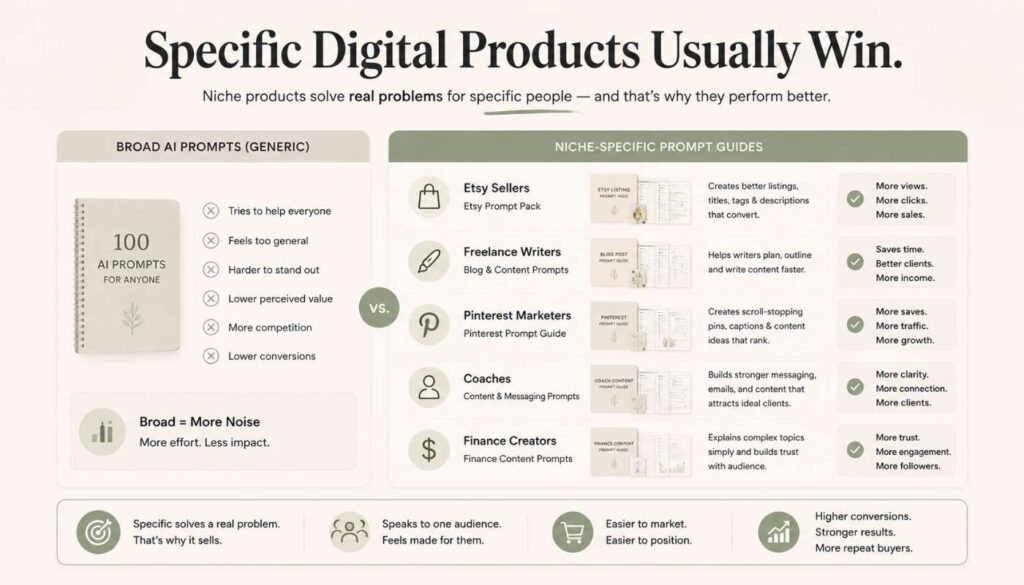
    Clean infographic showing niche AI prompt guides for specific audiences like Etsy sellers, coaches, and freelancers.

    This is the part most people still underestimate.

    Generic AI prompts are everywhere now, which means broad prompt collections are becoming less valuable. The stronger opportunity is creating prompt guides for very specific audiences or problems.

    For example:

    Niche audience Product idea
    Pinterest marketers AI prompts for writing pin titles, descriptions, and board strategies
    Freelance writers AI prompts for outlines, pitches, and client emails
    Etsy sellers AI prompts for product listings, tags, and shop descriptions
    Finance creators AI prompts for budgeting content, newsletters, and product ideas
    Coaches AI prompts for session prep, client onboarding, and social content
    Small business owners AI prompts for marketing copy, FAQs, and customer communications

    The more specific the audience, the more useful the product becomes.

    That same principle applies to almost every successful digital product category. Specific products usually perform better because they solve very specific frustrations.

    A generic “business template” is easy to ignore.

    A “Tax Tracker for Etsy Sellers” immediately feels more relevant to the right buyer.

    This Trend Also Connects Perfectly With Content

    One reason I find this model interesting is that it connects naturally with blogging, Pinterest, and long-term content systems.

    A creator can:

    The content system that compounds

    1 Write articles around specific problems
    2 Create Pinterest content around those articles
    3 Build search traffic slowly over time
    4 Connect that traffic to digital products over time

    That system feels much more sustainable than constantly jumping between random side hustles.

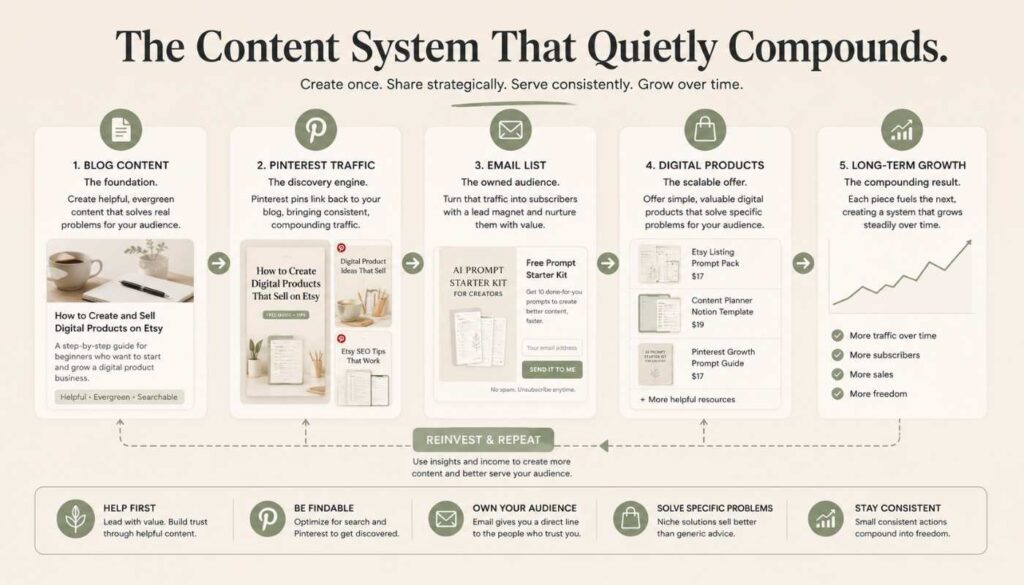
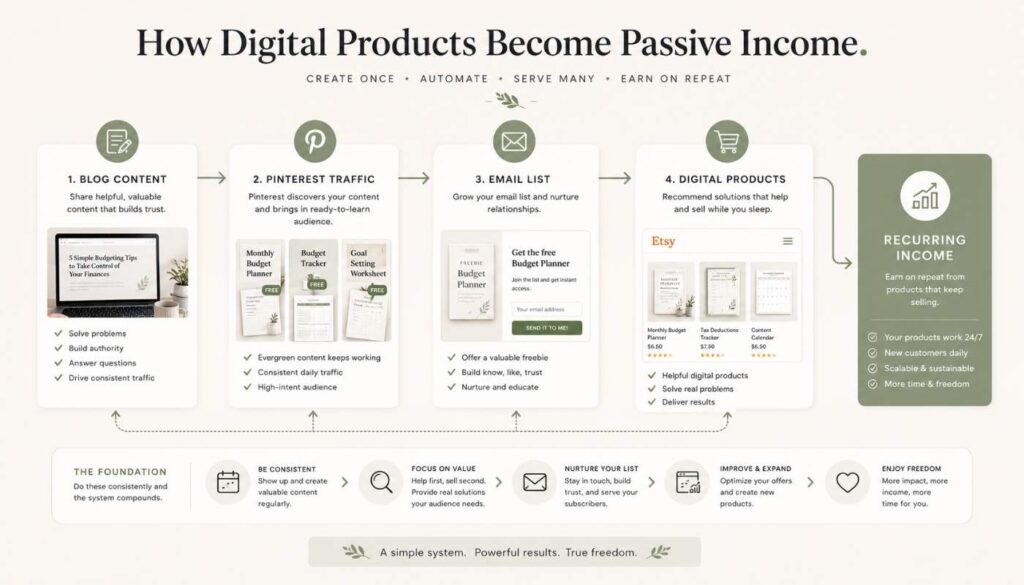
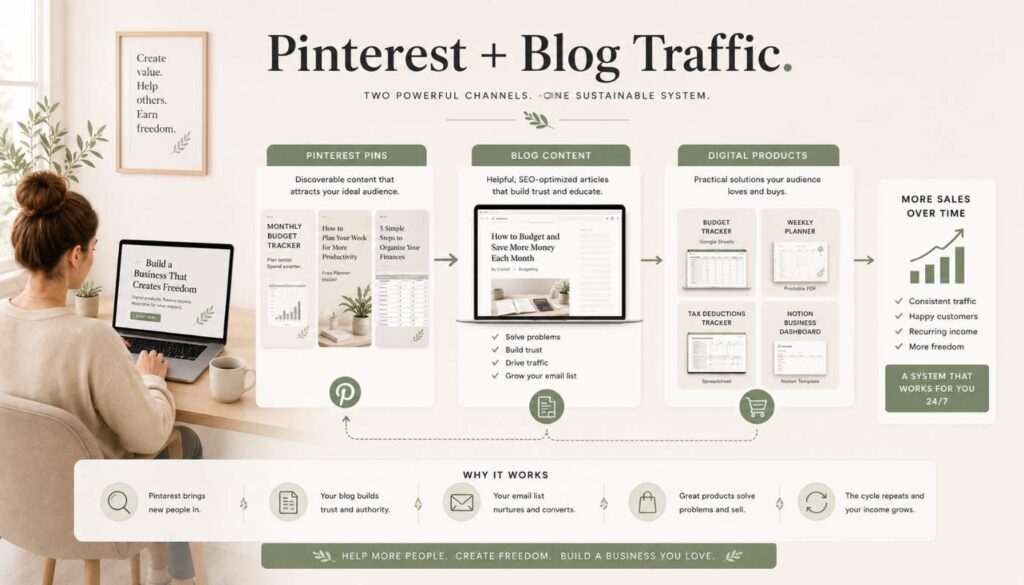
    It is also why I have been paying more attention to digital assets lately instead of chasing completely unrelated ideas. When blog content, Pinterest traffic, email lists, and products all support each other, growth starts compounding more naturally.

    That is when passive income starts feeling less like an internet fantasy and more like a realistic long-term system.

    Simple creator content system showing blog posts, Pinterest traffic, email lists, and digital products working together.

    I recently wrote more deeply about this idea in my guide on building a digital products shop for passive income.

    AI prompt guides may still sound strange to some people right now, but that is usually how early trends look before they become overcrowded. And honestly, I think many people are still underestimating how valuable clarity and convenience have become in the AI era.

  • How to Build a Digital Products Shop for Passive Income in 2026

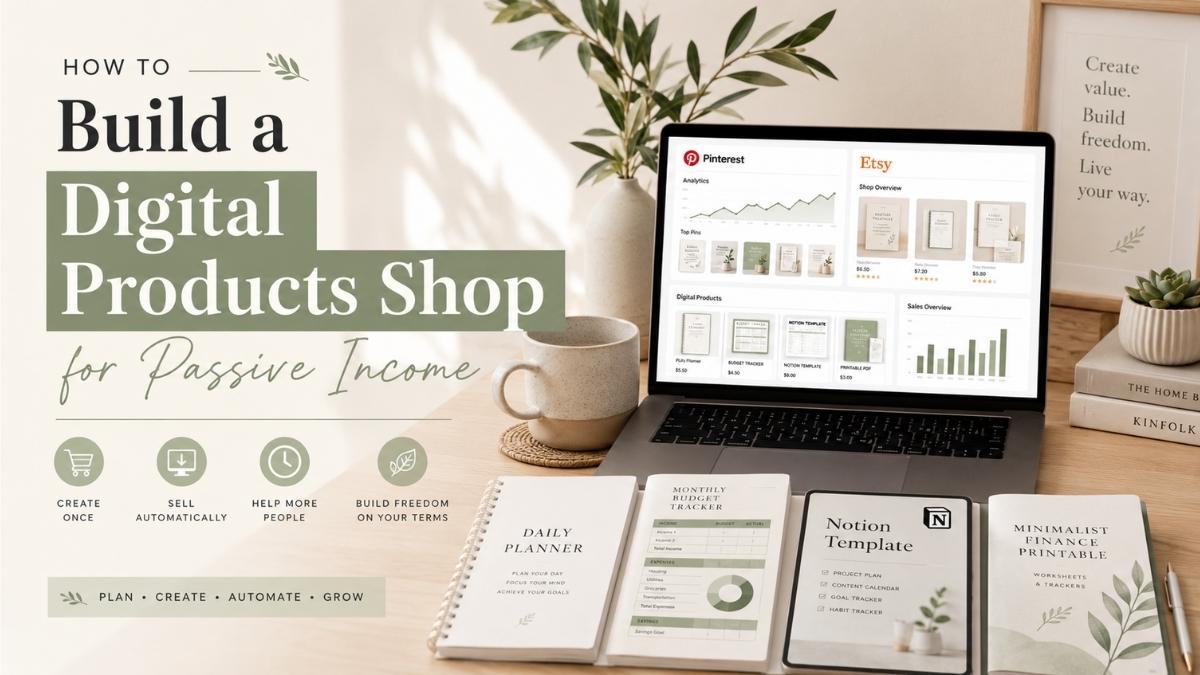
    How to Build a Digital Products Shop for Passive Income in 2026

    Most people like the idea of passive income — but they usually skip the part that actually makes it work.

    They look for a perfect idea, watch tutorials, save screenshots of other people’s income reports, and then jump to the next shiny opportunity when things don’t move fast enough. Building something online can feel slow in the beginning, especially when you’re creating products, writing content, posting pins, and still waiting for the first signs of momentum.

    But if I had to choose one realistic passive income model for beginners in 2026, I’d focus on digital products.

    Not because digital products are effortless — they’re not. You still need to create something useful, package it clearly, write strong product descriptions, and get traffic. But once the product is made, it can keep working in the background. A budget tracker, tax tracker, printable planner, Notion template, content calendar, or spreadsheet can be sold again and again without being recreated every time.

    That is what makes digital products different from a normal side hustle. You’re not just doing work. You’re building an asset.

    Why Digital Products Are Such a Strong Passive Income Idea

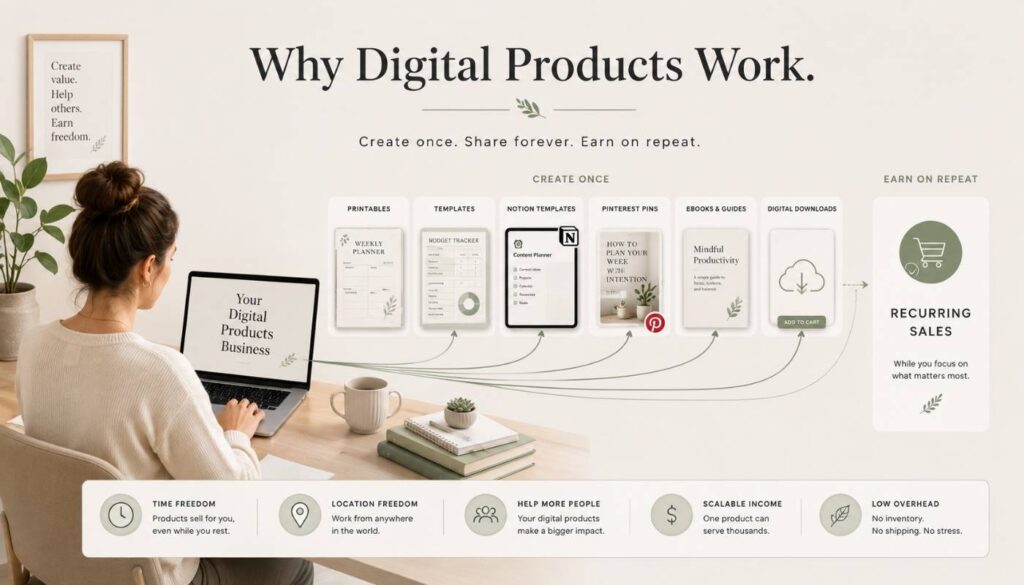
    Digital products remove many of the problems that come with physical products. No inventory, packaging, shipping, or storage. Once a customer buys the file, it can be delivered automatically — giving digital products strong profit potential, especially for creators working with a small budget.

    Easy Digital Downloads explains that digital products have lower overhead because there’s no physical manufacturing, packaging, or shipping involved — and they can be delivered to customers online, which makes them easier to scale than physical products.

    This is why digital products work so well for creators, bloggers, Etsy sellers, Pinterest marketers, and small business owners. You create something once, improve it over time, and keep sending traffic through content.

    Imagine you create a simple monthly budget spreadsheet. At first, it’s one product. But later, it can become part of a larger bundle — with a debt payoff calculator, tax tracker, savings challenge, and yearly finance dashboard. Suddenly, you’re not just selling a file. You’re building a product ecosystem around one clear problem.

    You’re not trying to make quick money from one random download. You’re building a small library of useful assets that can compound. That’s the mindset shift that matters.

    Minimal visual showing digital products creating passive income through blogs, Etsy, Pinterest, and templates.

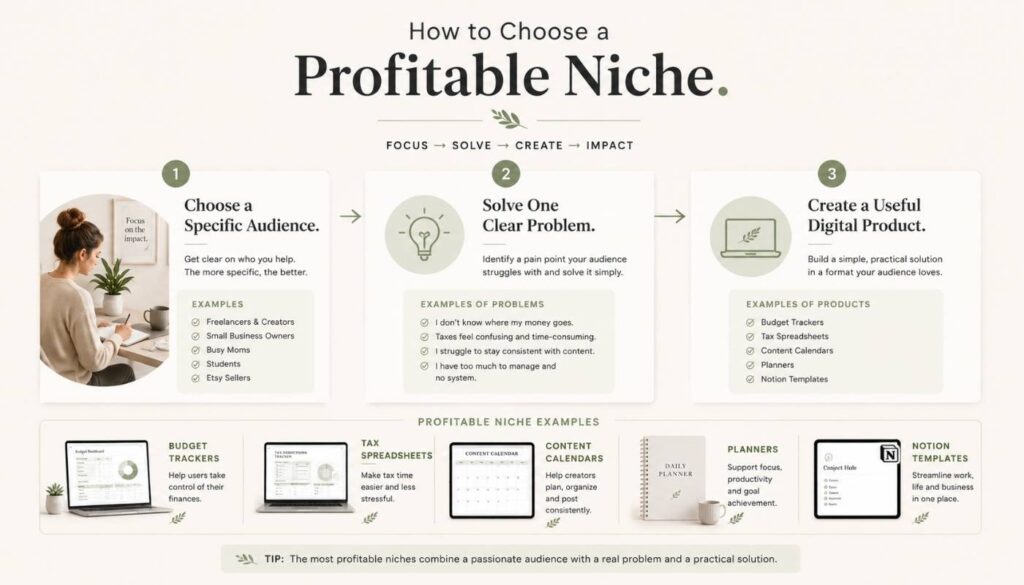
    Step 1: Choose a Niche That Has Buyer Intent

    The first mistake many beginners make is choosing a niche that sounds interesting but has no clear buyer intent.

    “Productivity” is broad. “Notion templates for freelance designers” is clearer. “Personal finance” is broad. “Budget trackers for self-employed creators” is more specific. The more specific the problem, the easier it becomes to create a product that feels genuinely useful.

    Inkfluence AI’s research on profitable digital product niches for 2026 highlights several strong categories: Notion and productivity templates, social media content calendars, resume templates, small business financial templates, and side hustle playbooks.

    A good niche usually has three things: people are already looking for a solution, they understand the problem clearly, and they’re willing to pay for something that saves time, reduces stress, or helps them get a result faster.

    A simple niche test

    1 Who exactly is this for?
    2 What problem does it solve?
    3 Would someone search for this on Google, Etsy, or Pinterest?
    4 Are people already selling similar products?
    5 Can I make my version clearer, simpler, more useful, or more niche-specific?
    Clean infographic showing how profitable digital product niches solve specific problems for specific audiences.

    Competition isn’t always a bad sign. If others are selling budget planners, content calendars, or Notion dashboards, buyers exist. The goal is to find a specific angle. “Budget planner” is broad — but these angles are stronger:

    • Budget planner for freelancers
    • Budget tracker for beginners
    • Monthly money tracker for couples
    • Tax tracker for Etsy sellers
    • Income and expense tracker for digital product creators

    The product becomes stronger when the buyer can immediately think, “This was made for me.”

    Step 2: Start With a Simple Product That Solves One Clear Problem

    A lot of beginners overcomplicate the first product. They think they need a massive course, a huge template bundle, or a perfect 80-page planner before launching anything. You don’t.

    A better approach: create one simple product that solves one specific problem. A one-page budgeting worksheet, a Google Sheets income tracker, a printable weekly planner, a Notion habit tracker, or a content calendar template.

    Here are beginner-friendly product ideas that align with a passive income content direction:

    • Monthly budget tracker
    • Tax tracker for creators
    • Side hustle income tracker
    • Digital product launch checklist
    • Pinterest content calendar
    • Etsy product research worksheet
    • Blog post planner
    • Freelance invoice tracker
    • Savings challenge printable
    • Notion finance dashboard

    The product shouldn’t feel random. It should connect to your content. A reader who finds your article about why most people fail at passive income may be ready to understand why assets matter — and that’s exactly where a relevant product fits.

    Step 3: Make the Product Easy to Understand and Easy to Use

    Simple visual system showing blog posts, Pinterest traffic, email lists, and digital products working together.

    A digital product doesn’t need to be complicated to be valuable. In fact, simple products often sell better because people understand them faster.

    Think about the buyer. They’re not buying your spreadsheet because they love spreadsheets. They’re buying it because they want less confusion around money. So your product should be clean, useful, and easy to understand.

    For a spreadsheet: include clear tabs, simple labels, automatic calculations, and a short instruction page. For a printable: use clean spacing, readable fonts, and practical sections. For a Notion template: include a walkthrough explaining how to duplicate and use it.

    Imagine a beginner Etsy seller buys a tax tracker from your shop. They’re not an accountant — they feel confused about expenses, income, fees, and deductions. If your tracker has too many complicated tabs, users feel overwhelmed. But if it has simple sections for income, platform fees, business expenses, estimated tax, and monthly totals, it becomes useful immediately. That’s what makes a digital product valuable: it gives the customer relief.

    You can also improve perceived value with small extras — a quick start guide, sample pin title formulas for a Pinterest calendar, or a bonus product idea worksheet. These make the product feel more complete without requiring you to build something huge.

    Step 4: Decide Where to Sell On Etsy or Your Own Website

    For beginners, Etsy is usually the easiest place to start because people already search there for printables, templates, planners, and digital downloads. The benefit is simple: it already has buyers.

    The downside is that Etsy controls the platform. You pay fees, compete with many sellers, and don’t fully own the customer relationship.

    Your own website gives you more control. You can sell through tools like Easy Digital Downloads, Gumroad, or Shopify. This is better long-term because you can build your brand, email list, and customer base outside of a marketplace.

    The best approach for many beginners: use both. Start with Etsy for marketplace discovery, and build your own site to create independent traffic over time through Pinterest and blog content.

    Step 5: Create Product Listings That Sell the Result

    A weak listing describes the file. A strong listing sells the outcome.

    Instead of only saying “Monthly Budget Spreadsheet,” write: “This simple monthly budget tracker helps you organize income, expenses, savings, and debt payments in one clean spreadsheet, so you can see where your money is going without feeling overwhelmed.”

    Your listing should include

    1 A clear product title with keywords
    2 A short benefit-focused description
    3 File format details
    4 What is included
    5 Who it is for
    6 How the customer will receive it
    7 Clear mockup images
    8 A short FAQ section

    For Etsy, use words buyers actually search: “tax tracker spreadsheet,” “small business expense tracker,” “Etsy seller tax template,” or “self-employed income tracker” — not just “Finance Sheet.”

    Minimal creator marketing visual showing Pinterest pins driving traffic to blog content and digital products.

    Step 6: Price Your Products Without Undervaluing Them

    Many beginners price too low out of fear. But pricing too low can make your product feel less valuable. A well-built spreadsheet, Notion dashboard, or bundle can be priced higher because it saves time and solves a specific problem.

    Product type Suggested price
    Simple printable $3 – $7
    Spreadsheet template $7 – $19
    Notion dashboard $9 – $29
    Template bundle $19 – $49
    Mini course with templates $49 – $199

    Bundles are especially useful. If someone buys a budget tracker, they may also want a tax tracker, savings tracker, debt payoff calculator, and yearly finance dashboard. Instead of selling just one product, bundle them — this increases average order value without needing a completely different audience.

    Step 7: Use Pinterest to Drive Visual Traffic

    Pinterest is one of the best platforms for digital products because people use it to search for ideas, solutions, templates, planners, and inspiration. Pins keep getting impressions long after they’re published.

    Set up a Pinterest Business account and publish pins that link to your blog posts, product pages, or Etsy listings. Create pins around problems, not just products:

    Pin title idea Why it works
    How to Finally Organize Your Side Hustle Income Speaks to a real frustration — “finally” signals the reader has been struggling with this for a while
    The Budget Tracker I Wish I Had Started With Personal and relatable — implies a lesson learned, creates curiosity
    Simple Tax Tracker for Etsy Sellers Hyper-specific audience targeting — Etsy sellers searching this know exactly what they need
    Stop Guessing Where Your Money Goes Addresses anxiety directly — the reader feels seen and wants the solution
    Digital Product Planner for Beginners Keyword-rich and beginner-friendly — targets people just starting out who are actively searching

    For every product or blog post, create multiple pins with different angles — one focused on the problem, another on the result, another on a common mistake. Keep your designs clean, consistent, and readable.

    Step 8: Use Blog Content to Build Trust Before the Sale

    A lot of people won’t buy a digital product the first time they see it. They need context. They need to understand the problem. They need to trust that your product can help. That’s what blog content does.

    For example, a reader searching “why is my side hustle not growing” might find your article on 3 reasons your side hustle still isn’t growing. After reading it, they understand they need systems and assets — and your digital products become the natural next step.

    A reader who finds your post on passive income ideas under $100 may be introduced to digital products as a low-cost idea. The goal is to create a clear content path:

    1. The reader has a problem
    2. The blog post explains the problem
    3. Internal link sends them to the next useful article
    4. The product solves a specific part of the problem
    5. An email list keeps the relationship going

    Step 9: Build an Email List Early

    Pinterest can send traffic. Google can send traffic. Etsy can bring buyers. But your email list is the audience you can reach again without depending on an algorithm.

    Start with a simple freebie — a one-page budget checklist, side hustle income tracker, digital product idea worksheet, or tax deduction checklist. Then send a short welcome sequence:

    Email What it covers Goal
    Email 1 Deliver the freebie and introduce your story Build trust and set expectations
    Email 2 Share a useful tip related to the freebie Reinforce value and keep them engaged
    Email 3 Explain a common mistake beginners make Position your paid product as the solution
    Email 4 Introduce your paid product as the next step Convert subscriber into a buyer naturally

    The best email marketing feels helpful — you’re guiding someone from a free solution to a more complete paid one. If someone downloads a free tax deduction checklist, your paid tax tracker is a natural follow-up.

    Step 10: Turn One Product Into a Product Stack

    Creators who make digital products work long-term usually don’t stop at one product. They build a product stack — multiple offers around the same audience and problem.

    Inkfluence AI also discusses how creators can build from a free lead magnet to low-ticket products, bundles, courses, and memberships. Here’s what a simple finance template stack could look like:

    Level Product Purpose
    Free Side hustle income checklist Lead magnet to grow your email list
    Low ticket Monthly budget tracker First paid product — simple, specific problem
    Second offer Tax tracker for creators Natural upsell for existing buyers
    Bundle Complete creator finance tracker All templates together at higher value
    Higher ticket Mini course on side hustle money Deeper guide for buyers who want the full system

    You don’t need to build all of this at once. Start with one useful product. Then listen to what buyers ask for—their questions will often tell you what to create next.

    Before setting your prices, use this free Etsy Digital Product Pricing Calculator to estimate your profit after fees.

    Common Mistakes to Avoid

    Mistake What to do instead
    Creating a product before understanding the buyer Research the problem first. A pretty template is not enough if it does not solve a clear need.
    Making the product too complicated Start simple. One clear problem, one clean solution. Simple and useful beats complex and confusing every time.
    Relying only on Etsy or one platform Build your own traffic too. Use Pinterest, blogging, and email so you are not dependent on one algorithm.
    Quitting too early Digital products take time. Improve your mockups, rewrite descriptions, test keywords, and keep publishing content before expecting consistent sales.
    Creating random products with no connection Build a focused product library around one clear audience. A connected product stack is far stronger than scattered individual files.
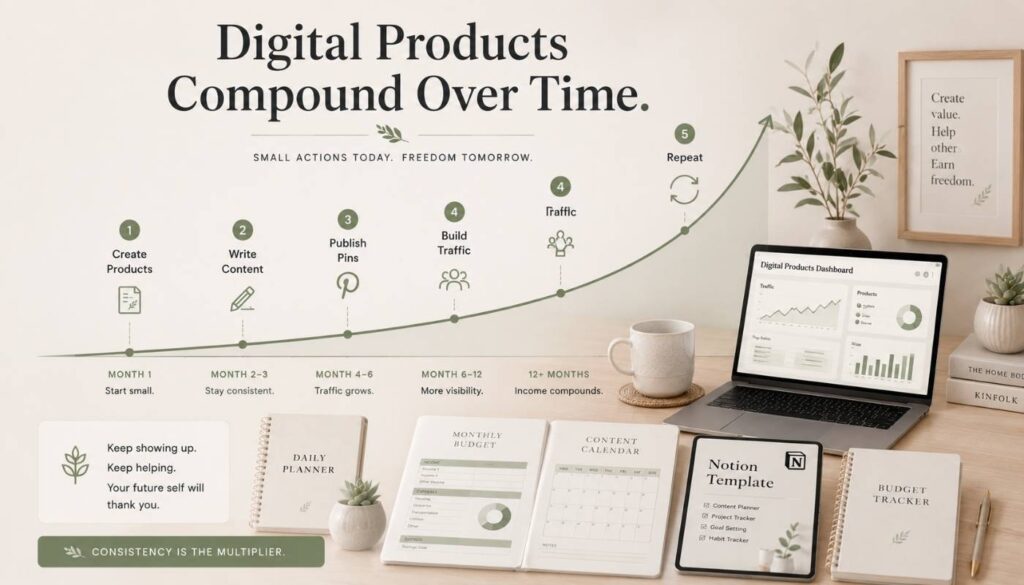
    Digital Products Compound Over Time

    Final Thoughts

    Building a digital products shop for passive income in 2026 isn’t about creating one random file and hoping it sells forever. It’s about choosing a clear audience, solving a real problem, and building assets that can work together over time.

    Start with one product. Make it useful. List it clearly. Create Pinterest pins for it. Write blog posts around the problem it solves. Build an email list. Then create the next product based on what your audience needs.

    If you want a simple example of what this looks like, check out beginner-friendly budget and tax trackers in the ImproveImprovise Etsy shop — examples of simple digital products that solve a clear problem, which is exactly where most beginners should start.

    You don’t need to build a perfect shop in one week. You just need to stop chasing random ideas and start building useful assets one at a time.

    That’s the real foundation of passive income.