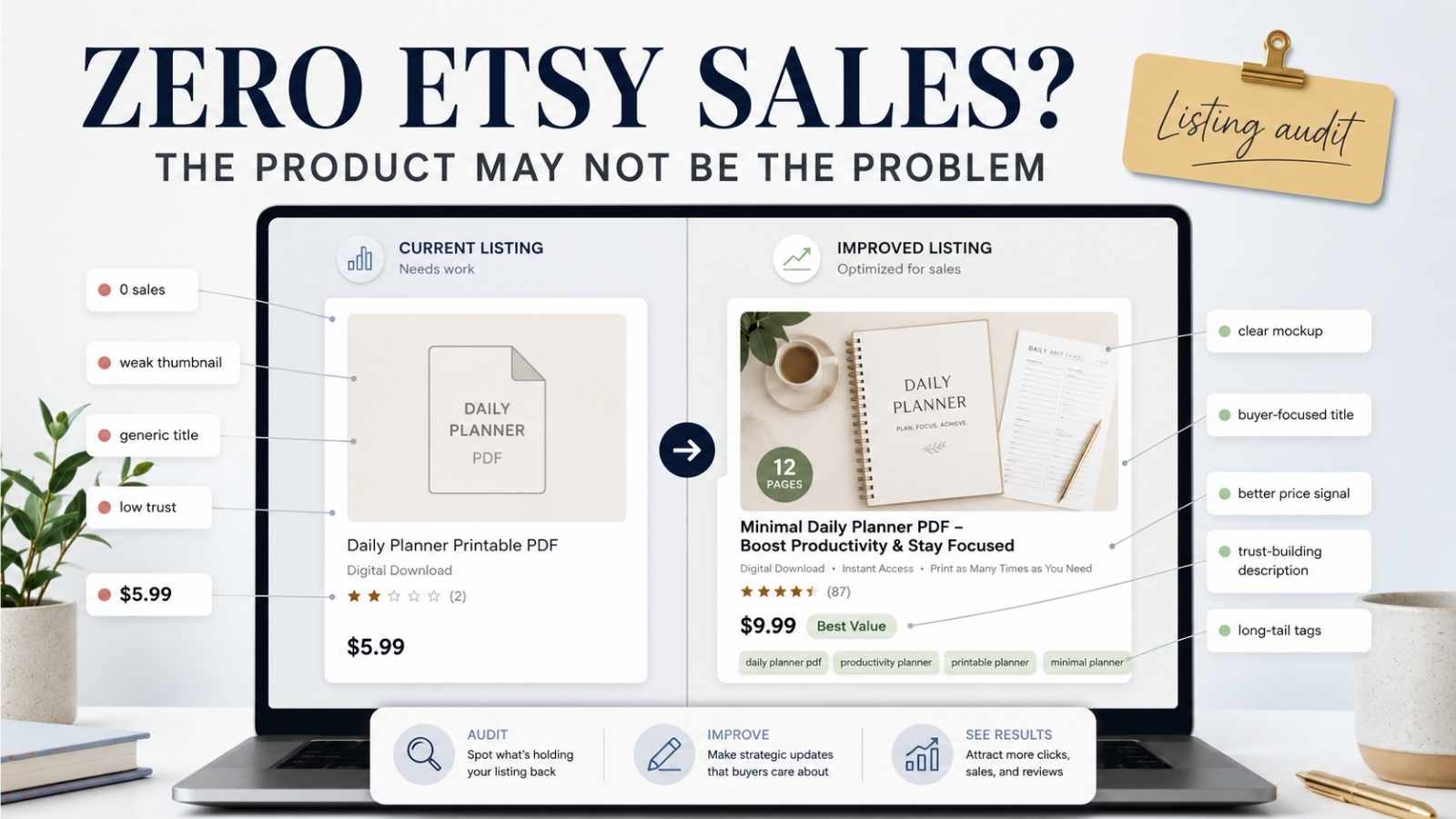
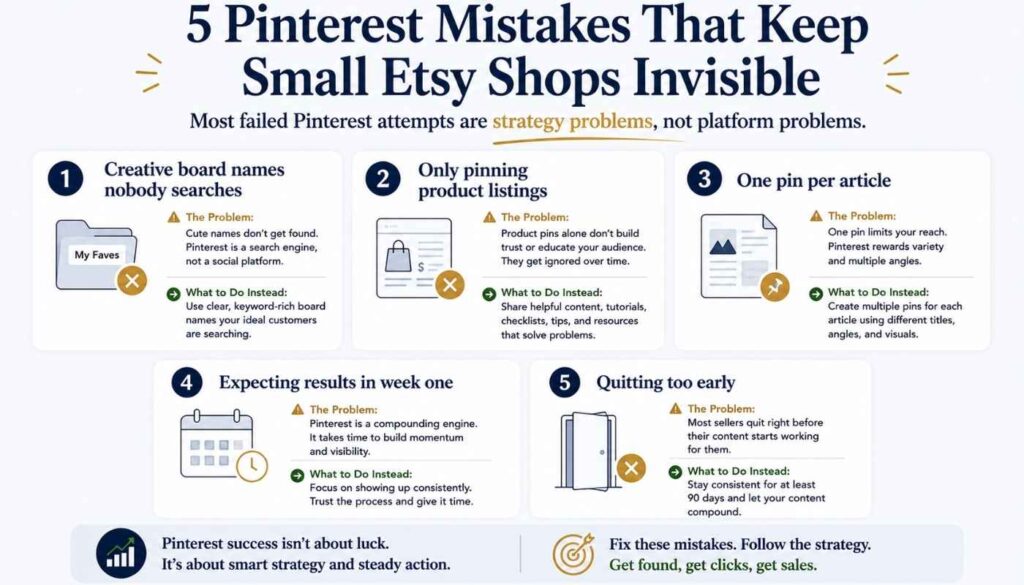
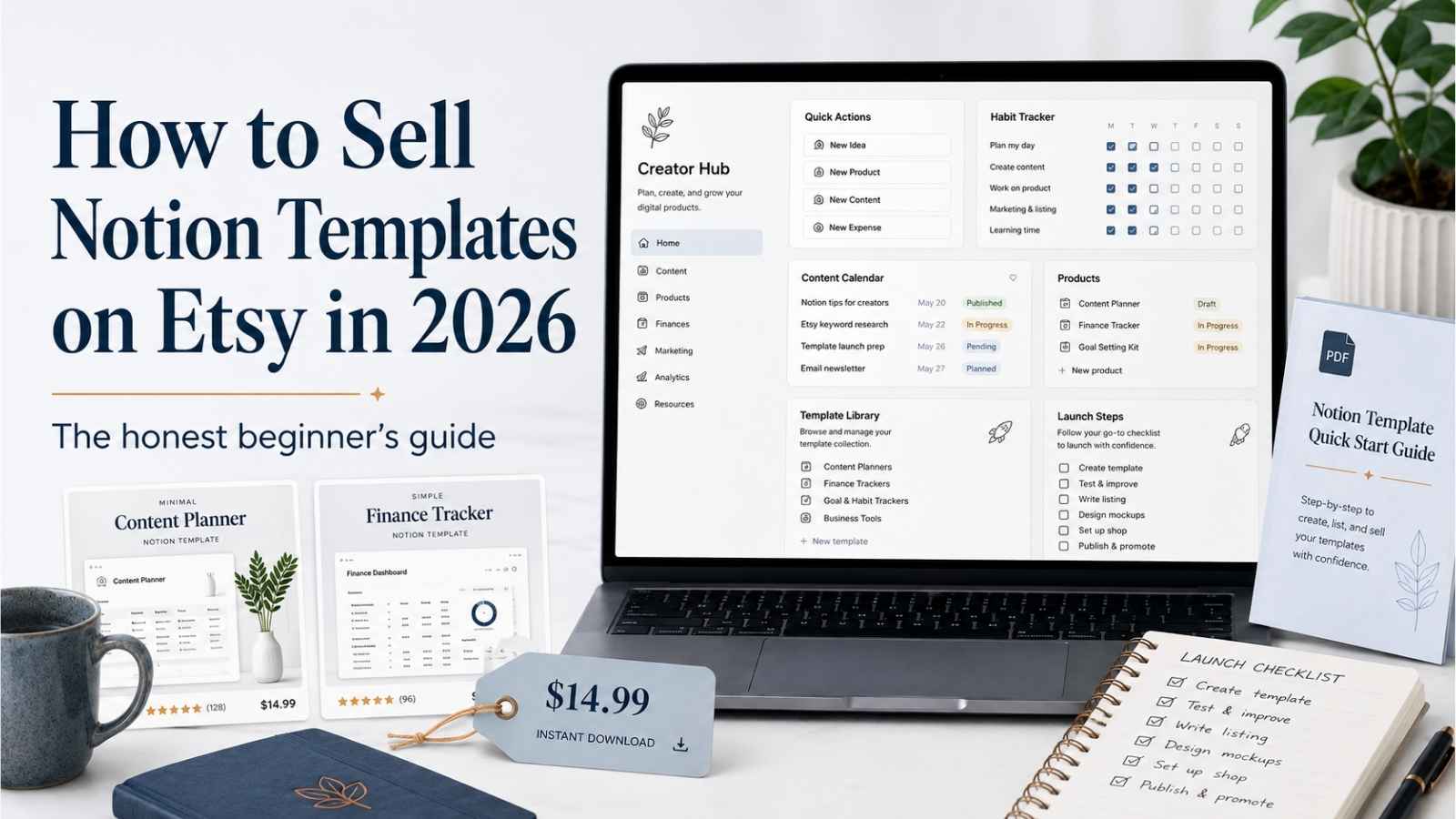
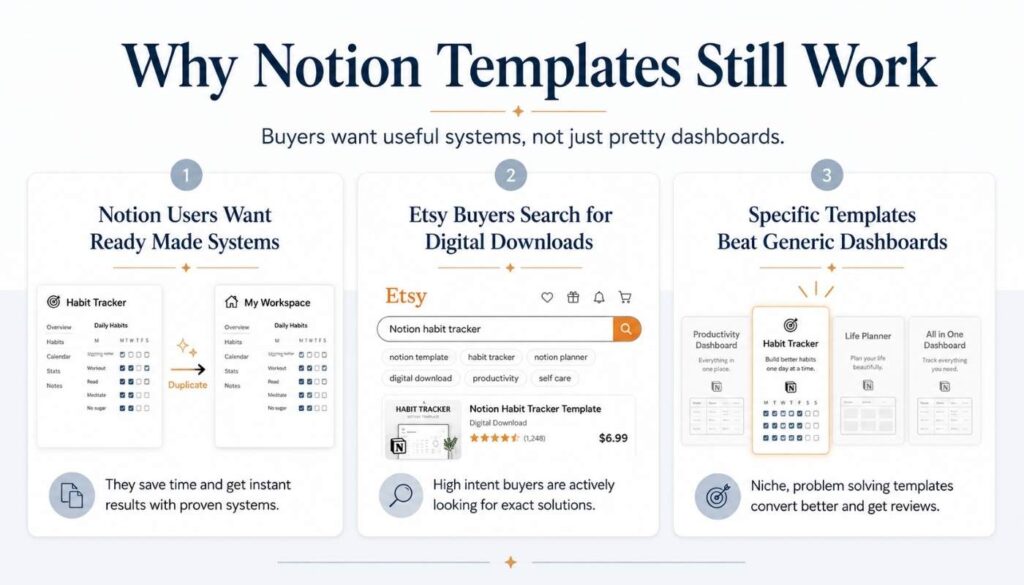
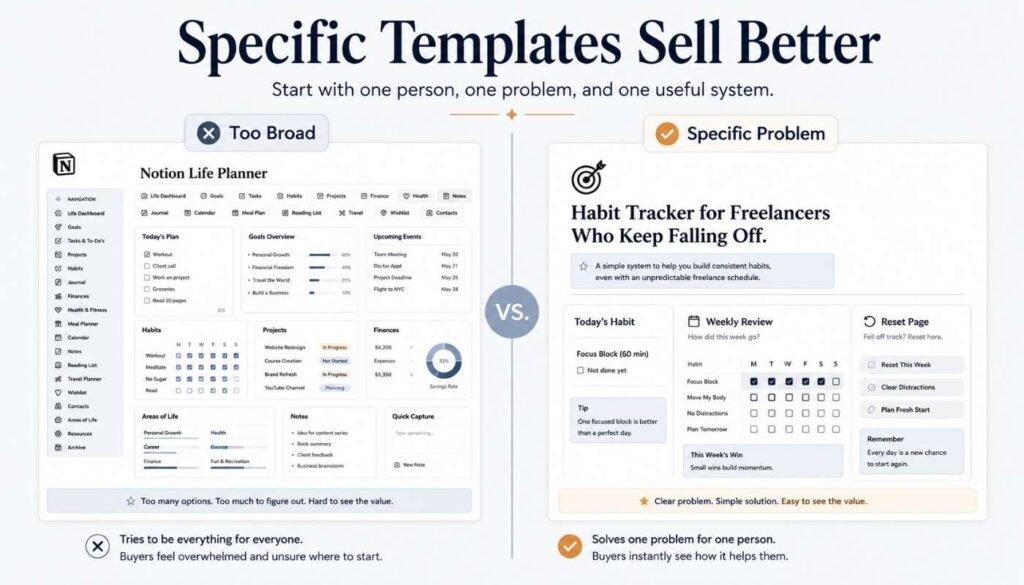
Practical guides on finding, building, pricing, and selling digital products like Notion templates, planners, spreadsheets, and AI workflow tools. Real strategies for turning simple digital assets into quiet income streams over time.
I sell PDF-based digital products: a freelancer tax tracker and a budget planner, both made in Canva and delivered instantly after purchase.
So far, I have made zero sales.
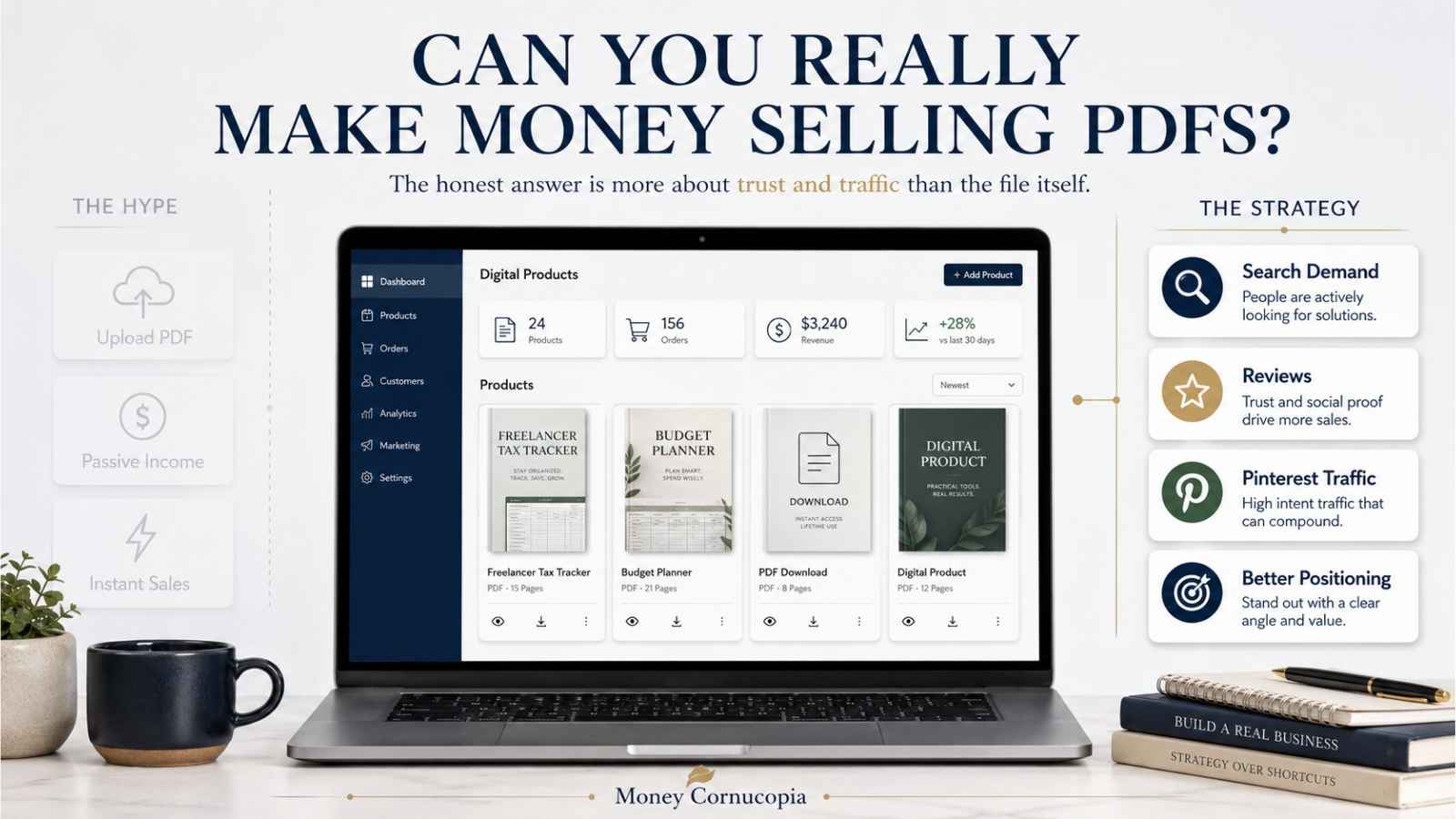
That might sound like proof that selling PDFs does not work. I do not think that is the full answer. The more honest answer is that PDFs can sell, but the file itself is rarely what makes the sale happen.
If you have spent any time on YouTube or Instagram recently, you have probably seen the opposite claim. Create a simple PDF, sell it for a few dollars, and watch passive income roll in. Some videos go further: build a landing page, link it from your Instagram bio, automate a few DMs, and the PDF practically sells itself.
I want to give you the honest version of this, based on what I have actually experienced and what I found when I looked closely at why some PDFs sell and others, including mine, do not.
Quick Answer: Can You Make Money Selling PDFs?
Yes, but not because they are PDFs.
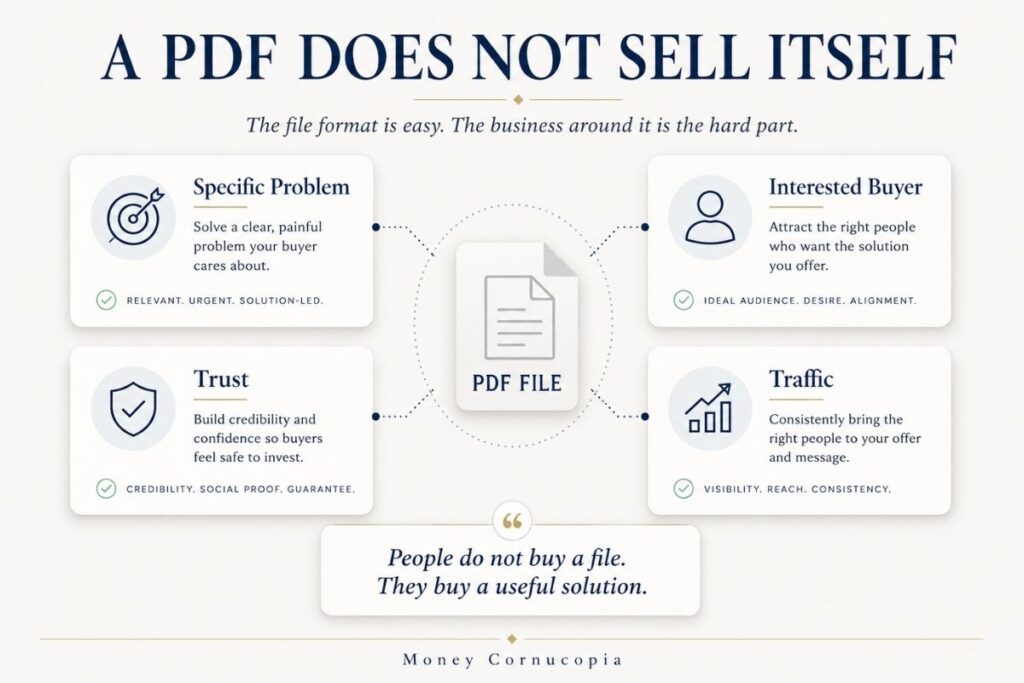
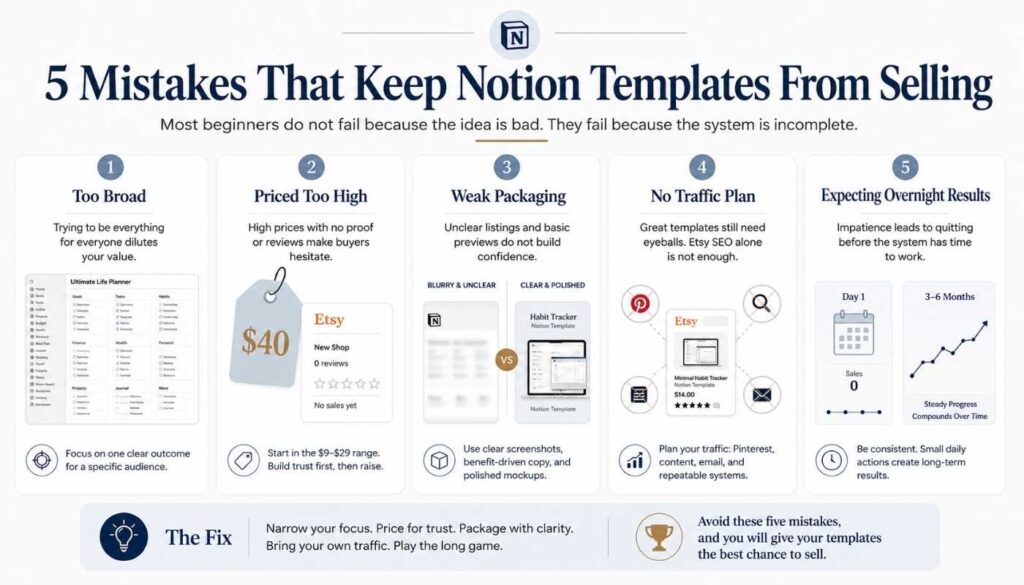
A PDF is just a file format. It is cheap to produce, instant to deliver, and easy to create. None of that makes it sell. What makes a digital product sell is whether it solves a specific problem for a specific person who is already looking for a solution and trusts the seller enough to pay for it.
Most advice about selling PDFs focuses entirely on the file format and almost never on the actual reason people buy things. That gap is where most beginners, including me, get stuck.
Table of Contents
Why PDFs Still Sell
The format has real advantages, and they are worth understanding before dismissing the whole idea.
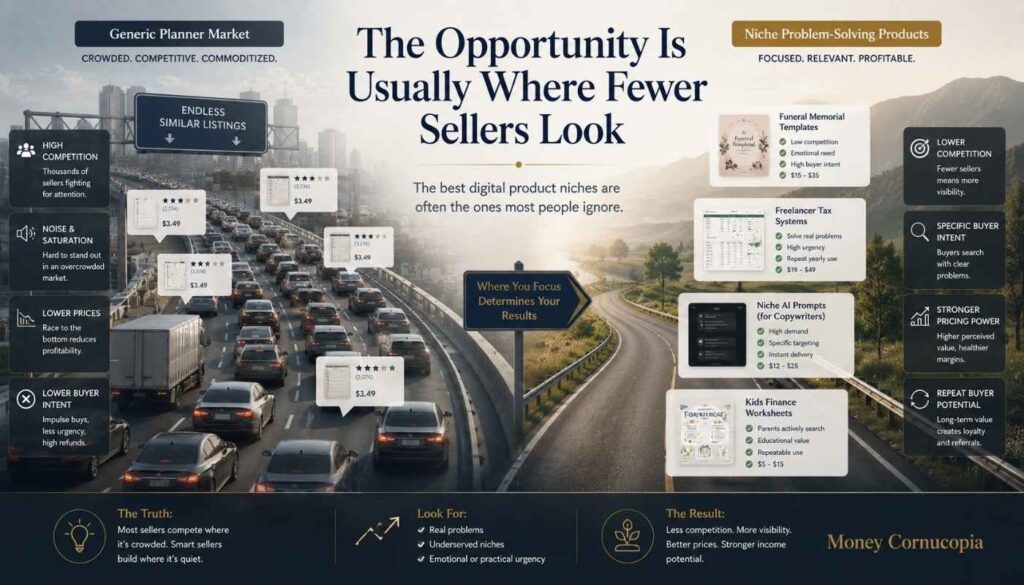
A PDF can be created once and sold an unlimited number of times with no additional production cost. Delivery is instant, removing the friction of shipping or waiting. The barrier to creating one is extremely low, which is exactly why marketplaces are full of them. This is exactly why marketplaces like Etsy are full of PDF planners, trackers, templates, and printable downloads.
These advantages are real. They are also the reason the market for PDFs has become so crowded that the advantages themselves stopped being a differentiator.
The Real Problem: Specific Has Become the New Generic
This is the part nobody talks about, and it is the most important thing I have learned.
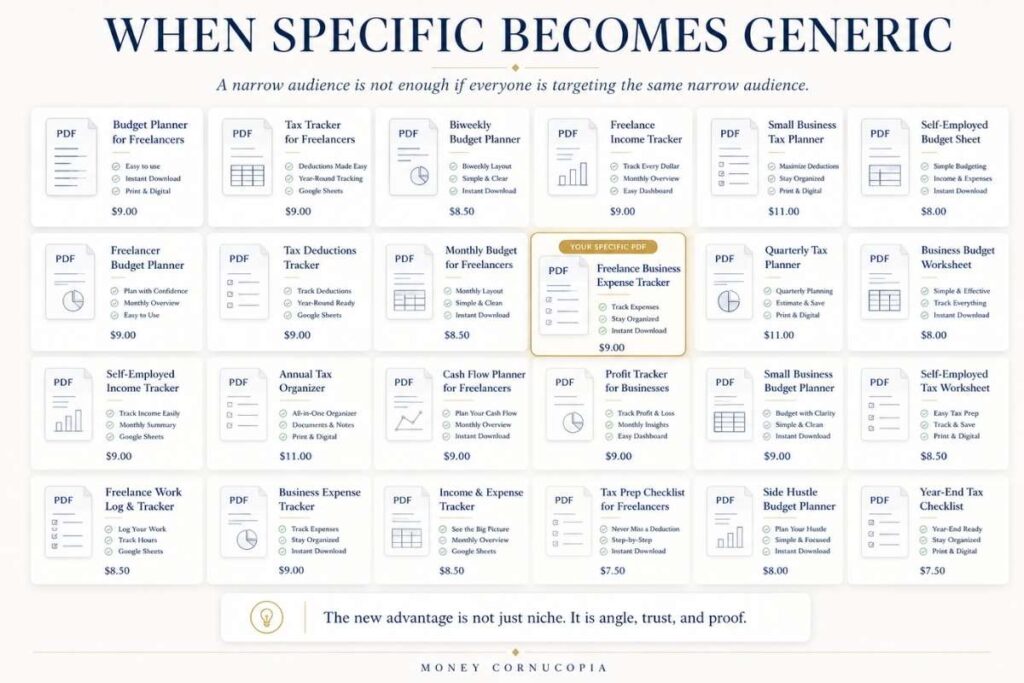
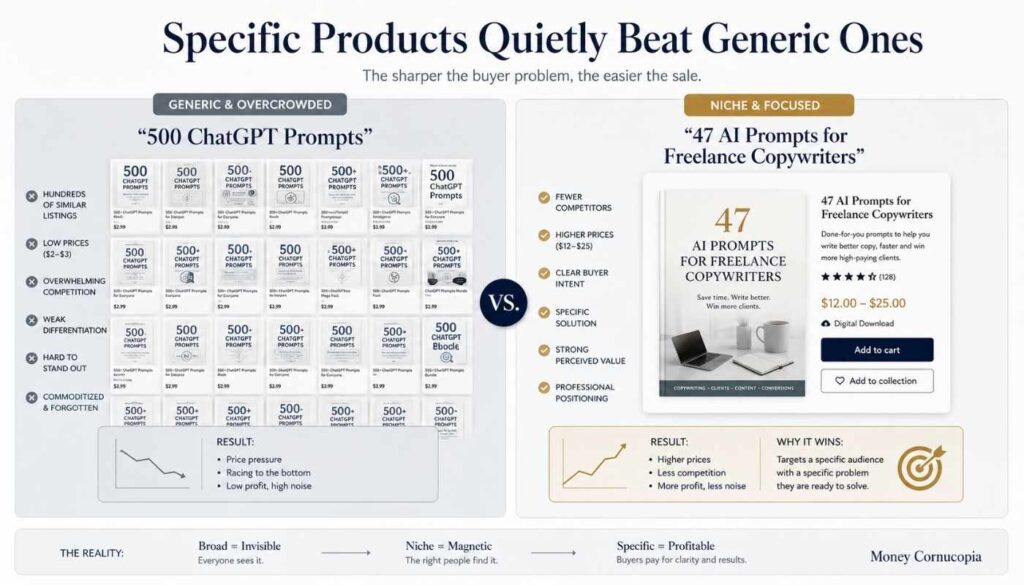
The standard advice for years has been simple. Do not make a generic “Budget Planner.” Make a specific one. “Budget Planner for Freelancers Who Get Paid Biweekly.” Specificity, the advice says, is what makes a product sell.
The problem is that this advice is now years old, and everyone has read it.
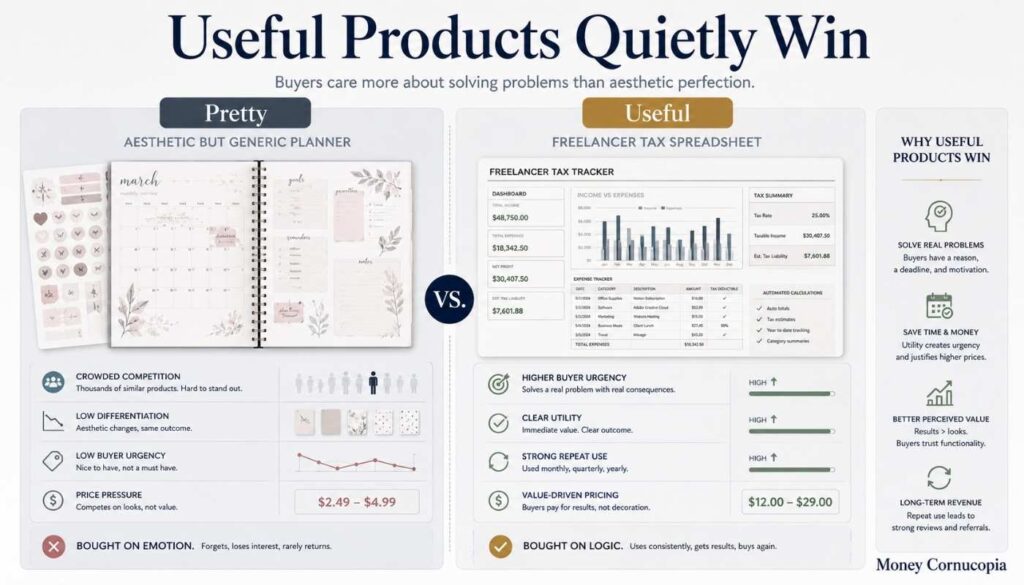
My freelancer tax tracker is specific. It targets a real, narrow audience with a real, narrow problem. But so do hundreds of other tax trackers built around the same advice. The specificity that was supposed to make my product stand out is the same specificity that thousands of other sellers landed on too, because we all read the same advice and reached the same conclusion.
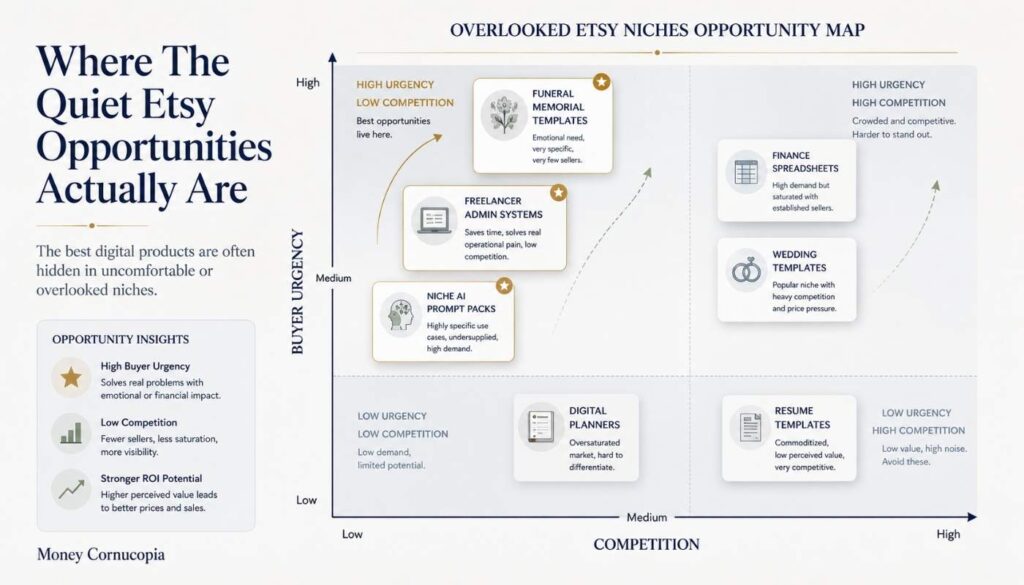
An entire category can become saturated with “specific” products until the category itself functions like a generic one again. My product is not generic because it lacks a clear audience. It looks generic because hundreds of other products also have a clear, narrow audience, often the exact same one.
Can You Make Money Selling PDFs With No Audience?
Yes, but the path looks completely different from the one most beginners imagine.
This is the question most people are actually asking when they search “can you make money selling PDFs.” Not whether PDFs work in theory, but whether they can work for someone with no followers, no email list, and no existing traffic.
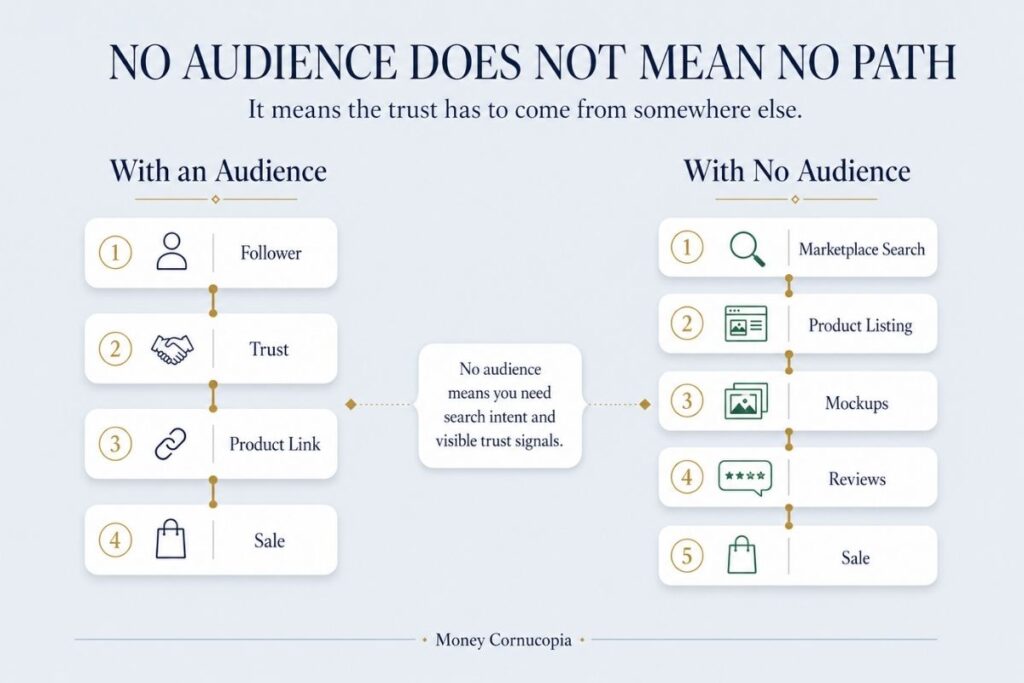
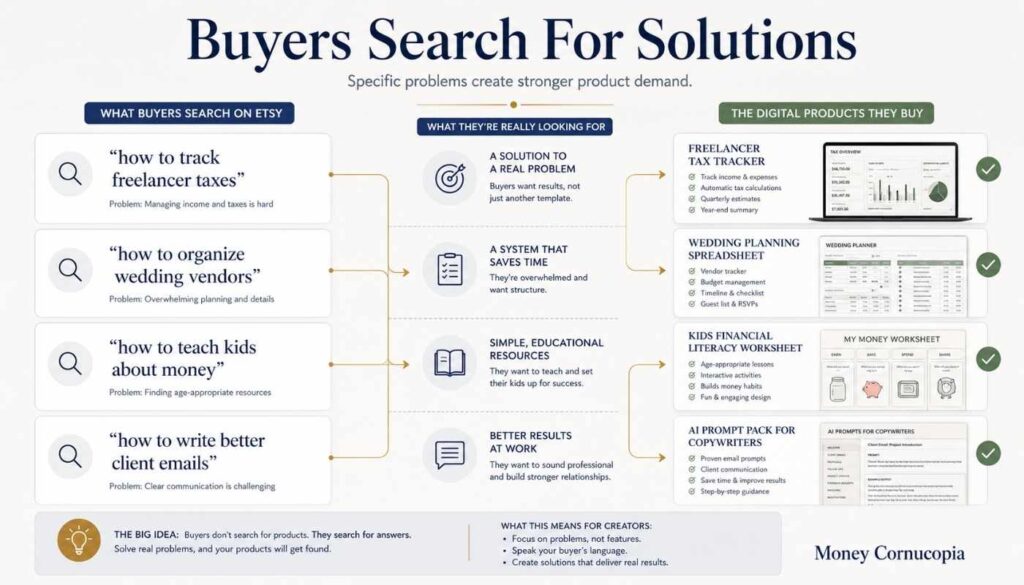
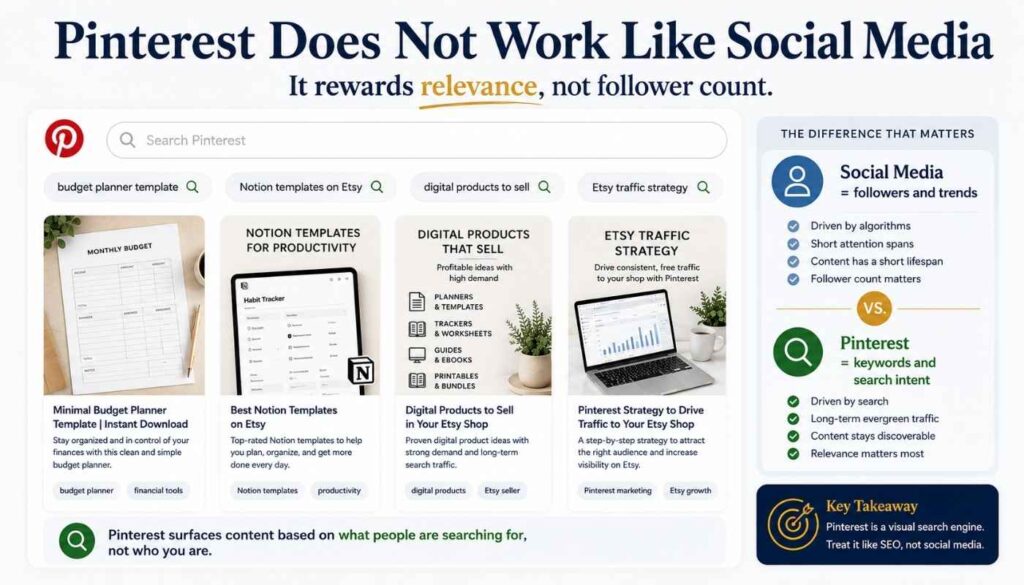
The honest answer is that “no audience” does not mean “no path.” It means your path runs through marketplace search traffic instead. Platforms with built-in search, where buyers arrive already looking for something, give you a substitute for an audience. Someone typing “budget planner for freelancers” into a marketplace search bar is, in that moment, behaving like a member of your audience even though they have never heard of you.
The catch is that marketplace search traffic does not solve the trust problem the way an audience does. When someone follows you, reads your content, or has seen your work before, they extend you a small amount of trust automatically. A stranger arriving from search extends you none. That missing trust has to come from somewhere else, usually reviews, ratings, or how professional the listing looks compared to competitors.
So the real answer to “can you make money with no audience” is: yes, through search-driven platforms, but you are trading the audience-trust problem for a reviews-trust problem, and reviews take time to accumulate just as an audience does.
The Instagram and Landing Page Funnel: Does It Actually Work?
This is the version of PDF selling promoted most aggressively right now, and it deserves an honest look.
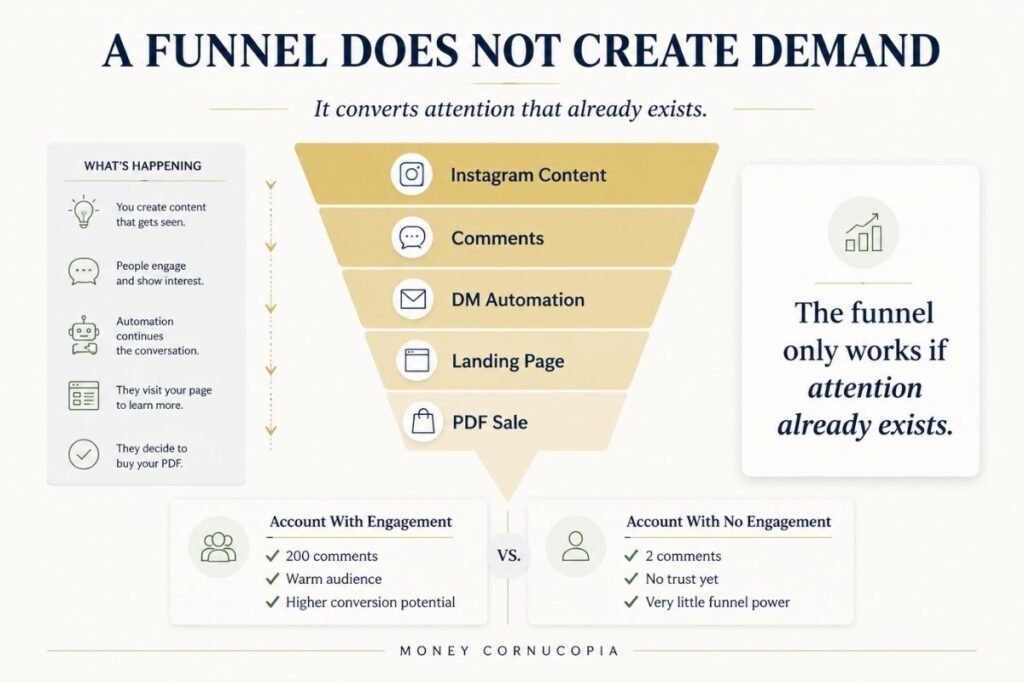
The pitch usually goes like this. Build a simple landing page. Put the link in your Instagram bio. Post content that drives people to comment a trigger word. A DM automation sends them to your landing page. They buy your PDF. Repeat.
The mechanics of this work. The tools exist and function as described.
But marketing guides describe Instagram sales funnels as relationship-based systems built around content, trust signals, and conversations, not simple landing page conversions. The funnel does not generate the audience. It converts an audience that already exists.
Every demonstration of this funnel assumes the account already gets meaningful engagement, comments, and followers. The funnel turns 200 comments into 30 to 50 buyers instead of 4. It does nothing for an account that gets 2 comments.
This is the same lesson I learned comparing platforms for selling digital products: the platform or funnel changes, but the traffic problem remains, something I explored in detail when comparing Gumroad and Etsy. A landing page with no traffic behind it is no different from a marketplace listing with no traffic behind it. Both are empty storefronts on quiet streets. The funnel is real. It is just not the part that matters for someone starting from zero.
What Actually Makes a PDF Sell Now
If specificity is saturated and funnels do not create audiences, what is left?
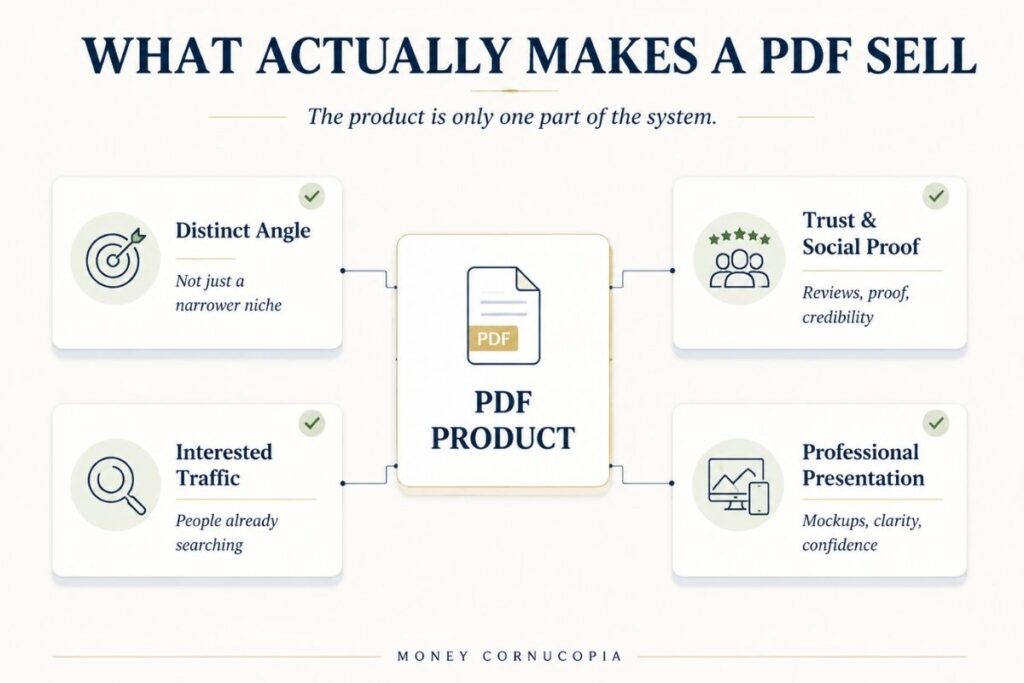
A different angle, not a narrower niche. This is the key distinction. Making your tax tracker more specific by narrowing the demographic further (freelancers who do X type of work, in Y country, earning Z amount) often just creates a smaller version of the same saturated idea. A different angle changes what the product is about, not just who it is for.
Take “Freelancer Tax Tracker.” A narrower-niche version might be “Tax Tracker for Freelance Designers.” A different-angle version is “Quarterly Tax Tracker for Freelancers Who Panic Before Tax Deadlines.” Same broad audience, but the angle is now the anxiety and timing around deadlines, not the demographic.
Take “Budget Planner for Biweekly Freelancers.” A different-angle version is “First Paycheck Budget Planner for People Who Always Run Out Before Month-End.” The audience is similar, but the angle is now a behavioral pattern, the recurring experience of running short before the month ends, rather than a pay schedule.
Trust and social proof. When I researched successful digital product shops on Etsy, looking closely at over 20 listings in one specific category, the pattern that separated consistent sellers from everyone else was reviews and social proof, not how the product was described. A product with a strong angle but zero trust signals still competes against established sellers with hundreds of reviews. Trust is the differentiator specificity used to be.
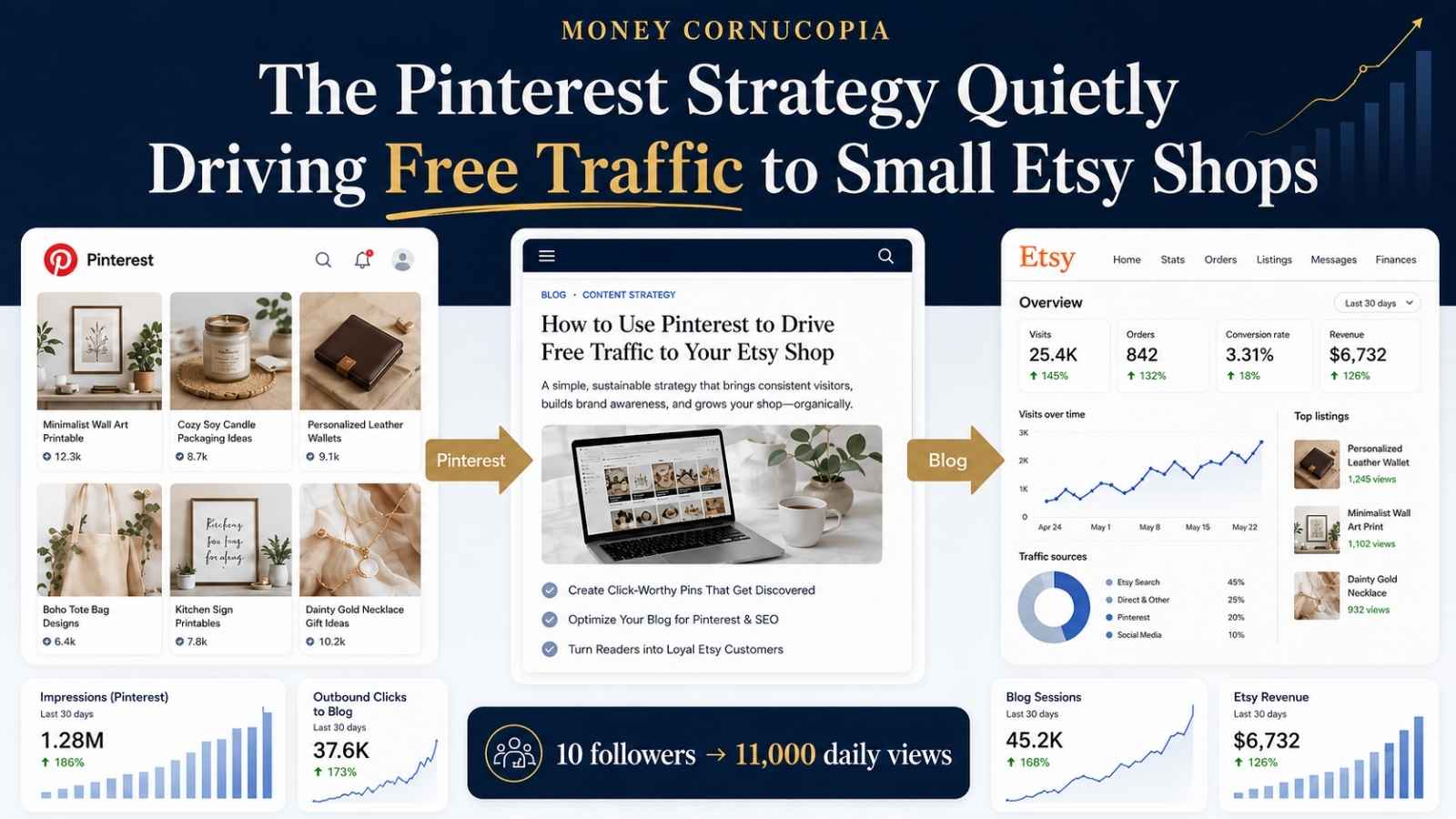
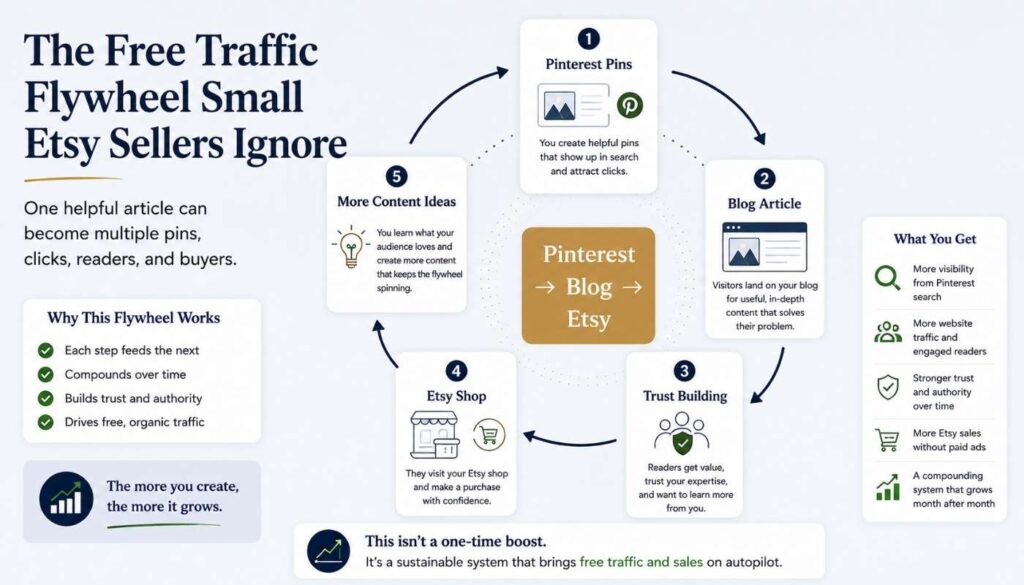
Traffic that arrives already interested. A PDF does not need to be discovered cold. It needs to reach someone already thinking about the problem it solves. I have been building a Pinterest presence that reaches tens of thousands of people each month with just 16 followers who are actively searching for solutions to specific problems. Someone searching for a budget planner on a platform built around search intent is in a completely different mindset than someone scrolling social media who happens to see an ad.
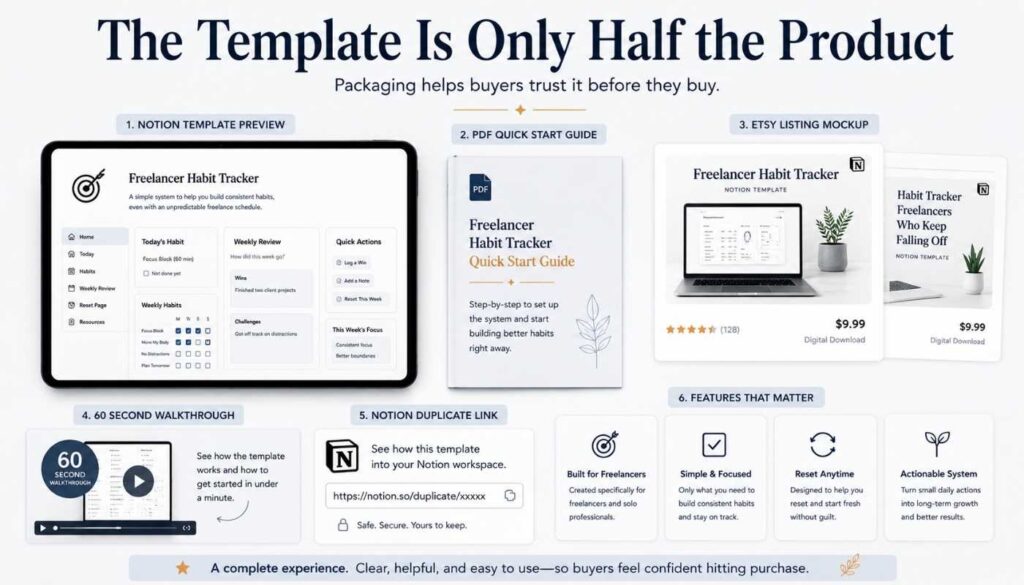
Packaging and presentation. Two products solving the identical problem can perform completely differently based on mockup quality, description clarity, and how professional the listing looks next to competitors. Design tools like Canva matter more here than people expect, not because better design creates demand, but because weak presentation can quietly destroy trust before a buyer reads a single word.
Examples of PDFs That Can Still Sell
The idea matters less than the angle. A budget planner is not automatically a good product. A budget planner built around a painful, specific situation has a better chance.
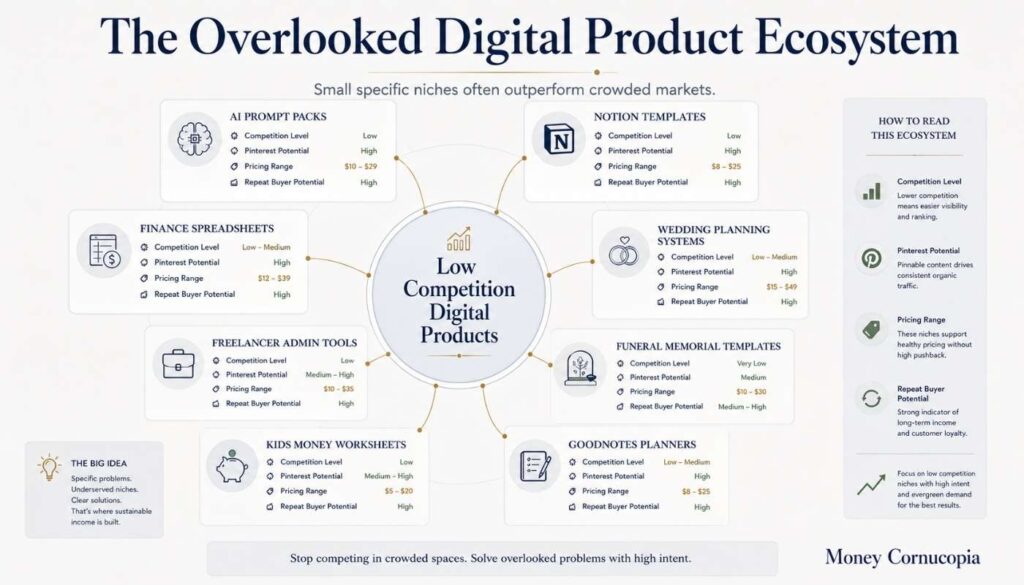
Categories that can still work include tax trackers, budget planners, business checklists, client onboarding forms, niche workbooks, printable planners, content calendars, freelancer templates, and worksheets for parents, students, or small business owners. Every one of these categories is crowded. The angle, not the category, is what separates a listing that sells from hundreds that do not.
Where People Actually Sell PDFs
The format works across many platforms. The honest differences are about traffic and fees, not the PDF itself.
Marketplaces like Etsy provide built-in search traffic, but place you in direct competition with established sellers who already have the reviews you do not. Direct-sales platforms like Gumroad and Payhip give you more control and lower fees, but require you to bring your own traffic entirely.
Selling directly from a blog or through an Instagram landing page works the same way as a direct-sales platform. You control everything, and you are entirely responsible for bringing the traffic yourself.
The honest takeaway is that no platform solves the traffic problem for you. Every platform is a delivery mechanism. The traffic and trust have to come from somewhere else, and that somewhere else is the actual business.
How Much Can You Realistically Make Selling PDFs?
The honest answer depends almost entirely on traffic and trust, not on the PDF.
For someone starting from zero, with no existing audience and no traffic source, the realistic first stretch often looks exactly like my own situation right now: real products, real listings, and zero sales while visibility and trust signals slowly build. This mirrors a broader pattern across my blog, Pinterest, and Etsy: real activity and growing signals, but no income yet, for months at a time.
For someone with an existing audience, whether that is a social following, an email list, or steady search traffic to a blog, even a modest PDF can convert because the trust and traffic already exist before the product does. The PDF becomes the easy part. The hard part, building the audience, was already done.
This is why income claims around PDF selling vary so wildly. The people sharing big numbers usually built an audience first and the PDF second. The hype content skips that part because “spend months building an audience” is a far less exciting pitch than “upload a PDF and watch the money come in.”
My Honest Self-Assessment
Here is what I think is actually going on with my own products.
My freelancer tax tracker and budget planner are specific in the way the standard advice says they should be. But they sit in categories with hundreds of similarly specific competitors, most of which have reviews and social proof that mine does not have yet.
I recently changed my pricing on these products after realizing price was not my actual problem. Working through this PDF question, I think the deeper issue is the same one. My products look like hundreds of other specific products, and without trust signals or traffic that arrives already interested, specificity alone was never going to be enough to stand out.
This is not a reason to abandon the products. It is a reason to focus on what actually moves the needle.
I covered the broader listing problems in my Etsy listings audit, where price turned out to be only one of several issues.
What I Would Do Differently Before Creating Another PDF
This is the checklist I wish I had used before building my first two products.
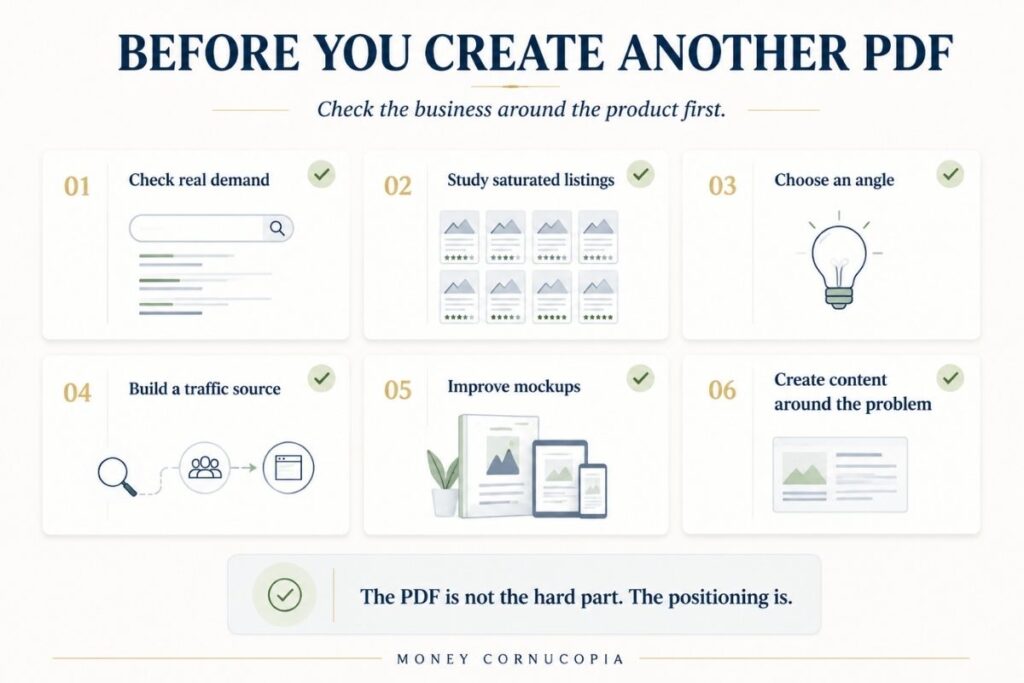
Check the actual demand before building anything. Search the category you are considering and see what already exists, how many listings there are, and how established the top sellers look.
Look at the saturated listings and ask what they all repeat. If every top listing in a category uses nearly identical language, demographic targeting, and structure, that repetition is the signal that the category has become commoditized, even if each individual listing still looks “specific.”
Choose an angle, not just a niche. Before narrowing who the product is for, ask what emotional moment, behavioral pattern, or timing the product addresses that existing listings do not.
Build a traffic source before expecting sales. Whether that is a Pinterest presence, a blog, or any other channel, building the path that brings people to the listing matters as much as the listing itself, and it takes time regardless of when you start.
Improve mockups and presentation before launch, not after. Presentation is one of the few trust signals a brand-new listing can control entirely on day one.
Create content around the problem, not just the product. An article, a pin, or a post that addresses the underlying problem brings people who are already thinking about that problem, which is a fundamentally different audience than people randomly browsing a marketplace.
Frequently Asked Questions
Can you really make money selling PDFs online?
Yes, but the PDF format itself is not what generates income. Income comes from solving a real problem for an audience that trusts you enough to buy, combined with traffic that arrives already interested in that problem. The format is simply the delivery method.
Is selling PDFs saturated?
Popular categories like budget planners, trackers, and templates have become crowded with similarly specific products, often because sellers followed the same well-known advice to “be specific.” This does not mean selling PDFs is impossible, but it means specificity alone is no longer enough to stand out. Trust signals, traffic, and a distinct angle matter more than they did when fewer sellers were in each category.
Can you make money selling PDFs with no audience?
Yes, but the path runs through marketplace search traffic rather than a built-in following. Search-driven platforms put your product in front of buyers who are already looking, substituting for an audience. The tradeoff is that you then need to build trust through reviews and social proof instead of through an existing relationship with followers, and that takes time either way.
Does the Instagram PDF selling funnel actually work?
The funnel mechanics work as described and can meaningfully improve conversion for an account with existing engagement. However, every demonstration of this funnel assumes meaningful engagement already exists. The funnel converts attention that already exists. It does not generate that attention from nothing, which is the part most promotional content does not emphasize.
What kind of PDFs sell best?
PDFs built around a distinct angle, something that addresses a specific emotional moment, behavioral pattern, or timing that existing competitors do not address, combined with social proof and traffic that arrives already interested in that problem. A narrower demographic alone is rarely enough, since most popular categories already contain many similarly narrow products.
How long does it take to make money selling PDFs?
This depends heavily on whether you have existing traffic or are building it from scratch. For someone starting from zero, the early stretch often looks like real products with zero sales while visibility and trust slowly build. For someone with an existing audience, the timeline can be significantly shorter because the traffic and trust already exist before the product is created.
Final Thoughts
Can you make money selling PDFs? Yes. People do it every day, across marketplaces, direct-sales platforms, and their own blogs and social accounts.
But the honest answer to “can you make money selling PDFs” is the same as the honest answer to almost every digital product question. The product is rarely the actual bottleneck. The bottleneck is trust and traffic, and those take time to build regardless of which file format, platform, or funnel you choose.
My PDFs are specific. They solve real problems. They also sit in categories full of other specific products solving the same real problems, most of which have something mine does not yet have: proof that someone else already bought and found it useful.
That is not a reason the PDF model is broken. It is a reason the PDF itself was never the hard part.
The PDF is not the business. The business is the problem you solve, the trust you build, and the traffic you earn.
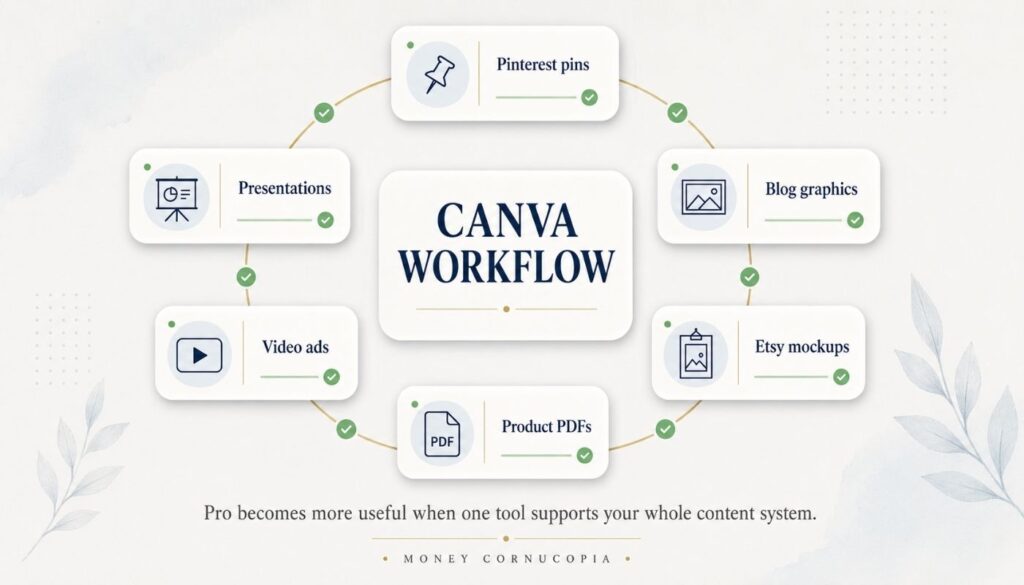
Not occasionally. Not just for one type of project. I have used it to design CVs, create pitch decks, build presentations, edit videos for Facebook and YouTube, make blog graphics, produce Pinterest pins, and create mockups for my Etsy digital product listings. If something needed to look good and I was not going to spend hours in Photoshop, Canva was the answer.
For most of that time, I used the free version. It felt like enough. I could make things that looked decent and got the job done.
Then I was creating a CV and opened the Pro templates. I remember scrolling through them and thinking, “These look completely different.” More professional. More vibrant. More polished. The free templates looked like something anyone could make. The Pro templates looked like something a designer had spent real time on.
That was when I bought Canva Pro.
So if you are wondering whether Canva Pro is worth it for digital products, my answer is not a simple yes or no. It depends on what type of digital product you are selling and how regularly you use Canva to create content. The rest of this article explains exactly where the line is.
Quick Answer: Do You Need Canva Pro for Digital Products?
Your situation
Best option
Testing your first digital product idea
Canva Free
Selling finished PDF planners or printables
Canva Free
Creating Pinterest pins occasionally
Canva Free
Creating pins, mockups, and blog graphics every week
Canva Pro
Wanting to sell editable Canva templates on Etsy
Canva Pro
Editing videos for YouTube, Facebook, or social ads
Canva Pro
Wanting faster workflow and better quality templates
Canva Pro
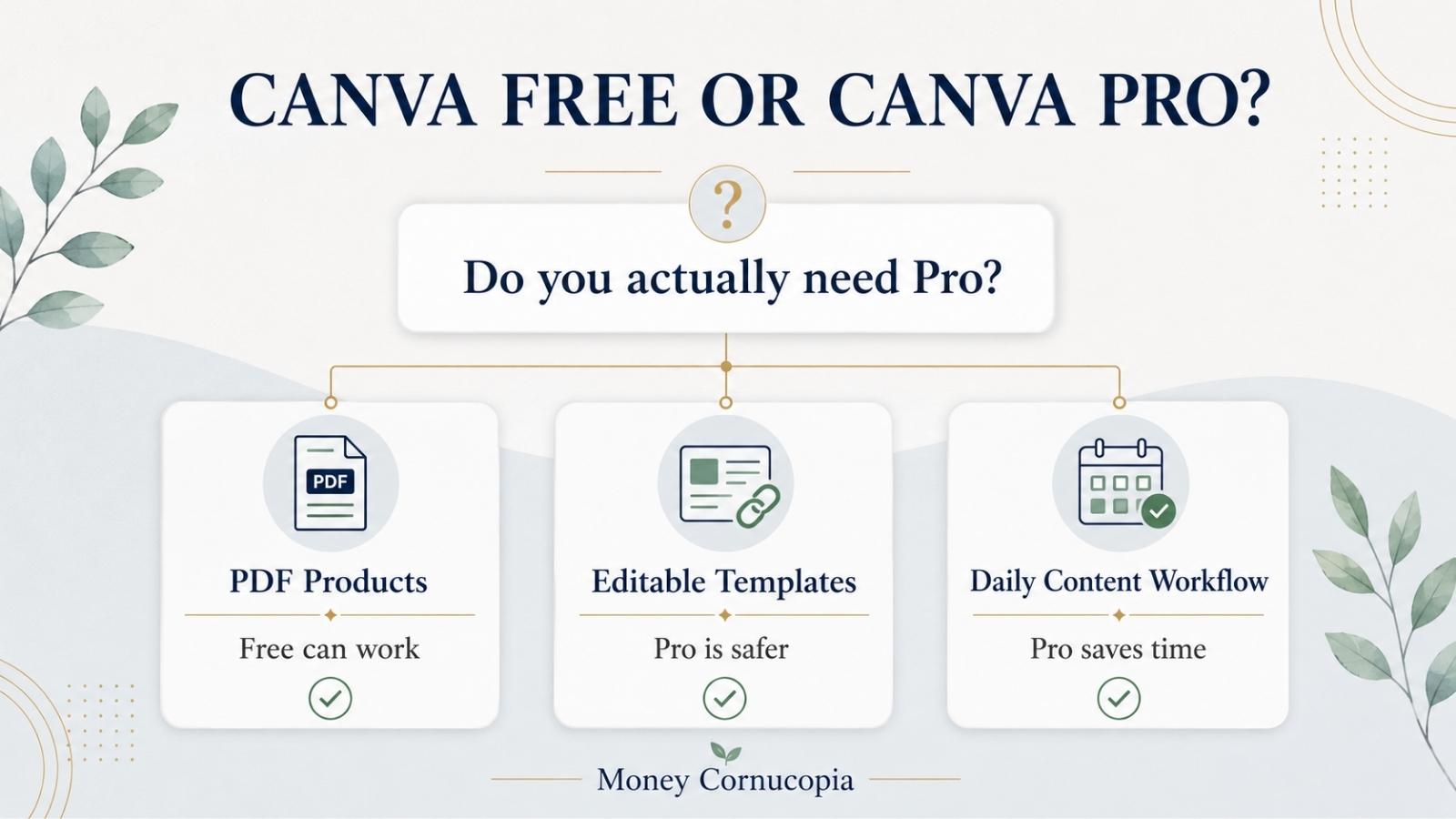
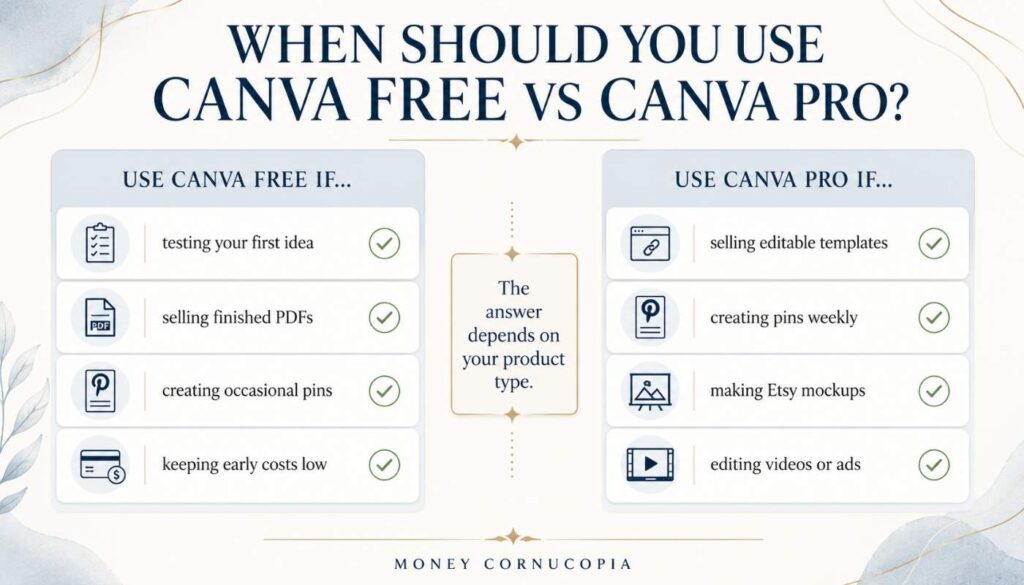
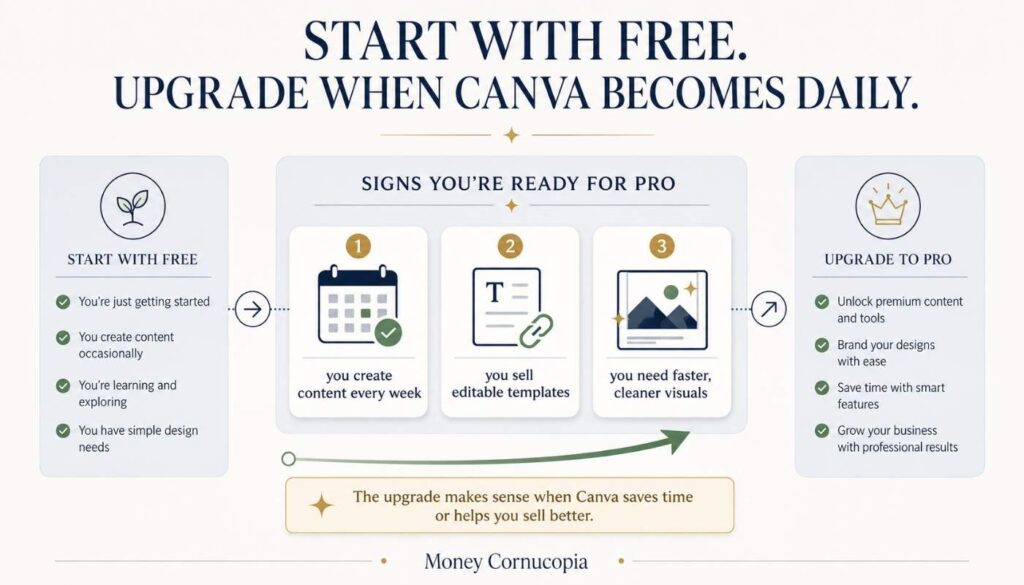
If you are selling finished PDF products like planners, trackers, and printables, Canva Free is enough to start. If you are selling editable Canva templates where buyers receive a Canva link they can customize, you will almost certainly need Pro. If Canva is becoming a daily content creation tool for your digital product business, Pro becomes worth it quickly.
Table of Contents
What I Personally Use Canva For Every Week
Knowing how I use Canva helps you decide whether your situation matches mine.
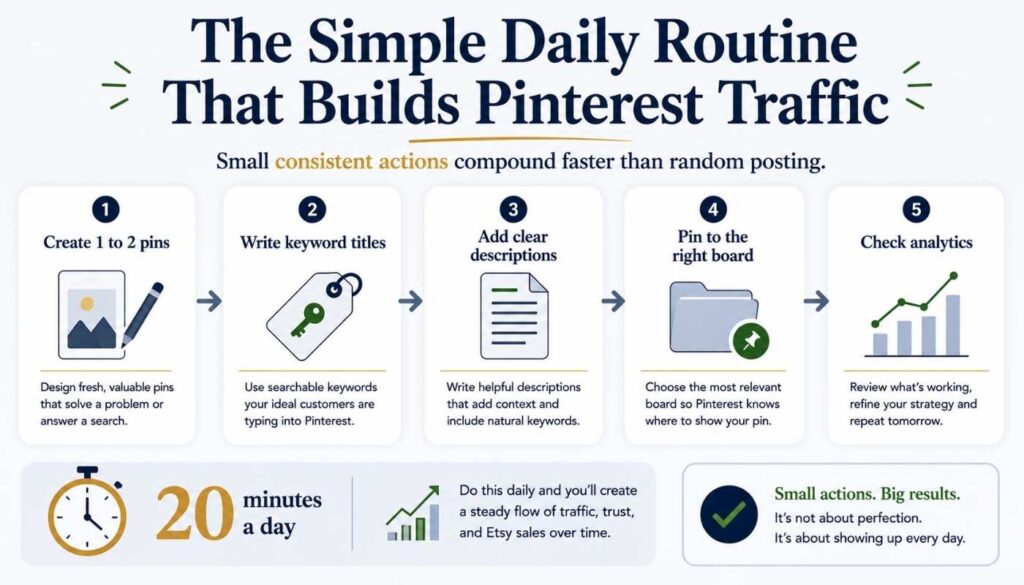
On any given week, I use Canva to design Pinterest pins for my blog articles. I create 12 pins per article across multiple design styles, schedule them over 12 days, and repeat this process consistently. You can see the exact Pinterest strategy I use in this article on driving free traffic to Etsy shops.
I also use Canva for blog header images and featured graphics, Etsy product mockups showing my finance templates in real context, and occasional presentations, pitch decks, and documents for freelance work.
The use case most people do not mention is video. Canva has a genuinely capable video editor that I have used to create Facebook video ads and short promotional videos. You can add music, transitions, text animations, and voiceover clips. It is not professional-grade video editing software like Premiere Pro, but for social media videos, short ads, and simple YouTube content, Canva’s video tools are fast and produce results that look professional without a steep learning curve. The video features are more extensive on Pro, with access to premium video templates and Pro elements that elevate the quality of the output.
The common thread across all of these uses is that I open Canva almost every day. That frequency is the first thing to consider when deciding whether Pro is worth it for your situation.
What You Can Create With Canva Free
The free plan is more capable than most beginners realize.
Canva Free gives you access to over one million professionally designed templates. You get more than three million stock photos and graphics, 5GB of cloud storage, and the ability to create content across more than 1,000 different formats, including social media posts, documents, presentations, and print materials.
For a beginner digital product seller, the free plan can genuinely produce finished PDF planners, trackers, checklists, and printables ready for immediate download. Budget planners, habit trackers, meal planners, and content calendars can all be designed in Canva Free and exported as a finished PDF that buyers receive as a complete file.
Clean Pinterest pins, basic Etsy product mockups, and consistent blog graphics are also achievable on the free plan. The free template library is not as premium as Pro, but with deliberate design choices, you can produce content that performs well.
Where Canva Free Starts Feeling Limited
The limitations are real, but they hit different creators at different points.
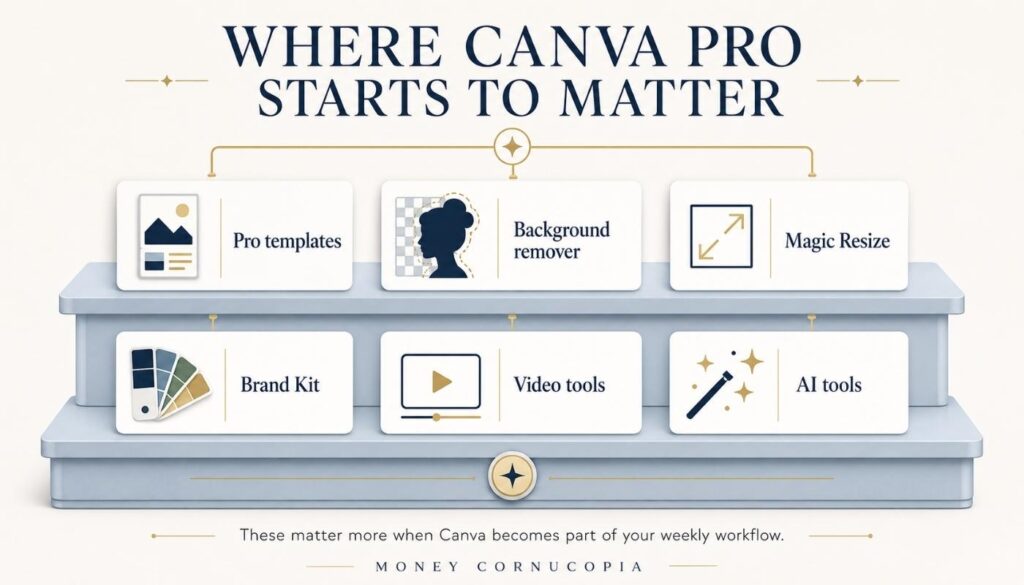
The Pro template quality is noticeably better. This was the single moment that convinced me to upgrade. When I opened the Pro templates for my CV, I could immediately see the difference. More polished. More vibrant. More current in their design style. That gap exists across every category, including Pinterest pin templates, presentation slides, product mockup frames, and video templates. If you care about the visual quality of your output, the Pro template library is the most significant upgrade you get.
Background remover is Pro-only. Creating product mockups or pin designs where you need to isolate an element from its background requires this feature. Doing it manually on the free plan is slow and rarely produces clean results.
Magic Resize is Pro-only. This feature lets you design something once and instantly resize it for different formats. If you are creating a Pinterest pin, a blog header, and an Etsy listing banner from the same design, Free requires manual recreation for each version. Pro does it in seconds. At the volume of content a serious digital product seller creates, this saves hours every month.
Brand Kit is limited on Free. One brand kit and three brand colors on the free plan. For a consistent visual identity across hundreds of Pinterest pins and product graphics, this becomes frustrating quickly.
Video features are more limited on Free. If you want access to premium video templates, more premium stock footage, Pro elements, background remover, and Brand Kit for consistent branded social videos and ads, Pro becomes significantly more useful.
AI tools are more extensive on Pro. Canva has added AI-powered features to both plans, but the full suite, including expanded design assistance tools, is part of Pro. Canva updates these features regularly, so check Canva’s current feature comparison for the exact breakdown of what each plan includes at the time you are reading this.
The Critical Issue for Digital Product Sellers: Canva Template Links
This is the most important section for anyone planning to sell Canva templates as a product.
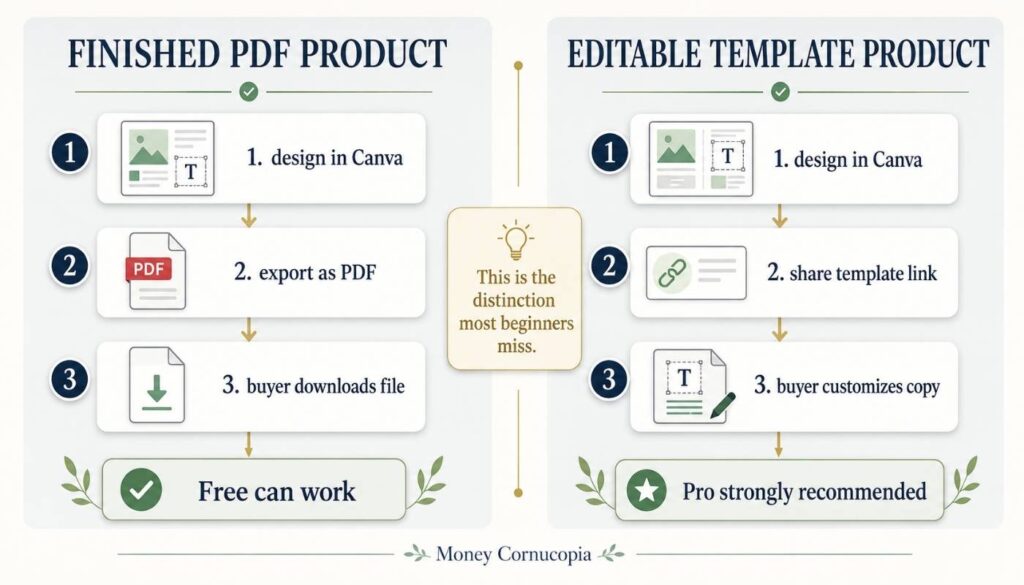
There are two fundamentally different types of digital products you can create with Canva:
Finished files. You design something in Canva, export it as a PDF or image, and the buyer receives that completed file. They use it as-is without editing your design inside Canva. Planners, printables, trackers, and ebooks fall into this category.
Editable Canva templates. You design a template in Canva and share a special link. When the buyer clicks that link, they get a copy of your template in their own Canva account and can customize it with their own text, colors, and content. This is how most Canva template products are sold on Etsy and Gumroad.
The distinction matters enormously because, as of recent Canva platform changes, free users should not rely on being able to create new shareable template links. Multiple creator-facing reports indicate that Canva began moving template link creation to paid plans in 2025. That means if your product depends on delivering editable Canva template links to buyers, Canva Pro is the safer and more practical choice. Check Canva’s help page on template links for the most current information before building your product around this delivery method.
A Quick Licensing Note Before You Sell
Understanding Canva’s content rules is important before you list any product for sale.
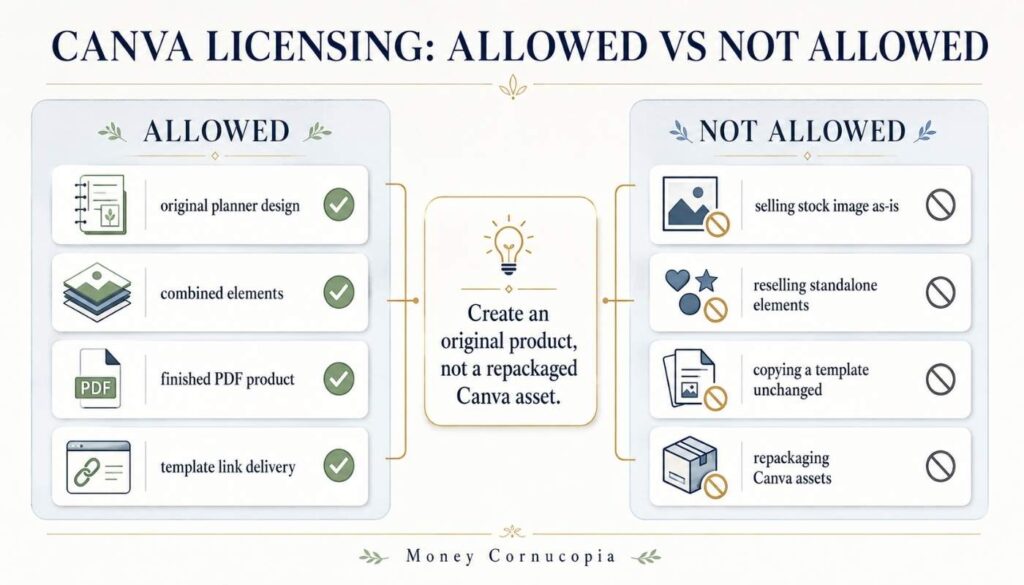
According to Canva’s content licensing documentation, both Free and Pro users can sell original digital products they design using Canva’s tools. Finished PDFs, planners, ebooks, and similar products are permitted under their standard content license.
What you cannot do under any plan is sell Canva’s own content on a standalone basis. You cannot take a stock photo or design element from Canva’s library and resell it as-is. Your product needs to be an original design you created using Canva’s tools, with the elements meaningfully combined and transformed into something new.
For Pro Content used in templates, Canva specifies that if you want to sell editable templates containing Pro elements, they must be sold as Canva template links rather than downloaded files. This is one more reason why Pro becomes effectively necessary for serious Canva template sellers.
If you are unsure whether a specific product idea complies with Canva’s licensing, read their full content licensing agreement before publishing your listing.
Can You Actually Sell Digital Products With Canva Free?
Yes, with one important condition: the product must be a finished file, not an editable template link.
Here is the honest product-by-product breakdown:
Product type
Canva Free?
Notes
Finished PDF planners
Yes
Export as PDF — buyer gets finished file
Printable checklists and trackers
Yes
Same as above — no Canva account needed for buyer
Finance and budget templates as PDFs
Yes
Works well on the free plan
Pinterest pins for your blog
Mostly yes
Pro templates and Magic Resize speed this up significantly at volume
Editable Canva template links
Pro strongly recommended
Free users should not rely on creating new template links — Canva changed access around this feature in 2025
Etsy Canva template products
Pro strongly recommended
Core delivery method requires paid plan
Video content for social media or ads
Pro significantly better
Premium templates and Pro elements elevate quality noticeably
For my own products on my Etsy shop, I sell finance templates and planners as finished PDF files. These work on either plan. But the mockups I create to show those products in the listing images, and the Pinterest pins I use to drive traffic to those listings, are all significantly better with Pro.
When Canva Pro Is Worth It
Pro pays for itself faster than most beginners expect once content creation becomes consistent.
It is worth it when you are creating Pinterest pins regularly. At 12 pins per article, the time saved by Magic Resize alone justifies the monthly fee within weeks. I wrote about the full Pinterest strategy behind this in my article on Pinterest traffic for Etsy sellers.
It is worth it when your listing presentation matters. The quality of your Etsy product mockups directly affects whether buyers trust your listing enough to purchase. I covered why listing quality matters so much in my Etsy listing audit article, and Pro’s mockup frame templates and background remover make a professional presentation significantly easier.
It is worth it when you want to sell editable Canva templates. If this is part of your digital product strategy, creating shareable template links practically requires a Pro account based on current platform updates.
It is worth it when you create video content. Facebook video ads, YouTube shorts, and promotional videos for your digital products are all achievable in Canva’s video editor. Pro unlocks premium video templates and Pro elements that make social media and ad video content look significantly more polished.
It is worth it when the template quality matters to your output. The Pro library is meaningfully better, and that difference compounds when you are creating content every single day.
When Canva Pro Is Not Worth It Yet
Do not upgrade if you fit these descriptions.
You have not launched your first product yet. Test your idea with the free plan. Upgrade when you have evidence of traction, not before.
You are creating content occasionally. If you open Canva once or twice a month, the monthly fee does not pay for itself. Pro is for consistent, daily, or near-daily creators.
You are only selling finished PDFs, and the free templates feel adequate. If the quality of your current output satisfies you and your products do not require editable template links, the free plan remains a reasonable choice until your volume grows.
You are keeping costs at zero in your earliest months. The free plan is capable enough to get started, and the upgrade can follow your first sales.
My Honest Recommendation
Use Free if / Use Pro if:
Use Canva Free if
Use Canva Pro if
You are testing your first product idea
Canva is already part of your daily workflow
You sell finished PDF products only
You want to sell editable Canva template links
You create content occasionally
You create Pinterest pins and graphics regularly
You are keeping early costs minimal
You create video content for social or ads
You want noticeably better template quality
Start with Free if you are testing. Move to Pro when Canva becomes a daily tool.
If you are at the point where you are opening Canva every day to create Pinterest pins, product mockups, blog graphics, and videos, the Pro fee is a straightforward decision. The quality difference in templates is real. The time savings from tools like Magic Resize and background remover are real. The capability difference for video content is real.
For me personally, the moment I saw the Pro template library while building my CV, I upgraded and have not questioned it since. That was before I started creating 12 Pinterest pins per article, designing Etsy mockups, and building a content system that uses Canva almost every single day.
At its current pricing, which you can check on Canva’s official pricing page since rates vary by country and billing period, Pro is one of the better value tools in a digital product seller’s toolkit. The fee is small. The difference in output quality and workflow speed is meaningful.
Frequently Asked Questions
Can you sell digital products made with Canva Free?
Yes. According to Canva’s content licensing documentation, both Free and Pro users can sell original digital products designed using Canva’s tools. This includes finished PDFs, planners, printables, and ebooks. The restriction is that you cannot sell Canva’s own content on a standalone basis. Your designs must be original work created using Canva’s tools and elements combined meaningfully.
Do you need Canva Pro to sell templates on Etsy?
If you are selling editable Canva templates where buyers receive a customizable Canva link, you should use a Pro account based on current platform changes around template link creation. If you are selling finished PDF templates that buyers download and use as-is without editing in Canva, the free plan remains sufficient. Check Canva’s help page on creating products for sale for the most current guidance.
Is Canva Pro worth it for beginners?
It depends on your usage frequency. If you are creating content consistently, such as daily Pinterest pins, regular blog graphics, or Etsy product mockups, Canva Pro pays for itself quickly in time savings and quality improvements. If you are creating content occasionally or just starting out, the free plan is capable enough to begin.
What is the main difference between Canva Free and Canva Pro for digital product sellers?
The most practically significant differences are the Pro template library quality, the ability to create shareable template links for selling editable products, the background remover tool, Magic Resize for adapting designs across formats, expanded video capabilities with premium templates and elements, and a more extensive Brand Kit. For digital product sellers creating consistent visual content, these features affect both the quality of output and the time it takes to produce it.
Can you use Canva to create Pinterest pins that perform?
Yes. The free plan has more than enough capability to create effective Pinterest pins. The Pro template library produces higher-quality starting points, and Magic Resize makes adapting designs across formats significantly faster, but neither is required to get started. I covered exactly how to create pins that drive outbound clicks in my Pinterest strategy article.
Can you edit videos with Canva?
Yes. Canva has a built-in video editor that handles music, transitions, text animations, and voiceover clips. It is a practical tool for social media videos, short YouTube content, and Facebook video ads. Pro unlocks premium video templates and Pro elements that elevate the quality significantly for anyone creating branded video content regularly. For simple social media and ad video content, Canva’s video tools are fast and produce professional-looking results without the learning curve of dedicated video editing software.
How much does Canva Pro cost?
Canva Pro pricing varies by country, billing period, and any current promotions. Monthly and yearly billing options are available, with yearly billing typically offering a better per-month rate. Check Canva’s official pricing page for the current price in your region before making any decision.
Can you use AI tools in Canva Free?
Canva includes AI-powered features on both free and Pro plans, though the full suite is more extensively available on Pro. Canva updates these features regularly, so check Canva’s current feature comparison for the accurate breakdown of what each plan includes at the time you are reading this, as availability can change.
Final Thoughts
I have been using Canva for years across more use cases than I can easily count. CVs, pitch decks, presentations, Facebook video ads, blog graphics, Pinterest pins, product mockups. It has been part of almost every creative project I have worked on.
The free plan is genuinely useful. It is not a stripped-down demo of something better. It is a capable design tool that a serious creator can use to produce good work.
But the Pro plan is better in ways that compound when Canva becomes part of your daily workflow. The template quality was enough to make me upgrade, and that was before I started creating Pinterest pins daily, building a digital product business, and using Canva for video content that represents my brand across social media.
If you are deciding whether your side hustle justifies the expense of Pro yet, my honest answer is: start with Free. Learn Canva, create your first product, and publish your first pins. Once Canva is something you open every single day and the quality ceiling of the free plan starts to matter, the upgrade is an easy decision.
The fee is small. The quality difference is real. And if you are building a serious digital product business, the tools that help you create better content faster are exactly the tools worth paying for.
When you have been selling on Etsy for months with zero sales, a question eventually finds you.
“Am I on the wrong platform?”
I started asking it after weeks of watching my two listings sit untouched. I had fixed the mockups. I had researched the keywords. I had adjusted the pricing. I had studied successful shops and audited my own listings. Still nothing.
So I started researching Gumroad vs Etsy for digital products, not as a theory, but as someone genuinely wondering whether I had chosen the wrong platform. I spent several weeks understanding how both platforms work, what they charge, where their traffic comes from, and what kind of seller actually succeeds on each one.
What I found was not what I expected. And it completely changed how I think about platform choice for new digital product sellers.
Quick Summary: Gumroad vs Etsy for Digital Products
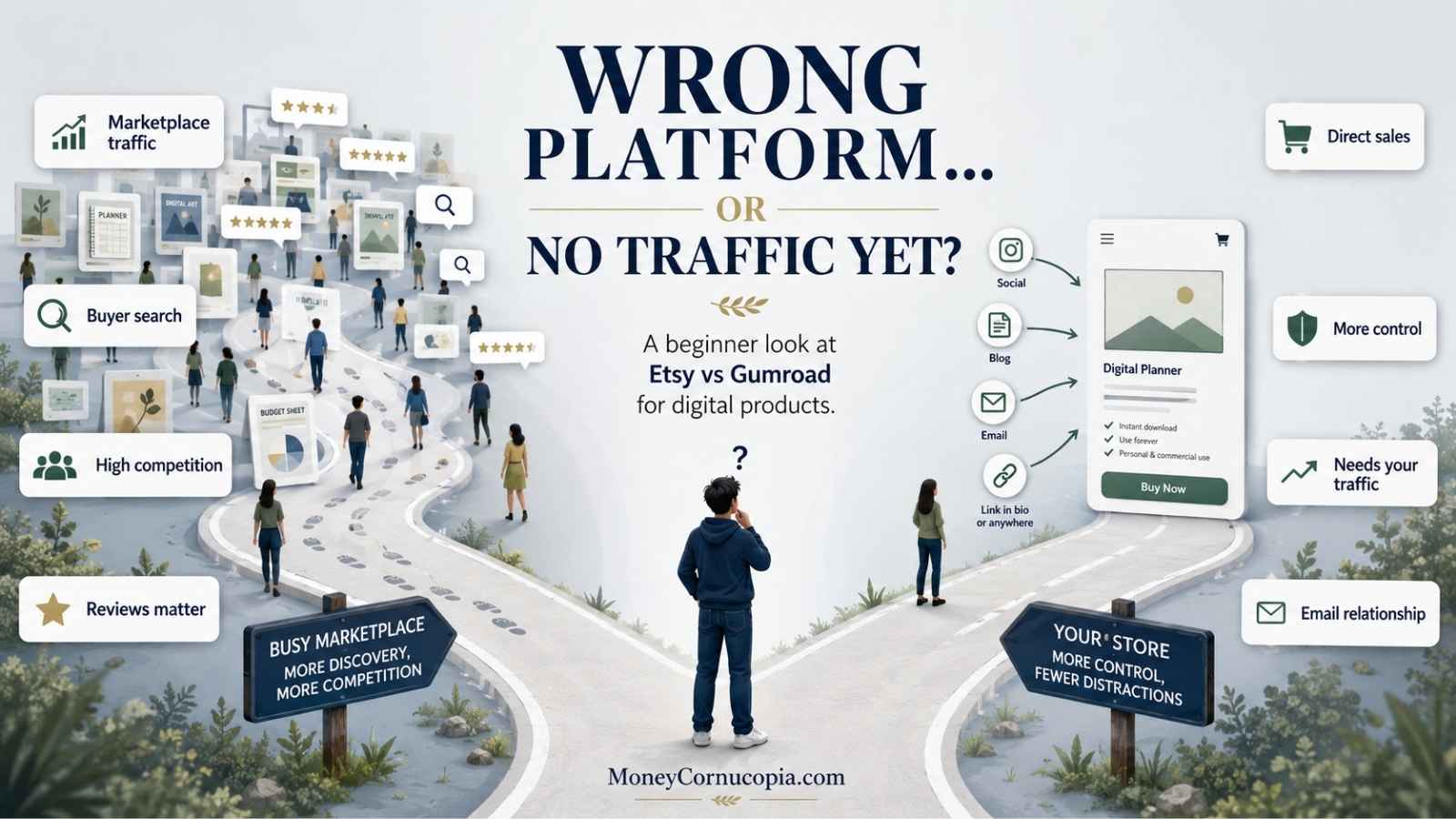
Etsy brings built-in marketplace traffic but puts you in direct competition with thousands of established sellers who have hundreds of reviews. Gumroad gives you more control and simplicity but requires you to bring every single buyer yourself.
For a complete beginner with no traffic source, Etsy is usually the better starting point because buyers are actively searching there. For a seller who already has blog traffic, Pinterest views, or a social audience, Gumroad can complement Etsy by converting warm traffic directly without marketplace fees or competition.
Neither platform solves the core problem for new sellers. That problem is visibility, and it cannot be solved by choosing the right platform alone.
Table of Contents
Why I Started Wondering If Gumroad Would Have Been Better
The thought process goes like this.
You list products on Etsy. Nothing sells. You look around and see other sellers with hundreds of sales on what looks like a similar product. You wonder if the issue is the platform, not the product or the listing.
Then someone mentions Gumroad. It sounds appealing. Lower fees. No competition from other sellers on the same page. Simple setup. Direct relationship with buyers. No Etsy algorithm deciding whether to show your listing.
It sounds like a cleaner, fairer version of selling online. So why is everyone not using it?
That was the question I needed to answer honestly.
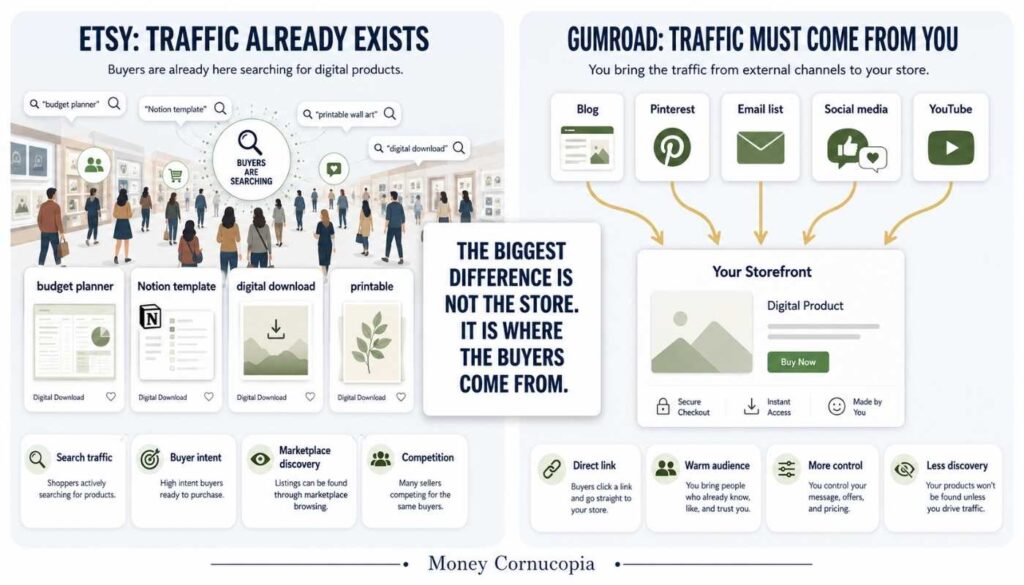
The Biggest Difference: Etsy Has Search Traffic. Gumroad Needs Traffic.
This single difference explains almost everything else about both platforms.
Etsy is a marketplace. It works like Amazon or eBay in the sense that buyers arrive on the platform already looking to buy something. They type “budget planner template” or “ADHD Notion system” into Etsy’s search bar and see results. Your listing can appear in those results and get discovered by a buyer who never heard of you before.
Etsy has a much larger marketplace discovery engine than Gumroad, which matters enormously for sellers who do not have their own audience yet. Buyers on Etsy are already in purchasing mode. They arrived with the intention of buying something.
Gumroad works completely differently. When you list a product on Gumroad, nobody automatically sees it. Gumroad has a Discovery feature where listed products can appear, but data from independent platform research consistently shows that a significant percentage of all Gumroad products generate zero revenue. Simply listing on Gumroad is not a traffic strategy. You need to bring buyers to your Gumroad page yourself, through social media, a blog, Pinterest, an email list, or paid advertising.
This is the honest reality most Gumroad comparisons skip. Gumroad does not have an Etsy-style search engine that surfaces your products to buyers who are actively looking. It is more like having your own shop window on a quiet street. Etsy is more like having a stall inside a busy market. The stall in the market has competition all around it. But at least people are walking past.
Gumroad vs Etsy Fees: The Real Numbers
Fees matter, but they tell a different story than most comparison articles suggest.
Here is the honest fee breakdown for both platforms:
Fee type
Etsy
Gumroad
Listing fee
$0.20 per listing, renews every 4 months
None
Transaction fee
6.5% of sale price
10% + $0.50 per sale
Payment processing
Varies by country, often ~3% + $0.25 for US sellers
Included in the 10%
Discovery or offsite ads
12 to 15% for sales via Etsy’s external ads
30% if buyer comes through Gumroad Discover
Monthly fee
None
None
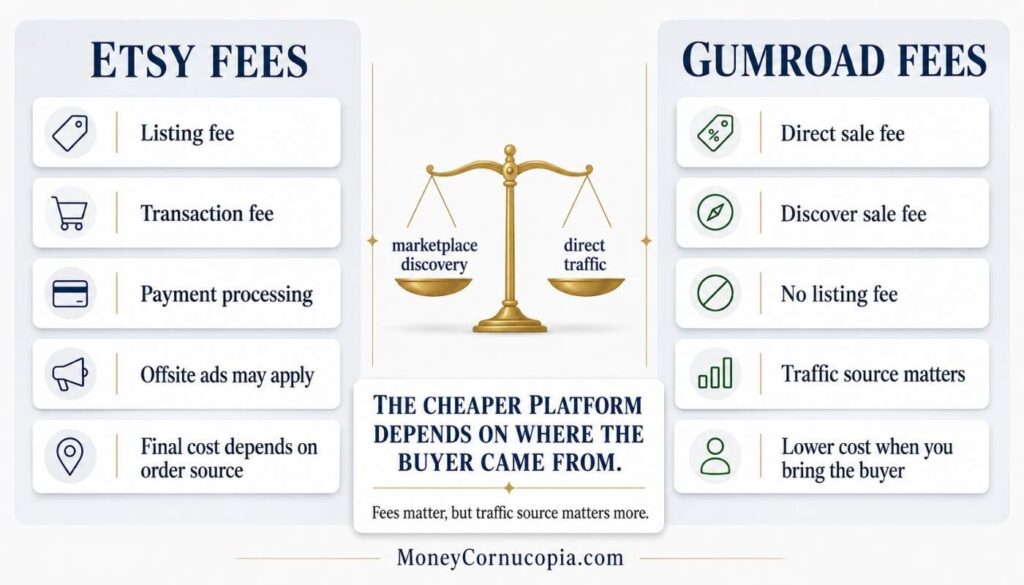
At first glance, Gumroad looks cheaper for direct sales. And when you bring your own buyer directly to your Gumroad page, you pay roughly 10% plus $0.50. That is significantly better than layering Etsy’s listing fee, transaction fee, and payment processing together.
However, the real fee comparison depends entirely on where your buyers come from. For many sellers, Etsy’s total selling cost includes the listing fee, transaction fee, payment processing fee, and possible offsite ad fees, so the final percentage varies by order source and seller location. What is consistently true is that if you drive your own traffic to Gumroad directly, you keep more per sale. If a buyer finds you through Gumroad’s own Discovery feature, the 30% cut makes it comparable to or more expensive than Etsy.
The platform with better fees is whichever platform your buyers are actually coming from.
To see exactly how Etsy fees affect your profit on any specific price point, run your numbers through this free Etsy Digital Product Pricing Calculator and see what you actually keep after fees.
Which Platform Is Easier for Complete Beginners?
On pure convenience, Etsy wins. But convenience does not equal sales.
Both platforms are genuinely easy to set up. You can have a listing live on either platform within an hour. Neither requires technical knowledge or coding.
But Etsy has one specific advantage for beginners that Gumroad cannot match: buyers are already there looking for things to buy. You do not need to explain what Etsy is to a buyer. You do not need to convince someone to visit an unfamiliar platform. The transaction happens inside a marketplace they already trust and use.
Gumroad requires one extra step that beginners consistently underestimate. You need to find buyers and convince them to visit a page outside of any marketplace they already use. For a complete beginner with no social following, no blog traffic, and no email list, that extra step is enormous.
This is why switching from Etsy to Gumroad as a solution to zero sales almost never works. You bring the same zero-traffic problem to a platform that cannot help you with traffic at all.
The Real Reason You Might Have Zero Etsy Sales (And Why Gumroad Would Not Fix It)
This is the section I wish I had read before I started asking whether I should switch platforms.
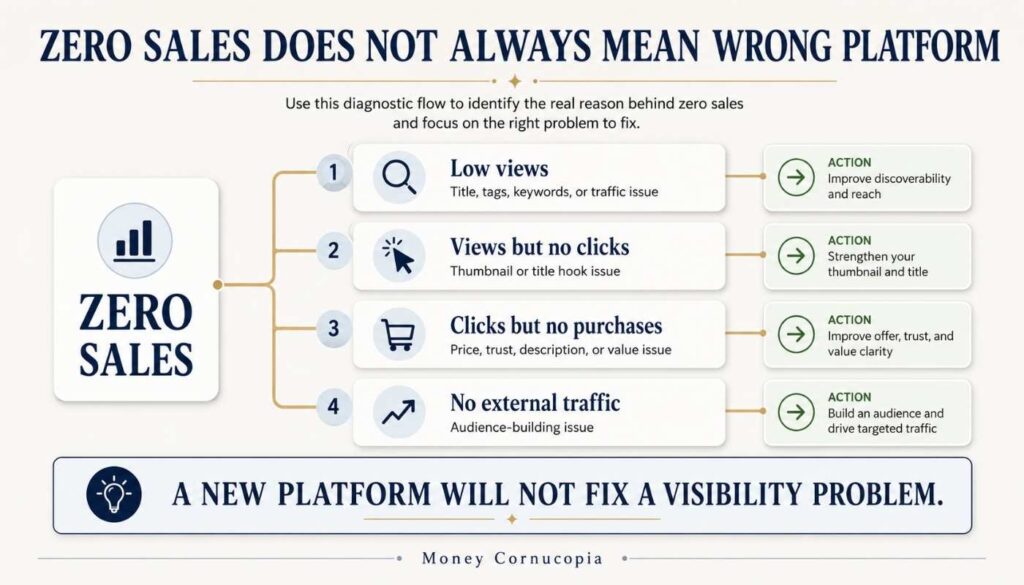
Zero Etsy sales can have several causes:
Cause of zero sales
Why Gumroad would not fix it
Listing is not getting views
Your title, tags, or keywords are not matching what buyers search for. Gumroad has even less built-in search traffic than Etsy — the problem follows you
Listing gets views but no clicks
Your thumbnail is not compelling enough to earn a click. This is a listing presentation problem, not a platform problem
Listing gets clicks but no purchases
Pricing, trust signals, or description quality are the issue. These problems exist on any platform you move to
Shop has no external traffic
This is the one case where Gumroad could be comparable — but only if you already have a traffic source ready to direct to it
In almost every case of zero Etsy sales, the problem is not Etsy. It is one of these four causes, all of which follow you to Gumroad.
I wrote about my own zero-sales journey and what I actually found when I studied successful shops in my Etsy listing audit. The short version: the platform was not the problem.
The Overwhelming Competition Problem on Etsy
Etsy’s traffic advantage comes with a significant cost: you are competing against everyone.
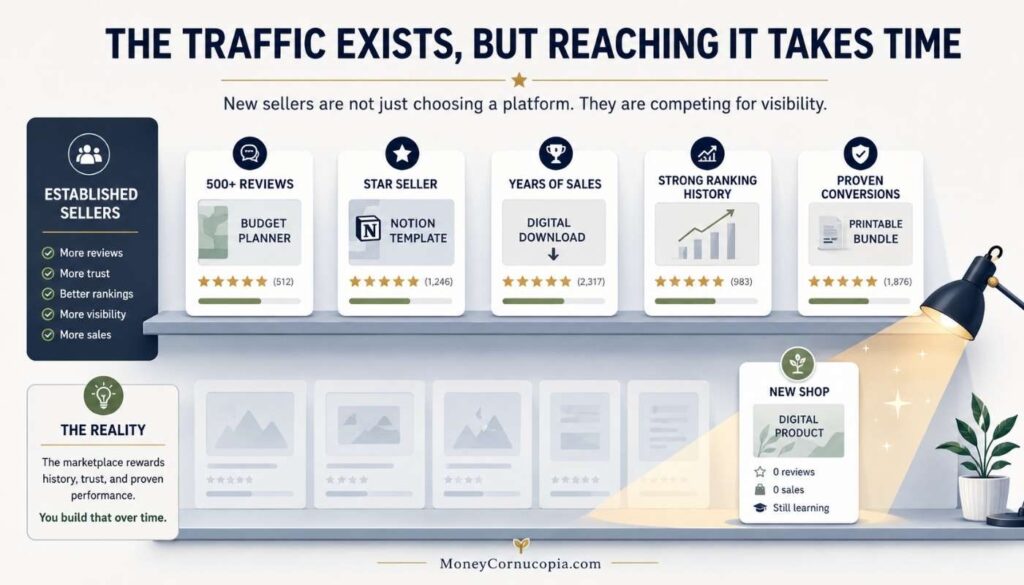
When you search “budget planner template” on Etsy, you see thousands of results. The listings at the top have 500 reviews, Star Seller badges, and years of conversion history telling Etsy’s algorithm to keep showing them. Your new listing with zero reviews starts at the back of a very long queue.
Etsy’s marketplace traffic does not automatically flow to new listings. Discovery depends heavily on category competition, listing optimization, and how well your title and tags match what buyers are actually searching for.
So the truth about Etsy’s traffic advantage is this: the traffic exists, but reaching it as a new seller requires time, optimization, external sources like Pinterest, and patience. It is not passive discovery. It is earned visibility in a competitive market.
For certain sellers in certain situations, Gumroad is genuinely the better choice.
Gumroad makes more sense than Etsy when:
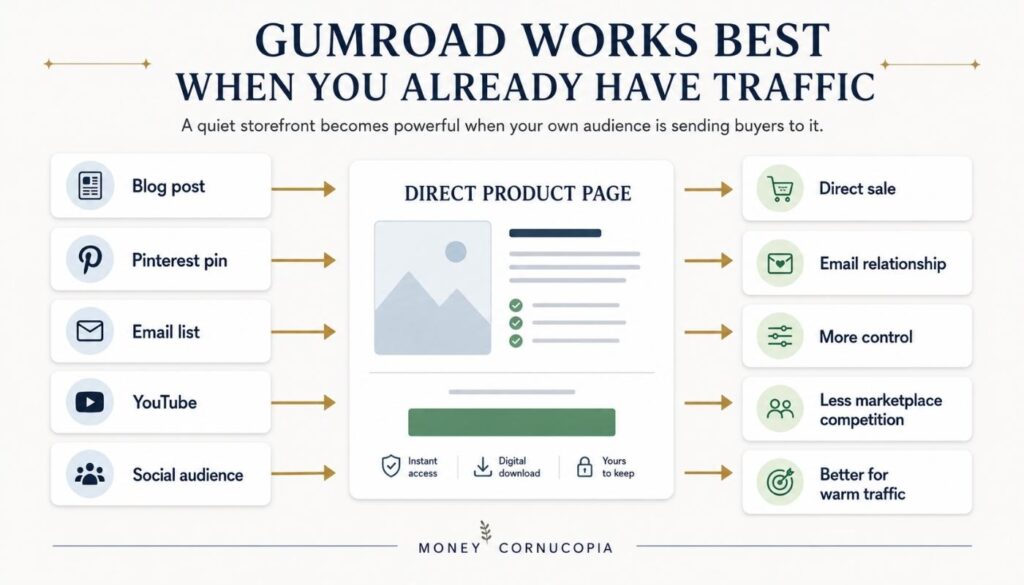
You already have your own traffic. A blog with growing readership, a Pinterest account sending regular outbound clicks, a YouTube channel, or an email list. If buyers are already coming to you through your own content, Gumroad lets you convert them at lower fees without Etsy’s competition.
You sell products that are not impulse-driven or visual. For low-ticket digital downloads like templates and printables, Etsy’s buyer intent and search volume can drive meaningful volume. For premium digital products like software, courses, or niche technical content, Gumroad’s pricing flexibility and direct buyer relationship tend to perform better.
You want to build a direct customer relationship. Etsy owns the customer relationship. A buyer who purchases from your Etsy shop is Etsy’s customer, not yours. Gumroad lets you collect email addresses and build a direct relationship with buyers for future sales.
You want to test pricing flexibility. Gumroad supports pay-what-you-want pricing, memberships, subscriptions, and bundles more naturally than Etsy. For creators experimenting with different pricing models, Gumroad offers more options.
When Etsy Makes More Sense Than Gumroad
For new sellers who have not yet built a traffic source, Etsy is still the smarter starting point.
If you have no blog, no Pinterest presence, no social following, and no email list, listing on Gumroad means you are marketing to nobody. Etsy, despite its competition, gives your products a chance to be found by buyers who are actively looking for what you sell.
For beginners selling visual, functional digital products like templates, planners, spreadsheets, and printables, Etsy’s marketplace is often the stronger starting point for two reasons:
Why Etsy is still the smarter starting point for new sellers
1
Buyers on Etsy already trust the platform and expect to find digital downloads there — the purchase feels safe to them without any extra convincing
2
Etsy’s search gives you data — when you see which searches bring impressions to your listing, you learn what your audience is actually looking for, whether you later sell on Etsy, Gumroad, or your own website
The Answer for Someone in My Exact Situation
I have a blog. I have Pinterest. I have zero Etsy sales. So what should I actually do?
After all the research, my honest answer is: use both, but understand what each one does for you.
Etsy remains my primary listing platform for now because it gives my products the possibility of marketplace discovery while I build my external traffic. Every view my listing gets, even without converting to a sale, is data about who is searching for what I sell.
Gumroad is the platform I will add next, specifically linked from my blog and Pinterest content. When someone reads my article about finance templates or digital products and wants to buy directly, a Gumroad link lets them do that without navigating Etsy’s marketplace. I keep more of the revenue, and I capture their email address for a direct relationship.
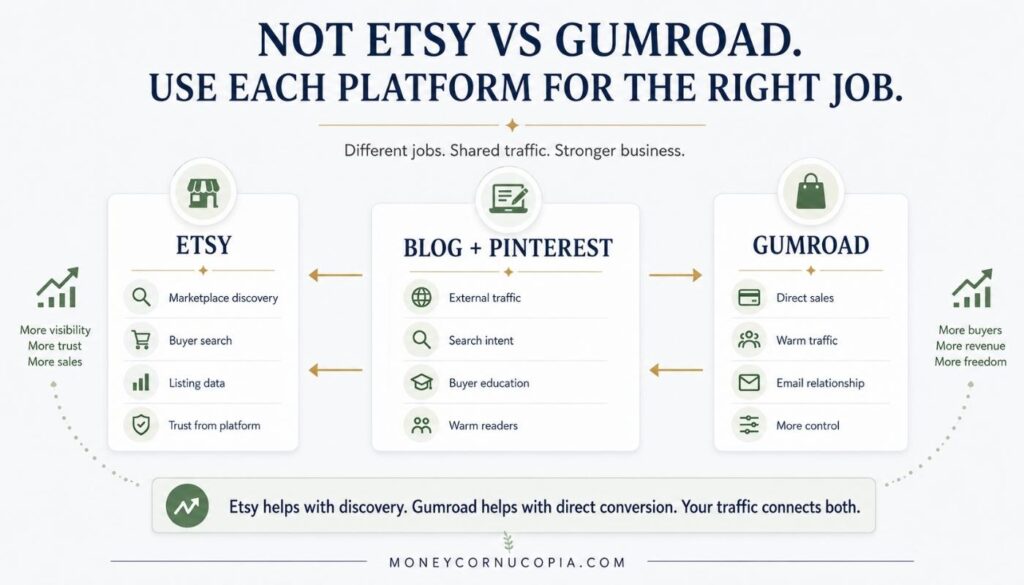
The two platforms serve different parts of the same business. Etsy handles marketplace discovery. Gumroad handles direct conversion from my own traffic.
This is how many successful digital product sellers eventually operate. They start on Etsy for discovery, build an audience through content and Pinterest, and gradually add Gumroad or their own storefront to handle direct sales from that audience at better margins.
The mistake is thinking you have to choose only one.
My Honest Verdict
Start with Etsy if you need discovery. Add Gumroad when you have your own traffic. Do not switch platforms just because Etsy has not worked yet. Fix the visibility problem first. The platform is rarely the problem. The audience is.
Frequently Asked Questions
Is Gumroad or Etsy better for selling digital products?
It depends entirely on your traffic situation. Etsy is better for sellers who have no existing audience because it provides built-in marketplace search traffic. Gumroad is better for sellers who already have traffic from a blog, Pinterest, social media, or email list because it offers lower fees, direct customer relationships, and more control over the selling experience.
Why am I getting zero sales on Etsy for my digital products?
Zero Etsy sales in a new shop are usually caused by low listing visibility (title and tag problems), weak thumbnail presentation, insufficient external traffic, or no reviews, creating a trust gap. Switching to Gumroad will not fix any of these issues. Improving your listing quality, driving Pinterest traffic, and building patience for the first reviews to arrive are the higher-leverage actions.
Does Gumroad have built-in traffic like Etsy?
Gumroad has a Discovery feature, but it is not comparable to Etsy’s marketplace search traffic. Etsy has a significantly larger built-in buyer audience than Gumroad. Gumroad works best when you bring your own buyers through external traffic sources like a blog, Pinterest, or an email list.
What are the fees on Gumroad vs Etsy?
Gumroad charges 10% plus $0.50 per sale for direct sales and 30% for sales through their Discovery feature. Etsy charges a $0.20 listing fee, 6.5% transaction fee, and payment processing that varies by country, often around 3% plus $0.25 for US sellers, with optional offsite ad fees of 12 to 15%. For direct traffic you control, Gumroad is typically cheaper per sale.
Can I use both Gumroad and Etsy at the same time?
Yes, and many successful digital product sellers do exactly this. Etsy handles marketplace discovery for buyers who are searching within the platform. Gumroad handles direct sales from your blog, Pinterest, email list, or social media at lower fees and with direct customer relationship building. The two platforms serve different parts of the same business.
Which platform is better for Notion templates?
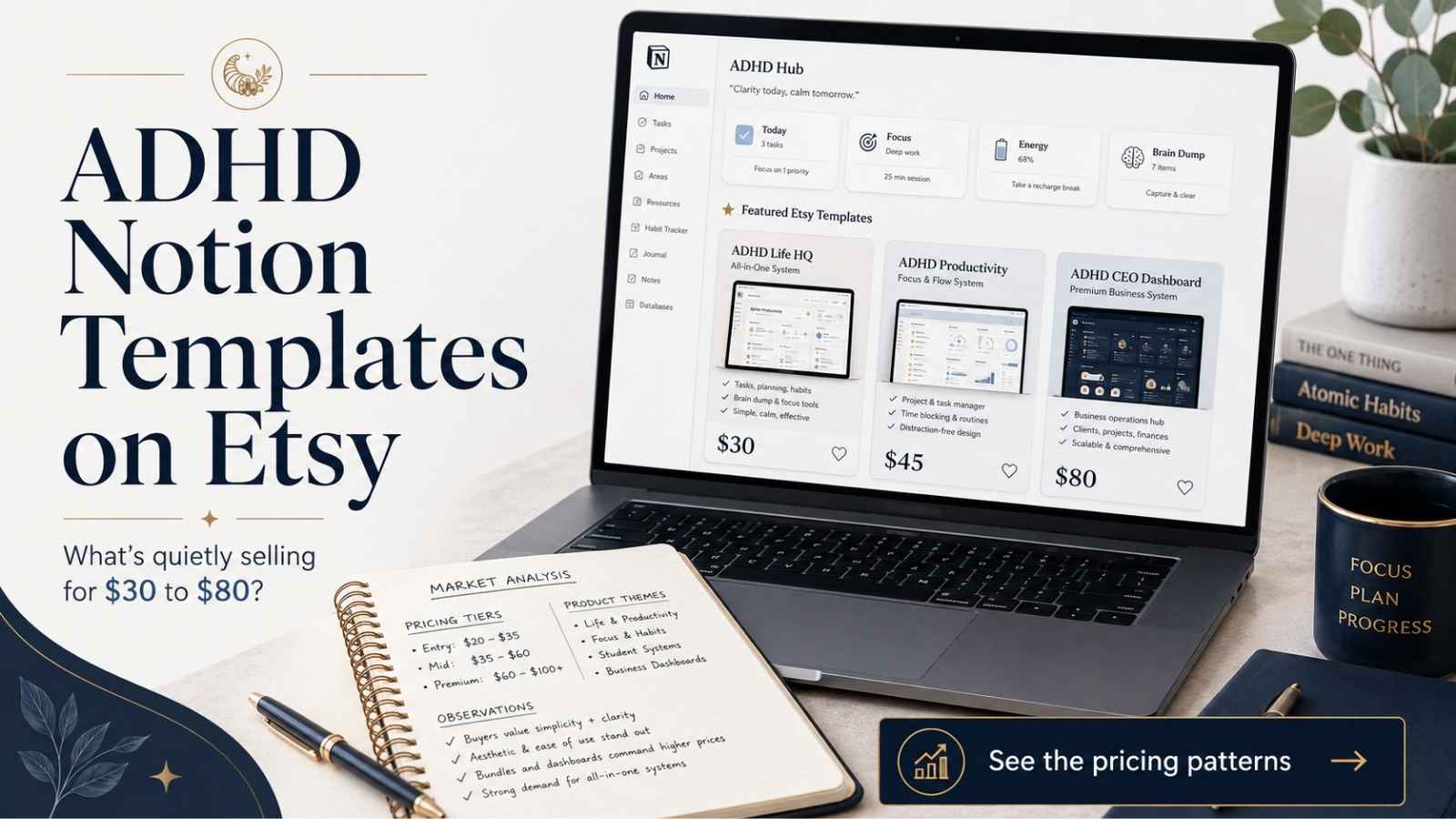
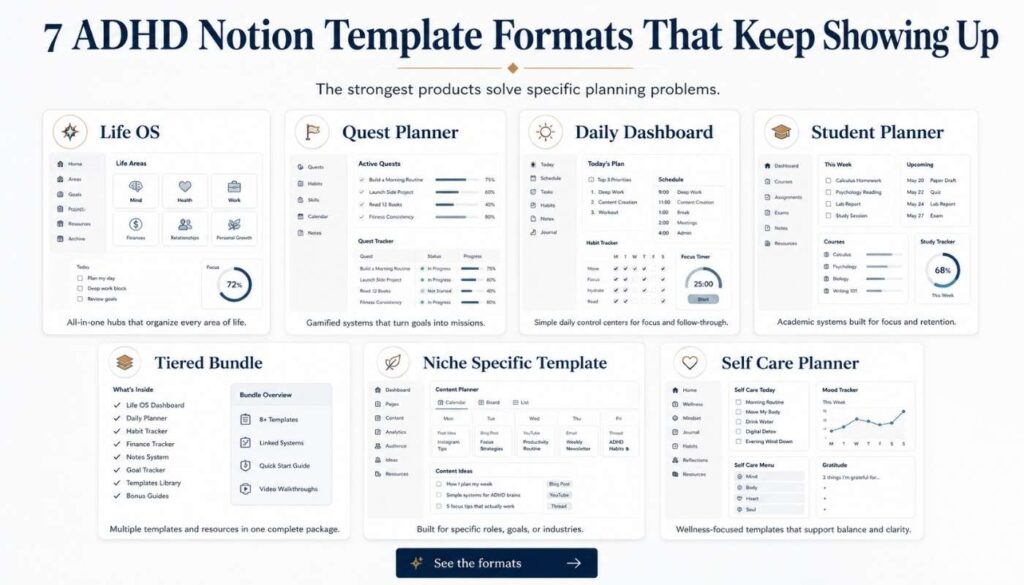
For beginners without an existing audience, Etsy is better because buyers specifically search for Notion templates there. As you build blog traffic and a Pinterest audience, adding Gumroad for direct sales makes strong sense. I covered what actually sells in the ADHD Notion template space on Etsy and the broader Notion template market in separate articles.
Final Thoughts: Would Gumroad Have Been Better?
The honest answer is no, not for where I started.
When I launched my Etsy shop, I had zero followers, zero blog traffic, and zero Pinterest presence. If I had launched on Gumroad instead, I would still have zero sales. Except I would also have zero marketplace impressions to learn from, zero chances of organic discovery, and zero data about which search terms connect buyers to products like mine.
Etsy was and remains the right starting point for someone in my position because even with zero sales, Etsy gives me something Gumroad cannot. It puts my product in front of buyers who are already looking.
But the question changed as I started building traffic.
Now that my Pinterest account is growing and my blog is earning Google impressions, Gumroad is starting to make sense as the next layer. Not as a replacement for Etsy. As a direct sales channel for the warm readers who arrive through my own content.
The creators making real income from digital products in 2026 are rarely using just one platform. They use Etsy for discovery, Gumroad or Payhip for direct sales, and Pinterest or a blog for the traffic that connects both.
That is the honest answer to the question I started with. Not Gumroad vs Etsy. Both, with clarity about what each one actually does for you.
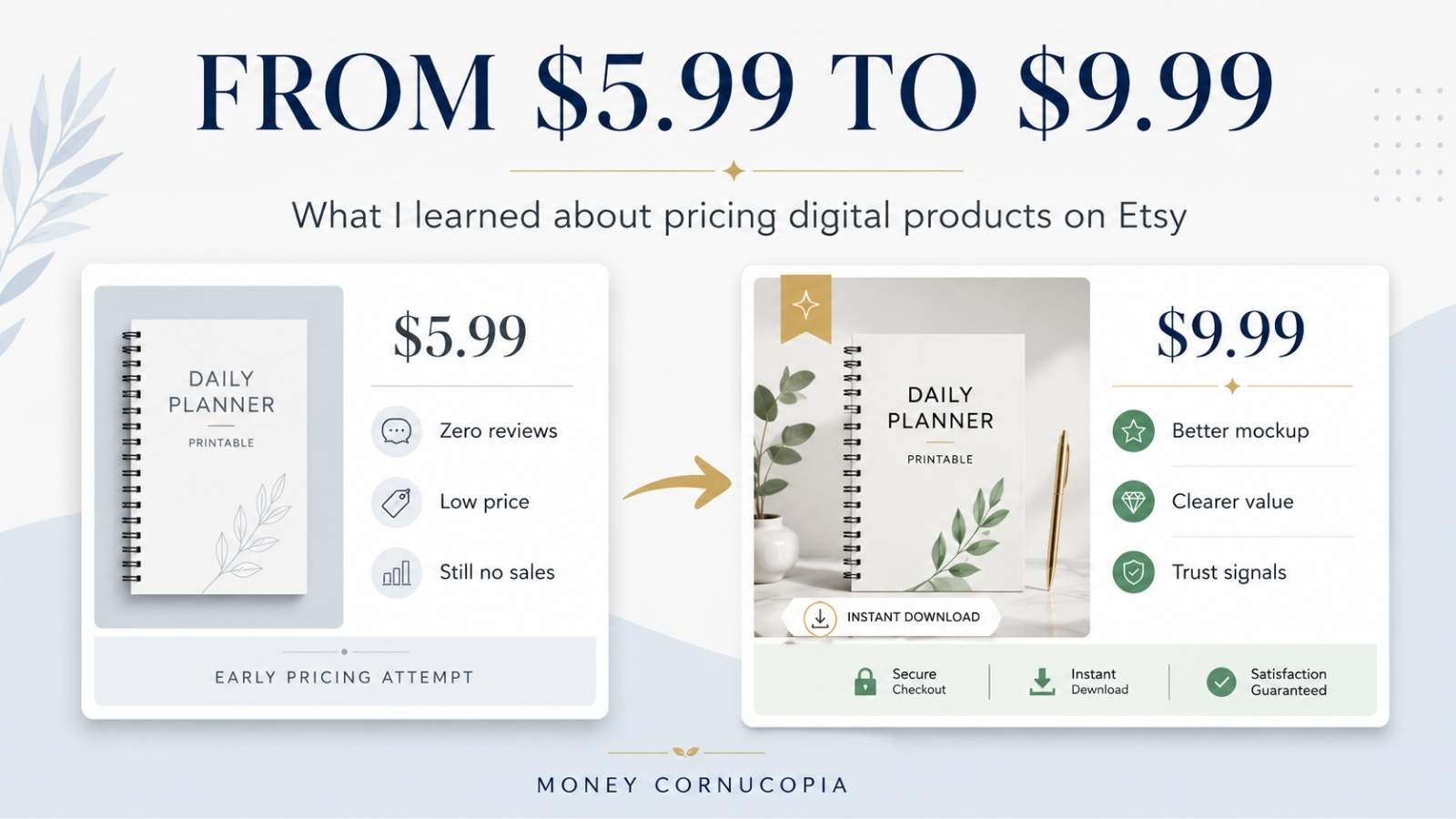
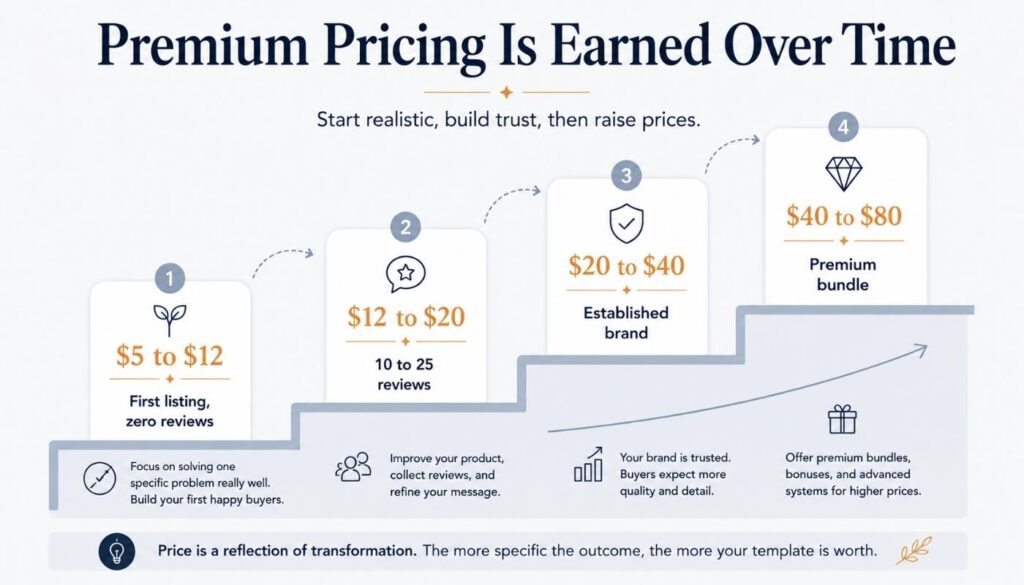
When I listed my first digital products on Etsy, I priced them at $5.99.
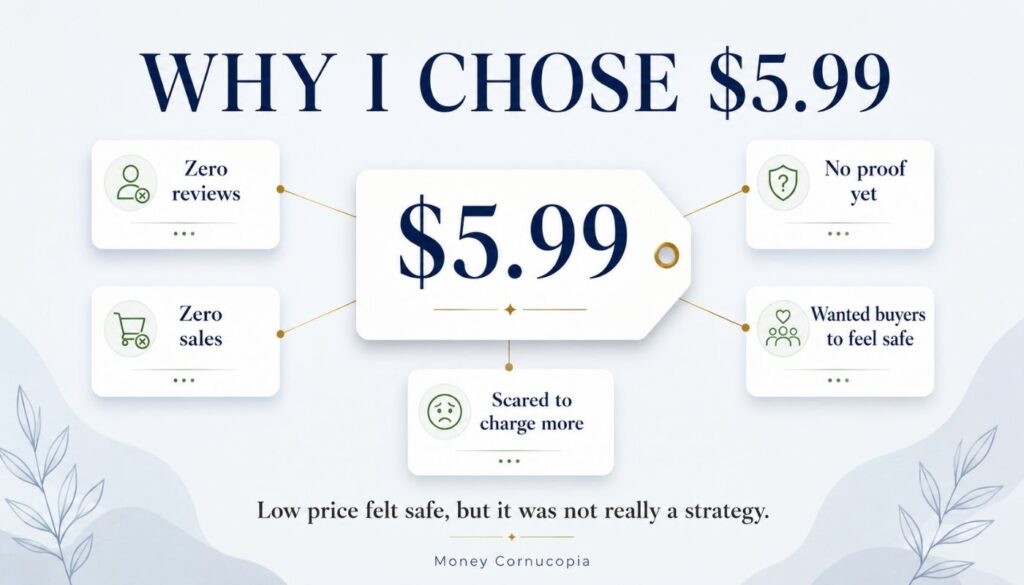
My thinking was simple. I had zero reviews. Zero sales history. Zero proof that anyone had ever bought from me. The only lever I thought I could pull to make someone choose my listing over an established seller’s was price. Make it cheap enough, and buyers would take the risk.
Months later, I still had zero sales.
If you are trying to figure out how to price digital products on Etsy, my biggest lesson is this: a low price does not automatically make buyers trust you. Understanding why took me weeks of research and a lot of uncomfortable honesty about what I was actually doing when I typed $5.99 into that listing field.
Quick Summary
I originally priced my Etsy digital products at $5.99 because I thought a lower price would make buyers feel safer. But after getting no sales and studying successful digital product listings, I realized low pricing does not automatically build trust. Reviews, listing quality, mockups, product clarity, and buyer confidence matter more than price alone. I am now moving to $9.99 because I want my price to communicate value, not fear.
Table of Contents
Why Pricing Digital Products on Etsy Feels So Confusing for New Sellers
The confusion comes from comparing yourself to sellers who are playing a completely different game.
That is why learning how to price digital products on Etsy is not just about choosing a number. It is about understanding what that number communicates to a buyer who knows nothing about you yet.
When you open Etsy and search for digital templates, you see two types of listings. On one end, established shops with hundreds of reviews charge $25, $40, even $80 for their products. On the other end, new shops with no reviews are charging $2.99, $3.99, $4.99, clearly trying to undercut everyone else to get their first sale.
As a new seller, you look at this and think, I cannot charge what the big shops charge. I have no reviews. So I have to be the cheap option.
That logic feels reasonable. It is also wrong. And understanding why it is wrong is the most useful thing I can share about pricing digital products on Etsy.
The Mistake I Made With My First Etsy Prices
I priced it at $5.99 out of fear, not strategy.
My Etsy shop sells finance templates and planners. When I set the price, I did not run any analysis. I did not calculate what the product was worth. I did not study what similar products with similar review counts were charging.
I just picked a number that felt small enough that nobody could complain about paying it. $5.99 seemed safe. Non-threatening. Easy to say yes to.
What I did not think about was what $5.99 was communicating to the buyer before they even clicked on my listing.
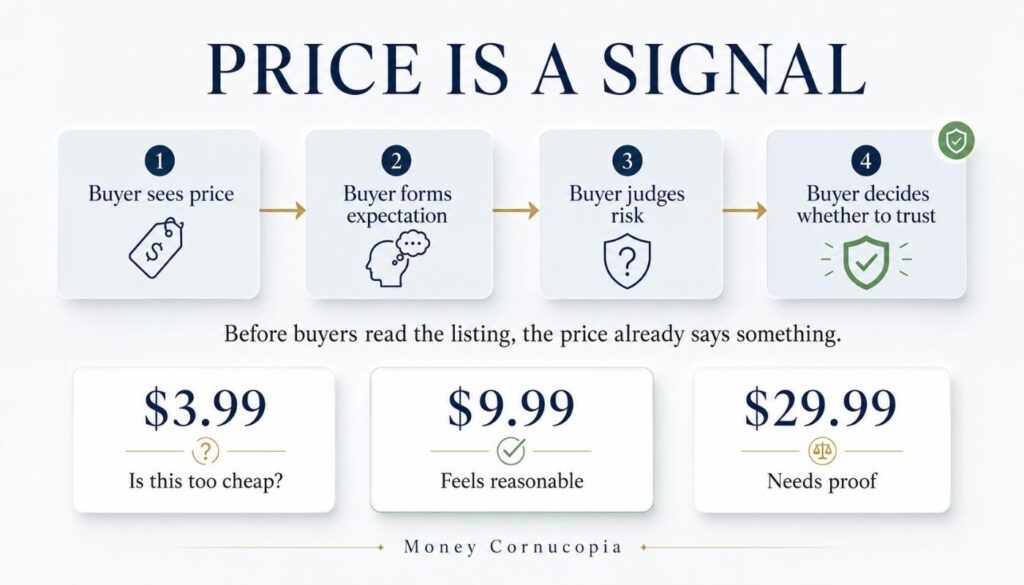
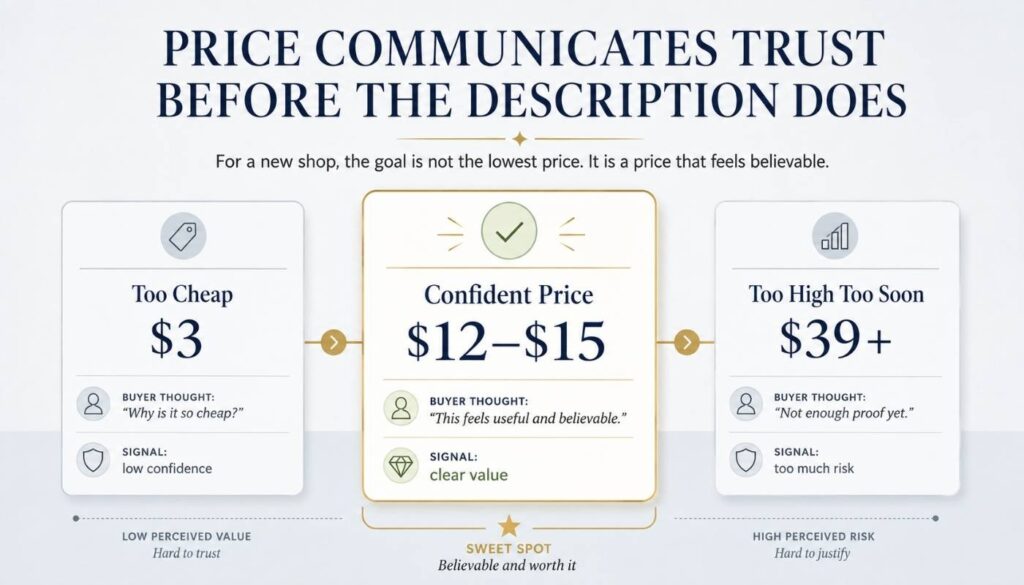
A price is not just a number. It is a signal. Before a buyer reads your title, before they look at your mockup, before they check your reviews, they see your price. And in a fraction of a second, their brain is already making a judgment about what kind of product this is.
I wrote about this in more detail in my full Etsy listing audit where I discovered that my listing problems went far beyond price. But pricing was the first wrong signal I was sending.
What I Noticed After Studying Successful Digital Product Listings
The shops with the most sales were not the cheapest. They were not even close to the cheapest.
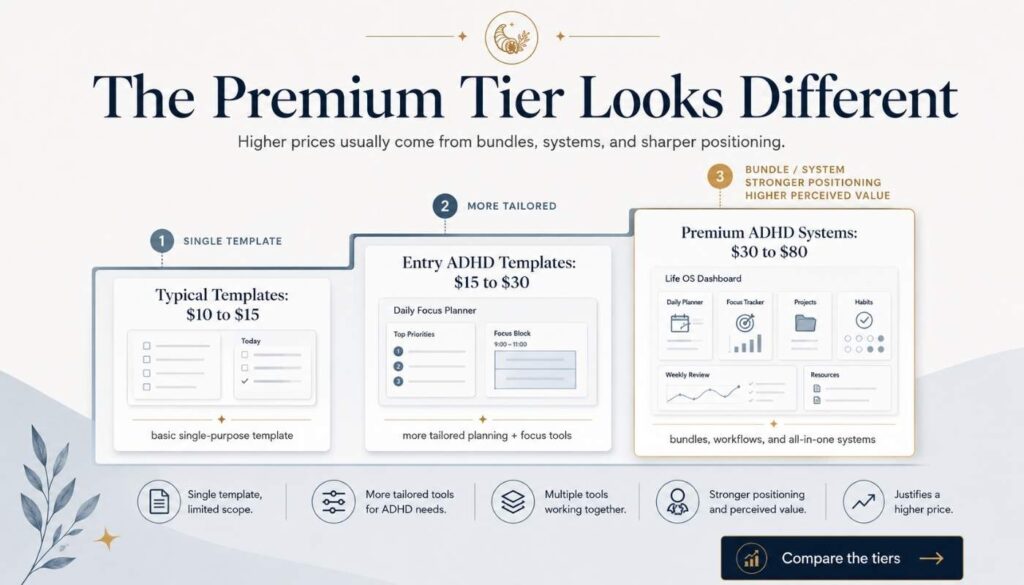
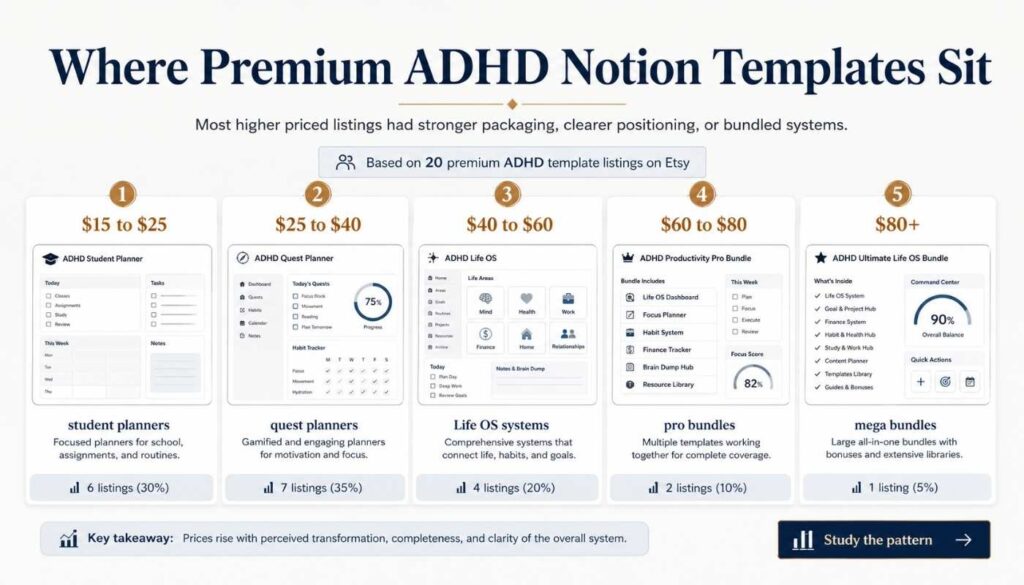
When I looked at the top-performing ADHD Notion template shops on Etsy, the pricing pattern was striking. The shops with 200, 500, or even 1,000 plus reviews were selling templates for $25, $35, $45. Some premium bundles were priced at $60 to $80. And they were selling consistently.
I spent weeks researching successful digital product shops on Etsy, looking at over 20 premium listings in the ADHD Notion template space and the finance template category. I was not just looking at prices. I compared review counts, listing depth, product positioning, mockup quality, and whether higher-priced listings had enough social proof to support the price.
The shops with zero or very few reviews were scattered all over the pricing map. Some were priced very low at $2.99 to $4.99. Some were priced at a mid-range of $12 to $18. A few were priced high at $30 plus. And most of them, regardless of where they sat on the price scale, had very few sales.
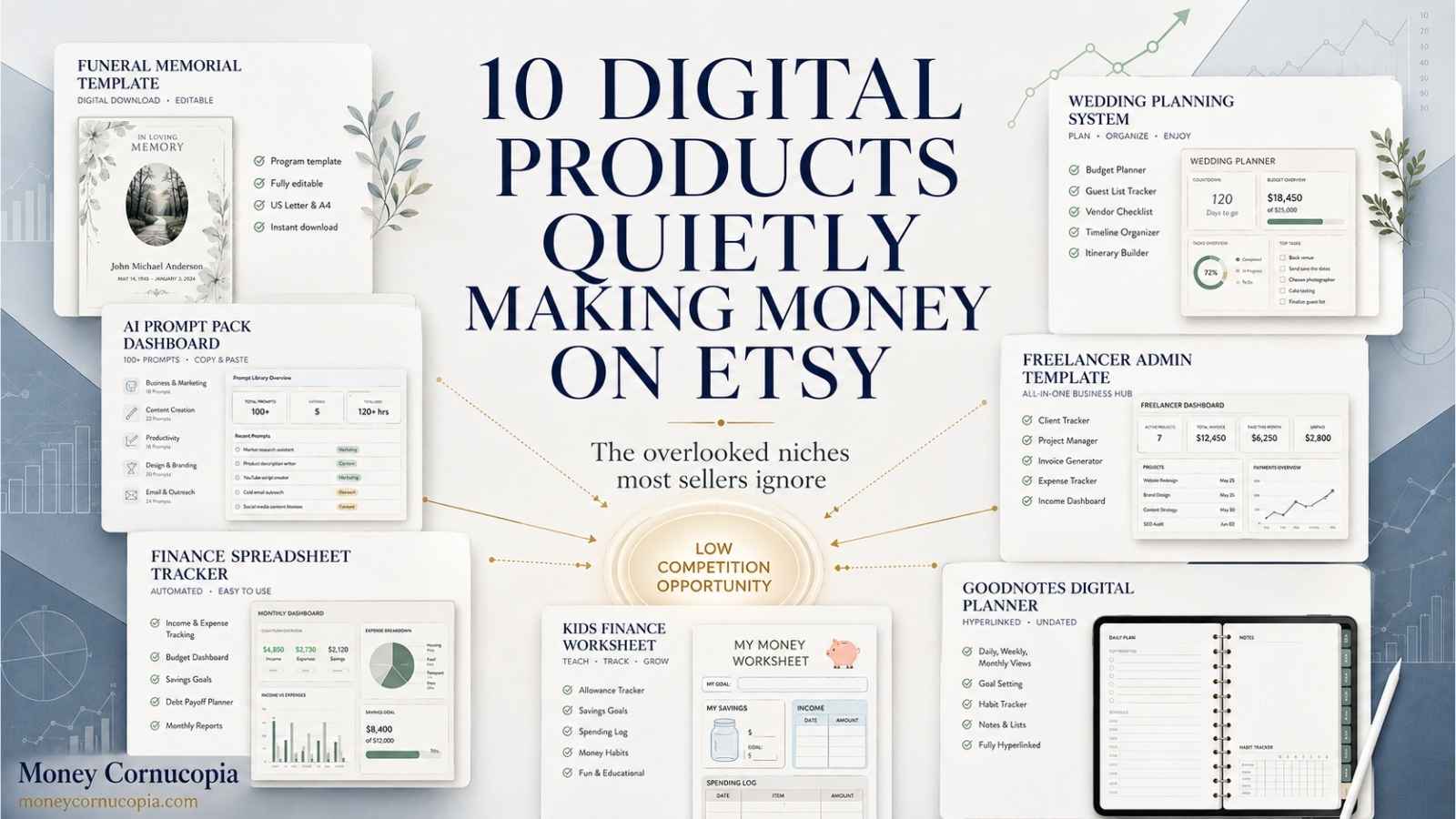
I also noticed the shops in the 10 overlooked digital product categories I researched followed the same pattern. Successful sellers were not winning because of low prices. They were winning because buyers trusted them.
The Real Discovery: Price Matters, But Reviews Build Trust
The biggest pattern I kept seeing was not just product quality, design, or price. It was reviews.
When I looked at why the expensive shops were selling and the cheap shops were not, the answer pointed clearly to social proof. The shops charging $45 for a Notion template had 300 reviews. Each review was a previous buyer saying, “this worked for me.” Each review was proof that real people had purchased this product, used it, and found it valuable enough to leave a rating. That social proof was doing the trust-building work that price alone could not do.
The shops charging $4.99 with no reviews had nothing. No proof. No history. No signal to the buyer that this product was safe to purchase. Just a low price that was supposed to compensate for all of that missing trust.
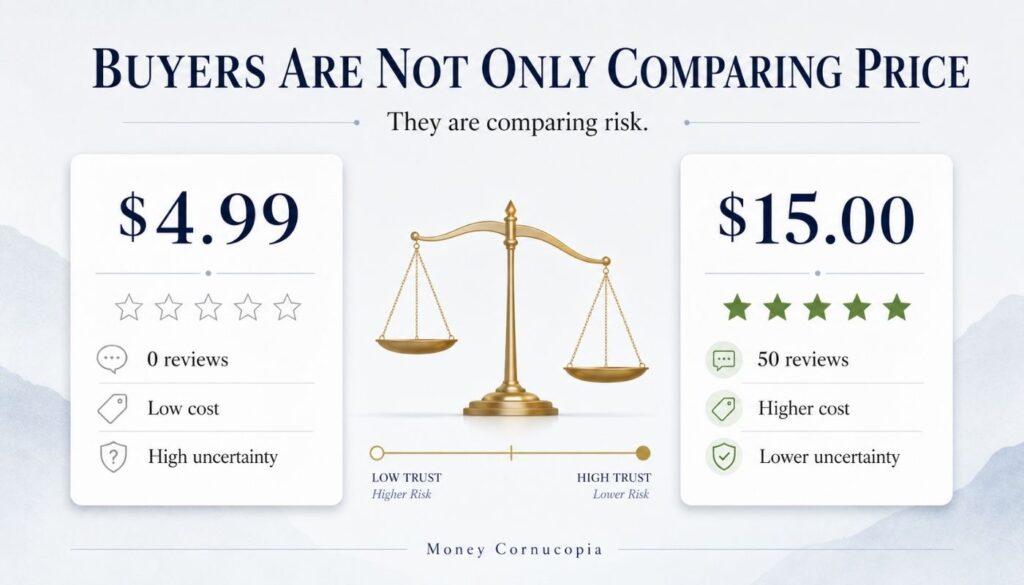
Price matters. But it cannot replace trust. A low price lowers the financial cost of taking a risk on an unproven seller. But many buyers would rather pay $15 for something from a seller with 50 reviews than $4 for the same thing from a seller with zero. Reviews are what earn the right to charge a premium. Price is what you set while you are still building that right.
Why Low Prices Can Actually Hurt You
Pricing too low does not just fail to solve the trust problem. It can actively make it worse.
When a buyer sees your digital template priced at $3.99, one of several things goes through their mind:
What goes through a buyer’s mind at $3.99
1
“Why is this so cheap?” In a category where the standard is $15 to $40, a $3.99 listing does not feel like a deal. It feels like a question mark. What is wrong with it?
2
“This must not be very good.” Price communicates quality before the buyer reads a single word. A $3.99 and $15 template can be identical in content, but the price creates a perception gap before the buyer evaluates anything else
3
“Even if it is bad, I have not lost much.” This attracts the wrong buyer — less invested, less likely to use the product properly, and less likely to leave a thoughtful positive review
None of these thought processes helps you build the one thing you actually need as a new seller: trust.
But Wait: Can Low Pricing Ever Work for New Etsy Sellers?
Yes. But only when it is a deliberate strategy, not a fear response.
This is the nuance that most pricing guides miss completely, and it is worth being honest about.
Some experienced Etsy sellers recommend a specific low pricing launch strategy. The idea is that you price a new listing deliberately low for a defined period, say 30 to 60 days, to generate initial traction, collect first reviews, and signal to Etsy’s algorithm that your listing converts. Once you have 10 to 20 reviews, you raise the price to your actual target.
This can work. It is used intentionally by sellers who understand exactly what they are doing and have a plan to execute it.
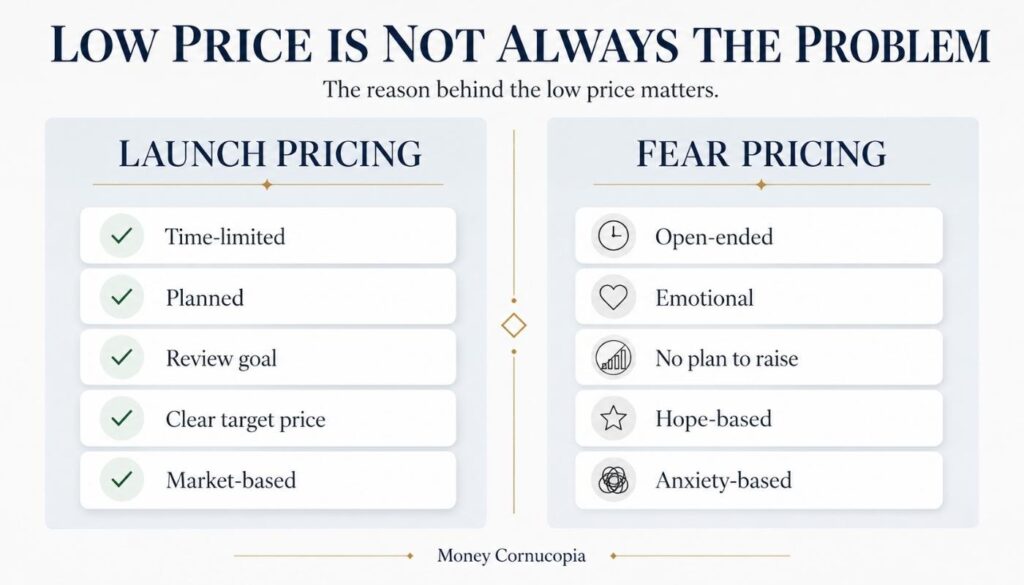
The problem is that most new sellers, including me, are not doing launch pricing. They are doing fear pricing. The difference is significant:
Launch pricing
Fear pricing
Deliberate and time-limited
Indefinite and open-ended
Has a specific target price in mind
Has no clear plan to raise the price
Designed to collect early reviews
Hopes a low price will magically bring buyers
Works like a controlled experiment
Comes from anxiety
Based on market research
Based on fear
I was doing fear pricing. I had no plan to raise the price. I had no timeline. I had no strategy for collecting reviews quickly. I just picked a small number because it felt safer than a bigger one.
That is not a pricing strategy. That is a substitute for confidence, and buyers can sense it.
How to Think About Pricing When You Have Zero Reviews
The goal is not to find the lowest acceptable price. It is to find the highest price your listing can justify without reviews.
When you have zero reviews, your listing needs to earn trust through every other available signal: mockup quality, title clarity, description specificity, and product depth. Your price should reflect the quality of those signals, not compensate for their absence.
According to Etsy’s own seller guidance, sellers should think beyond simple cost and consider profit, positioning, and what buyers are actually willing to pay in their category. Price is part of how your shop presents itself, not just a number you set and forget.
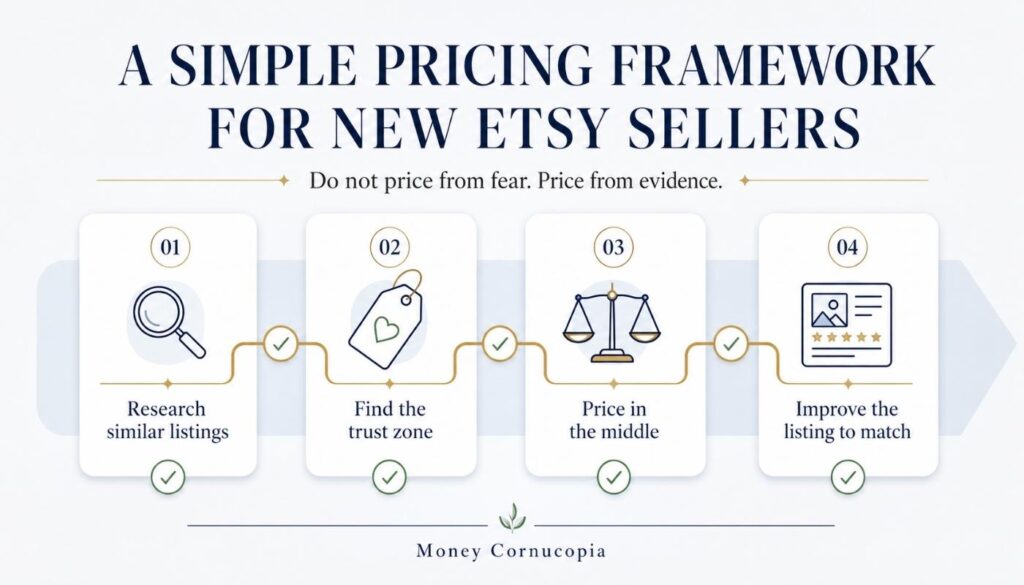
Here is a practical framework for new sellers:
Step 1: Research your category honestly.
Search for your product type on Etsy. Look at listings with 10 to 50 reviews, not the top sellers with thousands. Those are the sellers closest to where you are trying to get to. What are they charging? What does their product look like? How does yours compare in depth, presentation, and specificity?
Step 2: Find the trust zone for your category.
Every product category has a price range that feels normal to buyers. For simple single-page templates, it might be $5 to $12. For comprehensive Notion systems, it might be $15 to $30. For specialty bundles, it might be $25 to $50. Pricing outside the normal range in either direction raises questions.
Step 3: Price in the middle of that zone, not the bottom.
As a new seller without reviews, pricing at the very bottom of the trust zone signals desperation. Pricing in the middle signals confidence while staying accessible. The goal is to look like you belong in the category, not like you are begging for a chance.
Step 4: Make sure your listing quality justifies the price.
A mid-range price on a weak listing is worse than either extreme. If you are going to price at $9.99 instead of $4.99, your mockup, title, description, and product quality need to support that price. The price and the presentation need to tell the same story.
Why I Am Moving My Etsy Digital Products From $5.99 to $9.99
After everything I learned, I landed on $9.99 as my new starting price. Here is the exact reasoning.
$9.99 is not expensive. But it is not apologetically cheap either.
At $5.99, my listing was signalling: “I am not sure this is worth more.” At $9.99, my listing signals: “This is a real product with real value.” That confidence difference is worth more than the $4 price gap.
$9.99 also sits comfortably in what I identified as the trust zone for simple, functional finance templates. It is not so high that a buyer with zero context about me would feel they are taking a significant financial risk. It is not so low that it raises questions about quality.
Most importantly, I am pairing the price change with listing improvements. Better mockup images. A stronger description that opens with the buyer’s problem. Keyword-optimized tags. Because a higher price on a weak listing helps nobody. The goal is to raise both the price and the perceived value simultaneously.
The honest truth is that the price change alone will not get me my first sale. Reviews will. The price change is about making sure my listing looks credible enough for a buyer to take the chance that leads to that first review.
What to Do If Your Etsy Listings Have No Sales and You Think Price Is the Problem
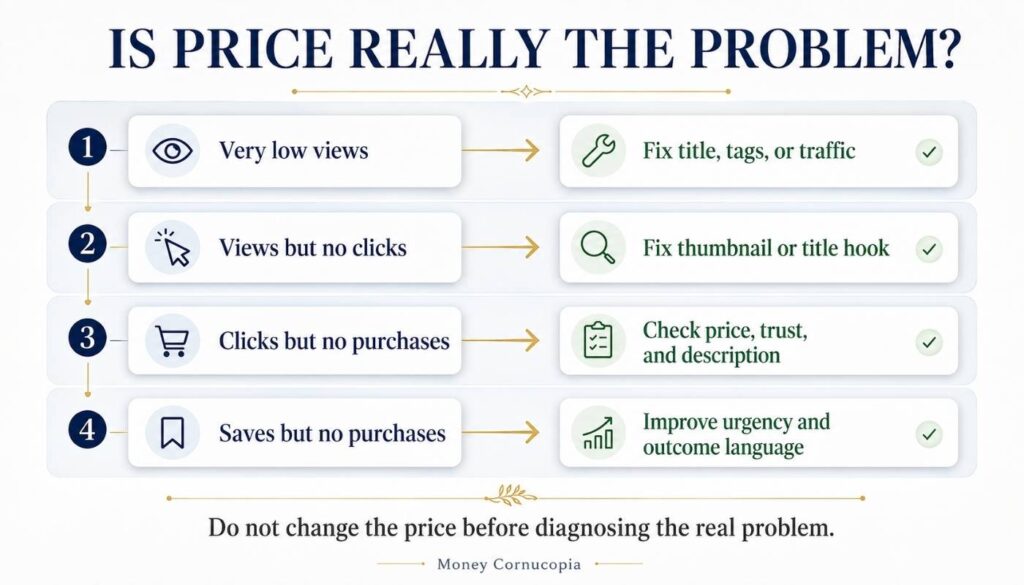
Before you change your price, run this quick diagnostic.
Price is one of many reasons a listing might not convert. Changing the price when the real problem is something else wastes time.
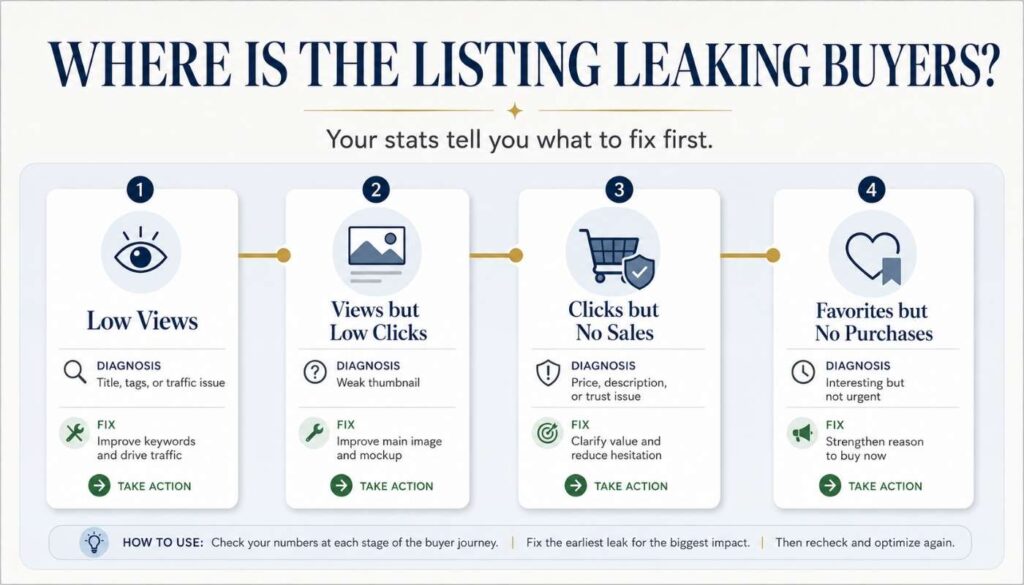
If your listing views are very low: The problem is probably title, tags, or external traffic. Fix your keywords and drive Pinterest traffic before touching the price.
If your views are decent but nobody clicks: The problem is your thumbnail or title hook. Fix the mockup before changing the price.
If you are getting clicks but no purchases: Now price might be a factor, along with description quality, trust signals, and product clarity. This is the stage where the pricing conversation becomes relevant.
If people are saving your listing but not buying: The product is interesting but not urgent enough. Review the outcome language in your description before adjusting the price.
Before you change your price, run your actual numbers through this free Etsy Digital Product Pricing Calculator. It shows your profit per sale after fees, your monthly earnings, and how many sales you need to reach your income goal. The numbers will tell you whether a price change actually makes sense before you touch your listing.
Frequently Asked Questions
How much should I charge for digital products on Etsy as a beginner?
For most digital template categories, a trust zone price for new sellers falls between $7 and $18 for individual products. The right price depends on product depth, niche, and what similar products with comparable review counts are charging. Avoid pricing at the very bottom of your category range as a new seller. It signals uncertainty rather than value.
Should I lower my Etsy price if I have no sales?
Not necessarily. Low sales on a new listing are usually caused by low visibility, weak presentation, or insufficient external traffic rather than the price being too high. Run a quick diagnostic first. If views are very low, fix keywords before touching price. If views are decent but conversions are not happening, then consider whether price is contributing alongside other trust factors.
Can low pricing help me get my first Etsy sale?
It can, but only as a deliberate time-limited launch strategy with a plan to raise prices after collecting initial reviews. Random low pricing without a strategy rarely works because price alone does not solve the trust problem that new sellers face. Reviews solve the trust problem.
Why do shops with lots of reviews charge more on Etsy?
Because reviews earn the right to charge more. Every review is a previous buyer confirming that the product delivered value. That social proof reduces the perceived risk of buying, which means buyers are willing to pay a premium. New sellers without reviews cannot replicate that with price alone.
What is the best price for a Notion template on Etsy?
Because reviews earn the right to charge more. Every review is a previous buyer confirming that the product delivered value. That social proof reduces the perceived risk of buying, which means buyers are willing to pay a premium. New sellers without reviews cannot replicate that with price alone.
How do I get my first Etsy review as a new seller?
The most reliable path to first reviews is external traffic. Buyers who find your shop through Pinterest or your blog arrive warmer and more engaged than cold Etsy search traffic. They have already read about your product, understand its value, and are more likely to buy and leave a review.
Final Thoughts
I priced my listings at $5.99 because I was scared. Scared that nobody would pay more. Scared that without reviews I had no right to charge a real price.
What I learned after weeks of research is that the fear did not come from the price. It came from not having reviews yet. And changing the price from $5.99 to $9.99 does not fix that.
But staying at $5.99 was making it worse. Because a price that whispers “I do not really believe in this” does not invite buyers to believe in it either.
So if you are wondering how to price digital products on Etsy, do not start by asking “What is the cheapest price I can charge?” Start by asking “What does my price communicate about my confidence in this product?”
The path to reviews is not a lower price. It is a better listing, external traffic that brings warm buyers, and the patience to survive the quiet months before social proof starts compounding.
I am moving to $9.99. Not because I suddenly have proof that it is the perfect price. But because I have proof that $5.99 was the wrong signal for the wrong reason.
Sometimes, the most important pricing decision is the one that stops communicating fear.
If you are in the same place I was, this article about why your side hustle is not making money yet is worth reading before you change anything. The quiet period before your first sale is real. Understanding it is more valuable than adjusting your price.
I have two listings on my Etsy shop. Both are digital products. Both are priced at $5.99. Both have descriptions and images.
And both have zero sales.
For a while I assumed the products were the problem. Maybe nobody wanted a freelancer tax tracker. Maybe the budget planner was too generic. I kept telling myself I needed better products before anything would sell.
Then I spent several weeks studying over 20 successful digital product shops on Etsy, specifically premium ADHD Notion template sellers and high-performing finance template listings. And I realized something that changed how I think about Etsy entirely.
My products were not the problem. My listings were not doing enough work. This is not a success story yet. It is a listing audit from the messy middle.
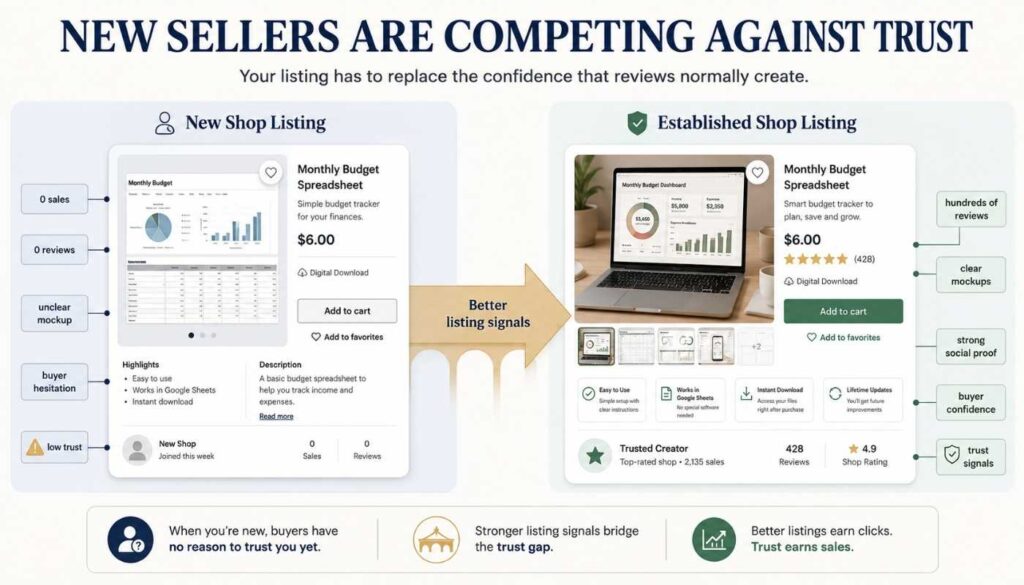
A listing is not just a product page. For a new shop with zero reviews, a listing is the only trust signal you have. Established sellers have hundreds of reviews, Star Seller badges, and years of conversion history working for them. Your listing has to build that same trust from scratch, without any of those shortcuts.
This article is about what I found when I looked at my listings honestly, what I am fixing, and what every beginner Etsy seller should understand about why zero sales is almost always a listing problem before it is a product problem.
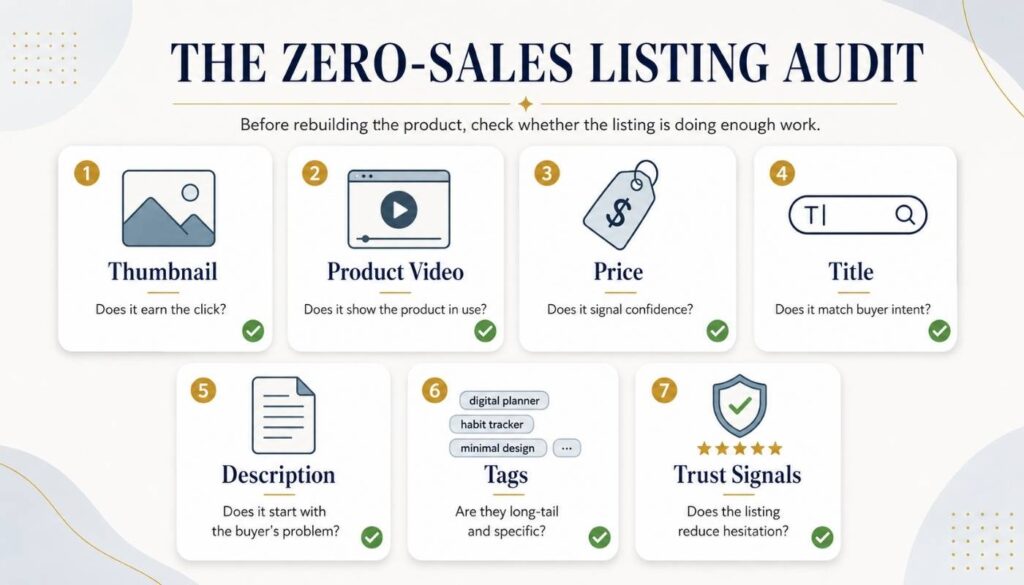
Quick Summary: What I Found and What I Fixed
For scanners who want the answer before the explanation, here is the full picture:
Listing problem
Why it hurts sales
What to fix
Weak thumbnail
Buyers do not click
Create a professional product mockup in Canva
No product video
Product feels unclear
Add a 30 to 45 second screen recording walkthrough
Price too low
Signals poor quality
Use confident mid-range pricing for your category
Generic title
Misses buyer search intent
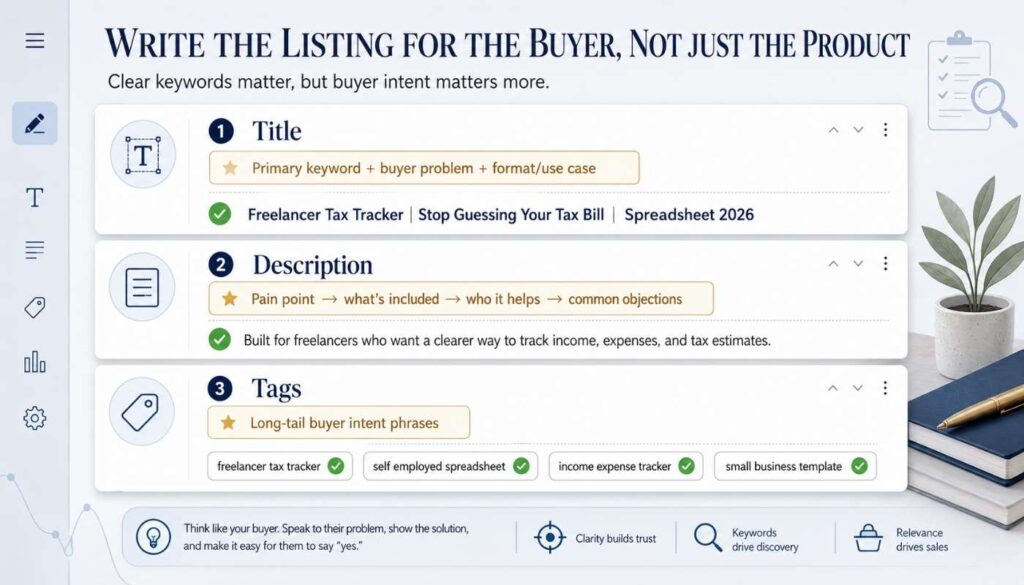
Lead with keyword plus a benefit or problem statement
Feature-heavy description
Buyer does not feel understood
Rewrite opening around the buyer’s pain point
Broad single-word tags
Buried in competition
Replace with long-tail buyer intent phrases
No objection handling
Buyer hesitates and leaves
Add FAQ-style answers to common questions in description
Every one of these was a problem in my listings. The sections below explain exactly what I found and how I am fixing each one.
Table of Contents
The Real Problem: You Are Not Competing on Product Quality
You are competing against trust. And new sellers start with none.
This is the uncomfortable truth about selling on Etsy as a beginner. When a buyer searches for a “freelancer budget template” and sees your listing sitting next to a shop with 847 sales and 200 five-star reviews, they are not making a rational product comparison. They are making a trust decision in about three seconds.
The established seller has social proof. Every review is a previous buyer saying, “This worked for me.” Every sale is evidence that real people found value in this product. The Etsy algorithm reads that history too and rewards it with better placement in search results.
Your listing has none of that. So the buyer’s brain fills the gap with uncertainty. “Why does this shop have zero sales? Is something wrong with the product? Is this seller reliable?”
The instinct of most new sellers is to lower the price to compensate. I did this. I priced my templates at $5.99, thinking the low price would remove the hesitation. But here is what I learned from studying the market. Pricing too low does not remove the uncertainty. It adds to it.
When a buyer sees your template priced at $3 next to a similar template priced at $15 with 300 reviews, they do not think “great deal.” They think, “Why is this so cheap? What is wrong with it?” Price communicates quality before the buyer reads a single word of your description.
The listings that convert without social proof are the ones that compensate for the lack of reviews through every other trust signal available. Better visuals. Clearer descriptions. Smarter keywords. More specific positioning. That is what I had to fix.
The Video and Visual Gap: Why This Hurts More Than You Think
When I compared my listing images to the top sellers, the gap was obvious immediately.
My product video and mockup images look novice next to the professional sellers. Not dramatically bad. Just noticeably less polished. And in a marketplace where buyers make a judgment in three seconds, noticeably less polished translates directly into fewer clicks.
Here is what I noticed in the top-performing listings:
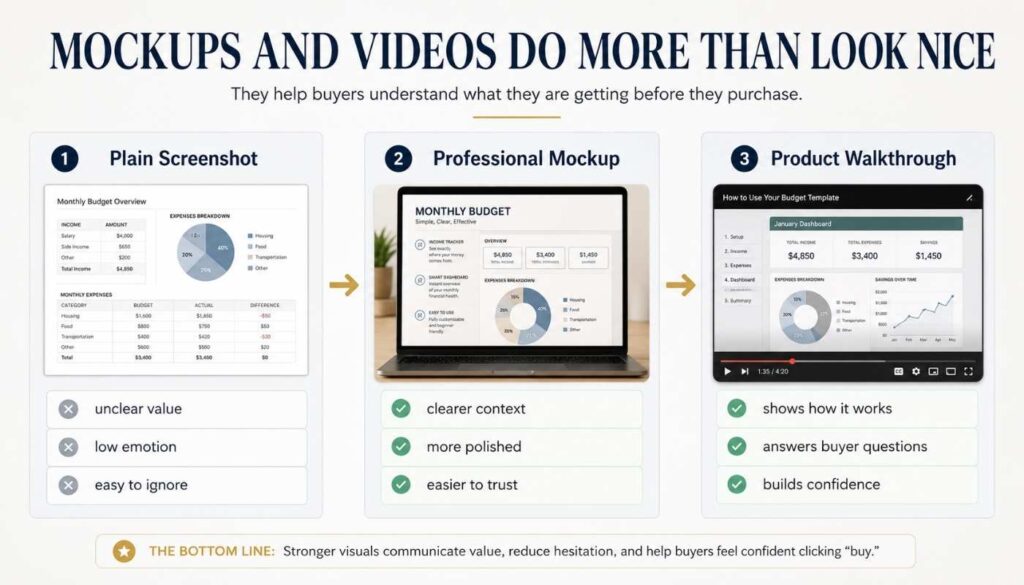
Their mockups tell a story
They do not just show the product. They show the product being used. A Notion template displayed inside a MacBook mockup with a clean desk background communicates “this is a professional, organized system.” The same template shown as a plain screenshot communicates nothing about the feeling of using it.
Their videos show the product in action
The best product videos I studied opened with the problem, showed the solution, and gave a quick tour of the key features. All within 30 to 45 seconds. According to Etsy’s own guidance, product videos can increase transparency, build buyer confidence, and communicate details that photos alone cannot show. For digital templates specifically, a simple screen recording showing the product being used helps buyers understand exactly what they are getting before they purchase.
Mine opened with a static image that slowly faded into another static image. That is not a video. That is a slideshow. It does not show the product working. It does not build confidence. It does not answer the buyer’s most important question: “What will this actually look like when I use it?”
Their thumbnails are consistent
Top shops have a visual identity. The same color palette, the same font style, the same mockup aesthetic across every listing. This consistency makes the shop look established, even if the review count is modest. My listings have no consistent visual identity because I had not thought about the shop as a brand yet.
The fix here is not as hard as it looks. Canva has free Notion mockup templates, laptop frames, and product mockup layouts. A professional-looking thumbnail takes 20 minutes of intentional design in Canva versus 5 minutes of placing a screenshot. A screen recording walkthrough using Loom or another free tool takes 10 minutes to create.
These are not big tasks. They are tasks I had not prioritized. That is on me.
The Pricing Trap: What Your Price Actually Communicates
The right price is not the lowest price. It is the price that communicates confidence.
I priced my templates at $5.99 because I was afraid. Afraid that nobody would buy from a zero-review shop at a higher price. What I did not realize is that I replaced one type of hesitation with another.
A very low price on a digital product tells the buyer one of two things:
A very low price tells the buyer one of two things
1
The product has very little value
2
The seller does not believe in it enough to charge more
Neither is the message you want to send. Price communicates quality before the buyer reads a single word of your description.
After studying how successful listings were priced, I noticed a clear pattern. The listings with traction were not the cheapest in their category. They were priced in the mid-range with strong visuals and clear descriptions that justified the price. The listings with zero traction were scattered across both extremes: either overpriced for an unproven shop or so cheap that buyers assumed there was a reason.
The sweet spot for a new seller with no reviews is not rock-bottom pricing. It is confident pricing. A price that says “I believe this product is worth this.” For a simple spreadsheet template, that is probably $9 to $15. For a Notion system template, $15 to $25. For a bundle, $25 to $40.
This connects to something I covered in detail in how to sell Notion templates on Etsy. You are not selling a file. You are selling the outcome that the file creates. A freelancer tax tracker is not worth $5.99 because it is a spreadsheet. It is worth $12 to $15 because it saves a freelancer hours of confusion at tax time every year. Price the outcome, not the object.
The Title Problem: Writing for Buyers, Not for Yourself
Most beginner Etsy titles describe the product. The best titles describe the problem the product solves.
My current listing title for the tax tracker is essentially “Freelancer Tax Tracker 2026 Spreadsheet Template.” That is a description. It tells the buyer what the product is, but it does not tell the buyer why they should care.
Compare that to something like “Freelancer Tax Tracker | Stop Guessing Your Tax Bill | Self-Employed Income and Expense Spreadsheet 2026.” Same product. Completely different message. The second title answers the question the buyer is actually asking: “Will this solve my problem?”
The pattern I found in successful Etsy titles:
How successful Etsy titles are structured
1
Primary keyword first. Etsy weights the beginning of your title more heavily — the most important search term goes at the start, not buried in the middle
2
A benefit or problem statement in the middle. Not a feature list — a clear statement of what the buyer gains or what problem this solves
3
Secondary keywords at the end. Format, platform, year, use case — fills in the remaining characters without sounding stuffed. Use all 140 characters
The character limit is 140. Most beginners use about 60. The top sellers use 130 to 140, packing in every relevant keyword and benefit phrase while still reading naturally.
My titles were written quickly when I first opened the shop. They describe my products accurately but communicate no value, and they miss several keyword opportunities that buyers are actually searching for. That is the next thing I am fixing.
The Description Gap: Writing for the Buyer Holding Your Product
Nobody reads a wall of text. They scan for the answer to one question: Is this for me?
Imagine a buyer standing in a physical store holding your product. They flip it over to read the back. What do they need to see in the first five seconds to decide whether to put it in their cart?
That is how Etsy listing descriptions should be written.
What strong digital product descriptions do
Lead with the buyer’s pain, not the product’s features. “Are you spending hours manually tracking which clients paid and which invoices are overdue?” is more compelling than “This template includes 12 columns and color-coded conditional formatting.”
Describe what is included concisely. After the opening hook, a brief bulleted list of what is inside. Not a paragraph. A list. Four to six items maximum.
Specify exactly who it is for. “Designed for freelancers, consultants, and solo business owners who invoice multiple clients per month.” Specificity builds trust. Generic language (“for anyone who needs to track money”) sounds like you built the product for nobody in particular.
Answer common objections. For digital products, these are usually: Is this easy to use? Do I need special software? How do I get access after purchase? A brief FAQ-style section at the bottom addresses these before the buyer has to ask.
My current descriptions start with the product description instead of the buyer’s problem. That is the single change that would have the biggest impact if I made it today.
The Tag Strategy: Intent Over Popularity
The mistake most new sellers make is chasing popular tags. The winning move is matching buyer intent.
Etsy gives you 13 tags per listing. Most beginners use broad single-word tags like “template,” or “planner,” or “digital” because those seem like what buyers would search. The problem is that broad tags place you in massive, competitive pools where a zero-review listing will never surface.
The better strategy is long tail, intent-specific tags:
Weak tag (avoid)
Strong tag (use instead)
template
freelancer invoice template
planner
ADHD daily planner digital download
digital
income and expense spreadsheet for freelancers
These are phrases real buyers type when they are ready to purchase. They match specific buyer intent rather than broad category labels.
The practical process I now use:
Go to the Etsy search bar and type your primary keyword. Look at the autocomplete suggestions. Those are real phrases buyers are searching right now. Use the most specific and relevant ones as your tags. Do this across 10 to 15 variations, and you will have more than enough intent-specific candidates to fill all 13 tag slots.
According to the Etsy Seller Handbook, using relevant keywords in your titles, tags, categories, and attributes helps your listings match what shoppers are searching for. Tags that match how buyers describe their problem perform better than tags that describe your product category.
What I Am Fixing First (In This Exact Order)
Fix one thing at a time. Start with the highest leverage change.
The temptation is to fix everything at once. That produces mediocre improvements across the board. Here is the order that makes the most impact:
Fix in this exact order — highest leverage first
1
Main thumbnail image. This is what buyers see before they click. A professional Canva mockup takes 20 to 30 minutes and has immediate impact on click-through rate. No sale can happen without a click
2
Product video. A 30 to 45 second screen recording showing the product in use — this is the most noticeable gap between beginner listings and professional sellers
3
Listing title. Primary keyword at the front, benefit or problem statement in the middle, secondary keywords at the end
4
Price. If you are priced under $8 for anything beyond a simple single-sheet template, consider whether that price communicates value or uncertainty
5
Description. Rewrite the first paragraph to lead with the buyer’s problem, not the product’s features
6
Tags. Replace any broad single-word tags with long-tail intent-specific phrases from Etsy’s search autocomplete
How I Will Know If the Fixes Are Working
The fix depends on where in the listing journey buyers are dropping off.
This is the section most Etsy guides skip. They tell you what to fix but not how to know which fix your specific listing actually needs. Etsy’s shop stats page shows you exactly where the drop-off is happening.
If your listing views are very low, the problem is likely your title, tags, or external traffic. Your listing is not appearing in searches. Fix keywords first, then drive Pinterest traffic.
If views are decent but clicks to your listing are low, the thumbnail is probably weak. Buyers are seeing your listing in search results but not clicking. The image is not compelling enough to earn the click.
If clicks are happening but sales are notconverting, the problem is likely price, description, trust signals, or mockup quality. The buyer is interested enough to click but not convinced enough to purchase.
If people are favoriting your listing but not buying, the product is interesting but not urgent enough. The description may not be communicating a clear enough reason to buy now rather than save for later.
Each of these is a different problem requiring a different fix. Knowing which one you have tells you exactly where to start. My listings currently have almost no views, which tells me the title, tags, and traffic are the primary issues. That is where I am starting.
Frequently Asked Questions
Why am I getting no sales on Etsy if my product is good?
In most cases, zero Etsy sales on a new shop are a listing problem, not a product problem. Your listing needs to communicate value, build trust, and match buyer search intent, all without the help of reviews or sales history. The most common issues are weak mockup images, titles that describe the product instead of solving a problem, prices that are too low and signal poor quality, and tags that are too broad to match specific buyer intent.
Should I lower my Etsy price to get my first sale?
Not necessarily. Very low prices on digital products can signal poor quality rather than good value. A better approach is to price in the mid-range for your category while investing in stronger visuals and clearer descriptions that justify the price. The first sale is more likely to come from a buyer who trusts your listing than from a buyer drawn in by the lowest price.
How important are Etsy listing videos for digital products?
Listing videos can be very helpful for digital products because they show the product in use, not just what it looks like. According to Etsy’s own guidance, product videos can increase transparency, build buyer confidence, and communicate details that photos alone may not show. For templates, a simple 30 to 45 second screen recording showing the product being used helps buyers understand exactly what they are getting before they purchase.
How many tags should I use on Etsy?
Use all 13. Every unused tag is a missed opportunity to appear in a relevant search. The best tags are multi-word phrases that match specific buyer search intent rather than broad single words. Use Etsy’s own search autocomplete to find phrases real buyers are searching for and build your tags around those suggestions.
How do I write Etsy listing descriptions that convert?
Lead with the buyer’s problem in the first sentence. Follow with a brief bulleted list of what is included. Specify exactly who the product is for. Then answer the most common objections about ease of use, required software, and how to access after purchase. Keep paragraphs short and sections scannable. The buyer deciding in 10 seconds whether to purchase needs the most important information immediately, not buried three paragraphs down.
How do I know which part of my Etsy listing needs fixing?
Check your Etsy shop stats. If views are low, the issue is titles, tags, or traffic. If views are decent but purchases are low, the issue is thumbnail, pricing, or description. If people are favoriting but not buying, the offer may not feel urgent enough. Each pattern points to a different fix, so diagnose before you change everything at once.
How do I compete with established Etsy shops as a new seller?
You cannot match their review count, but you can match their listing quality. Professional mockup images, benefit-focused titles, niche-specific positioning, and strong descriptions put your listing in the same visual trust tier as theirs. Pair that with a confident price point, consistent Pinterest traffic from your blog and content, and niche specificity that larger shops ignore, and you can compete on the factors you can actually control.
When should I update my Etsy listings?
Update your listings whenever you notice that views are very low (title and tag problem) or when views are decent, but conversions are low (description, mockup, or pricing problem). Etsy’s stats page shows views, favorites, and purchases, and that pattern tells you exactly where the drop-off is happening in your specific listing.
Final Thoughts
I have two listings and zero sales. I am not embarrassed by that anymore.
When I started, I thought the zeros meant the products were wrong. After studying how successful shops build their listings, I realize the zeros mean I was asking my listings to do less work than they needed to.
My mockups were adequate, not compelling. My titles described my products without solving a problem. My descriptions started with features instead of pain points. My price said “I am not sure this is worth more” instead of “this is exactly what you need.” My video was a slideshow, not a demonstration.
None of those are product problems. They are all fixable.
If you are a beginner Etsy seller with zero or very few sales, the most productive question is not “should I build a different product?” It is “is my listing doing everything it can to earn a buyer’s trust before they see a single review?”
For most of us, the honest answer is no.
And that is the good news. Because every element of a listing can be improved. The product you already have may be exactly right. It just needs a listing that works as hard as you do.
Funeral memorial cards. AI prompt packs for copywriters. Kids’ finance worksheets. VBA automated business spreadsheets.
These are not the digital products you see on every “best things to sell on Etsy” listicle. That is exactly why they are worth your attention.
I sell digital products on Etsy myself, and I have spent months researching what to add to my catalog next. Most of what I found in competing guides was the same recycled advice: sell printable planners, sell Canva templates, sell wall art. Those categories are real, but they are also the most crowded spaces on the platform.
The products on this list are different. I have personally researched, sold, or am actively building every single one. Some surprised me. One made me uncomfortable. And a few are so under the radar that I almost did not believe they were selling until I checked the listings myself.
Here are 10 digital product categories that most Etsy sellers overlook.
Table of Contents
1. Finance Spreadsheet Templates That Quietly Sell on Etsy
I sell these myself. They are not glamorous, but they quietly move.
Finance templates are one of the most underrated digital product categories on Etsy because they sound boring compared to colorful planners and aesthetic wall art. But boring is exactly why they work. Buyers do not want a pretty spreadsheet. They want a spreadsheet that actually calculates their taxes, tracks their expenses, or shows them where their money is going.
My Etsy shop currently has a freelancer tax tracker and a budget planner, both priced at $5.99. They are simple, functional products that solve a repeated problem. Every freelancer needs to track taxes. Every household needs a budget.
The niche-specific versions are where the real opportunity lives. A tax tracker for freelancers. A budget planner for couples. An expense tracker for small Etsy sellers. A savings goal calculator for people paying off debt. The more specific the buyer, the easier the sale.
If you know your way around Excel or Google Sheets, this is one of the lowest barrier entry points into selling digital products on Etsy.
2. Notion Templates and Habit Trackers That Sell on Etsy
This is the next product I am building for my own shop.
My first Notion template is going to be a habit tracker designed for people who keep starting habits and quitting after two weeks. The angle is not “track your habits.” It is “a system that helps you come back after you fall off.”
3. AI Prompt Packs That Are Quietly Profitable on Etsy
Most AI prompt packs on Etsy are generic. The niche-specific ones are quietly outperforming them.
I have looked into this space extensively, and the pattern is clear. A prompt pack titled “500 ChatGPT Prompts” sells for $3 and competes with thousands of identical listings. A prompt pack titled “47 ChatGPT Prompts for Freelance Copywriters to Write Client Emails, Sales Pages, and Ad Copy” sells for $12 to $25 and has far less competition.
The difference is specificity. A copywriter does not want 500 random prompts. They want 47 prompts that solve the exact problems they face every day. A real estate agent wants listing description prompts. A social media marketer wants platform-specific caption prompts. A therapist wants client communication prompts. An Etsy seller wants product description prompts.
If you understand AI well enough to craft prompts that produce genuinely useful output for a specific profession, this is one of the highest-margin digital products you can sell on Etsy.
4. Resume and CV Templates for Etsy (The Niche Angles That Work)
The broad market is crowded. The niche angles are wide open.
I researched this category because it seemed like a natural fit. What I found is that the broad “resume template” space on Etsy has thousands of sellers. But when I looked at niche-specific resume templates, the competition thinned dramatically.
The angles that are underserved right now:
Niche angle
Why it is underserved
ATS-friendly resume templates
Most Etsy resume templates are visually beautiful but fail automated screening systems — a clean ATS-optimized version fills a gap most designers overlook
Nurses and healthcare professionals
Need specialized sections for clinical experience, certifications, and licensure that generic templates do not include
Students with limited work experience
Templates built to highlight projects, coursework, and skills instead of experience — a format most standard resume templates cannot handle well
Career changers
Designed to reframe transferable skills from one industry to another — a unique challenge that standard templates are not built for
Academic CV templates
Researchers, academics, and PhD students need sections for publications, conferences, and grants that no standard resume template provides
Industry-specific resume and cover letter bundles
Finance, education, and technology all have different norms — a bundle tailored to one industry feels more relevant than a generic template
The buyers in this space are often under pressure. They need a job. They are willing to pay $10 to $30 for a professional template bundle that makes them feel confident. That emotional urgency drives conversions.
5. Small Business Spreadsheet Templates That Sell on Etsy
This is where technical skills give you an edge that most sellers do not have.
Most Etsy sellers create simple, static templates. Fill in the blanks, print or save, done. But spreadsheet templates with built-in automation (formulas, conditional formatting, VBA macros, or Google Sheets scripts) are a different category entirely.
An invoice template that automatically calculates tax and totals. A project tracker that highlights overdue tasks in red. A cash flow spreadsheet that generates a monthly summary chart from your raw data. An inventory management system for small Etsy shop owners. These are not just templates. They are tools. And tools command higher prices on Etsy.
The reason this category is overlooked is that most digital product sellers come from design backgrounds. They know Canva and Photoshop, not Excel formulas and VBA. If you have that technical skill set, you are competing against a much smaller pool of sellers.
Small business owners, freelancers, and Etsy sellers themselves are the natural buyers. They need functional tools that save time, and they will pay $10 to $30 for a spreadsheet that actually works instead of a pretty PDF they have to manually fill in.
6. Wedding Planning Templates for Etsy (A Seasonal Goldmine)
The best wedding planning templates on Etsy are not the biggest ones. They are the most focused.
Wedding planning templates sell year-round but spike heavily from January to June. The category includes budget trackers, guest list managers, seating chart templates, timeline planners, vendor comparison sheets, and day-of coordination checklists.
What I noticed when researching this space is that many wedding templates on Etsy are either too simple (a basic Google Sheets guest list) or too complex (a 50-page wedding planner PDF). The sweet spot is in between: focused, clean templates that solve one specific wedding planning problem really well.
The angles that work best for Etsy:
Product idea
What makes it useful
Wedding budget tracker with formulas
Shows actual versus estimated costs in real time so couples never lose track of overspending
Vendor comparison template
Helps couples evaluate florists, photographers, and caterers side by side instead of juggling multiple email threads
Day-of wedding timeline
A shareable Google Sheets timeline the couple can distribute to their wedding party — practical and high perceived value
Guest list manager with RSVP tracking
Tracks RSVPs, meal preferences, and seating assignments in one place — a repeated problem for every couple
Destination wedding planning checklist
Covers logistics that standard wedding planners miss — passports, travel coordination, venue communication abroad
Individual wedding templates sell for $8 to $20. A complete wedding planning bundle can reach $30 to $50. Pinterest is the strongest traffic source for this category because engaged couples actively save wedding planning content there.
7. Funeral and Memorial Templates: The Most Overlooked Etsy Niche
This is the entry on this list that nobody expects. And that is exactly why it belongs here.
When I first started researching digital products to sell on Etsy, I stumbled into the funeral and memorial products category almost by accident. What I found surprised me.
People going through grief search Etsy for:
What people search for in this category
1
Memorial cards and remembrance cards with customizable text and photos
2
Funeral program templates that families can edit and print themselves at home
3
Memory books and tribute pages where family members can collect photos and stories
4
Celebration of life invitations for memorial gatherings
5
Sympathy thank you card templates to send after a service
6
Memorial music playlists and suggestions curated for funeral services
This is a sensitive niche that requires genuine care in how you design, describe, and market your products. The language needs to be gentle. The designs need to be tasteful. The tone needs to be respectful.
But the demand is real, and the competition is surprisingly thin compared to categories like planners and wall art. Most digital product sellers avoid this space because it feels uncomfortable. That discomfort is exactly what creates the opportunity.
The buyers in this market are not browsing casually. They are going through one of the most difficult experiences of their lives, and they need something beautiful, simple, and ready to customize quickly. If you can create products that serve them with genuine empathy, you are filling a gap that almost nobody else is filling.
8. Kids’ Financial Literacy Worksheets That Parents Are Searching For
This is an idea I have been quietly considering, and I think the timing is right.
Financial literacy for kids is becoming a growing priority for parents and educators. Schools still do not teach personal finance in most countries, which means parents are looking for printable tools to teach their children about saving, spending, budgeting, and the value of money.
The products that work in this space:
Product idea
Best suited for
Printable savings goal tracker with visual progress bars
Ages 6 to 12 — visual format keeps kids motivated toward a specific savings target
“My First Budget” worksheets by age group
Ages 6 to 8, 9 to 12, and teens — three separate products that can also be sold as a bundle
Allowance tracking template
Kids who earn allowance and want to track what they earn, save, and spend each week
Simple investing concepts worksheets
Older kids and teens — visual, kid-friendly explanations of compound interest and long-term saving
Money math worksheets
Teachers and homeschool parents — combines math practice with real financial concepts in one worksheet
This niche connects naturally to my existing Money Basics content on MoneyCornucopia. I write about compound interest, inflation, and the time value of money for adult beginners. Translating those concepts into kid-friendly worksheets would be a natural extension.
The pricing is lower (probably $3 to $8 per worksheet pack), but the volume potential is high because parents and teachers buy in bulk and actively share recommendations in Facebook groups and homeschool communities.
9. Digital Planners for GoodNotes and Notability That Sell on Etsy
Different from printable planners. Many sellers confuse the two.
Digital planners are designed to be used on iPads and tablets with apps like GoodNotes, Notability, or Samsung Notes. Unlike printable planners (which you print on paper), digital planners have hyperlinked tabs, clickable navigation, and interactive elements that make them feel like apps.
This is a growing category because tablet usage keeps rising and younger buyers increasingly prefer digital planning over paper. The buyers tend to be tech comfortable, aesthetically driven, and willing to pay $10 to $25 for a well-designed GoodNotes planner template.
The key differentiator from printable planners is the user experience. A GoodNotes digital planner needs to feel smooth to navigate on a tablet screen. Tabs need to link to the right pages. The layout needs to work in both landscape and portrait orientation.
The niche-specific versions outperform the generic ones:
Niche planner idea
Target buyer
GoodNotes student planner
Students who use iPads for note-taking and want assignment tracking and exam schedules in the same system
Digital budget planner for iPad
Tablet users who prefer tracking finances digitally with monthly and weekly spending views
ADHD-friendly digital planner
Buyers who need simplified navigation, brain dump pages, and low-friction daily planning on their tablet
Digital fitness planner
Fitness-focused tablet users who want workout logging and progress tracking in a GoodNotes template
Content creator digital planner
Bloggers and social creators who plan content on their iPad and want posting schedules and idea capture built in
If you already sell printable planners (as I do), creating a digital tablet version of your best seller is a natural product line extension that reaches a different buyer.
10. Freelancer Templates That Quietly Sell on Etsy
I built my freelancer tax tracker because I needed one myself. That is usually the best product signal.
Freelancers are drowning in admin work. Invoicing, proposal writing, contract templates, client onboarding checklists, project tracking, time logging, and expense categorization. Most freelancers handle all of this in scattered documents and mental notes.
A well-organized admin template bundle for freelancers can include:
What a freelancer admin bundle includes
1
Invoice template with automatic tax and total calculations
2
Client tracker with project status and payment history
3
Proposal template with customizable sections for different service types
4
Weekly time tracker with hourly rate calculations
5
Annual income and expense summary for tax preparation
6
Tax preparation checklist with deduction categories
This connects directly to what I already sell on my Etsy shop. My freelancer tax tracker was the first product I listed because I built it for myself first. When you create a product that solves your own problem, the product description writes itself because you genuinely understand the pain point.
Freelancer admin bundles can be priced at $15 to $35 because they solve a professional problem for someone who earns money from their work. As I discussed in 1 Strange Digital Product People Are Quietly Making Money With, the digital products that sell best are often the ones that solve a boring but painful problem.
Full Comparison of All 10 Digital Products
Product
Price range
Competition
Difficulty
Beginner friendly
Finance spreadsheets
$5 to $15
Medium
Easy
Yes
Notion templates
$10 to $30
Medium
Easy
Yes
AI prompt packs
$8 to $25
Low (niche)
Easy
Yes
Resume and CV templates
$5 to $30
High (broad), Low (niche)
Medium
Medium
Small business automation
$10 to $30
Low
Hard
No
Wedding planning templates
$8 to $50
Medium
Medium
Yes
Funeral and memorial templates
$5 to $20
Low
Medium
Medium
Kids financial literacy worksheets
$3 to $8
Low
Easy
Yes
Digital planners for GoodNotes
$10 to $25
Medium
Hard
Medium
Freelancer admin templates
$15 to $35
Low to medium
Medium
Medium
The Pattern Behind Products That Quietly Make Money on Etsy
After researching all 10 of these categories, one pattern kept repeating.
The products that quietly make money on Etsy are not the trendiest ones. They are the ones that solve a specific, repeated, painful problem for a specific buyer.
A generic planner competes with a million listings. A funeral memorial card template competes with a handful. A “500 AI prompts” pack sells for $3 in a crowded market. A “47 prompts for freelance copywriters” pack sells for $15 with almost no competition.
This is the same lesson I keep coming back to across everything I write. In why most people fail at passive income, the core problem was competing in crowded spaces instead of finding sharper angles. In 3 Reasons Your Side Hustle Still Isn’t growing, the issue was building broad products for broad audiences instead of specific products for specific people.
The digital products that quietly make money are the ones most sellers overlook because they seem too niche, too boring, or too uncomfortable to create.
That is exactly why they work.
Before you decide on a price for any of these products, run your numbers through this free Etsy Digital Product Pricing Calculator to see your actual profit after Etsy fees.
Frequently Asked Questions
What is the most overlooked digital product to sell on Etsy in 2026?
Funeral and memorial products are among the most overlooked categories. Most sellers avoid this space because the topic feels uncomfortable, but the demand is real, and the competition is surprisingly low. Memorial cards, funeral program templates, and remembrance products serve buyers during one of the most emotional moments of their lives.
What digital products sell best on Etsy for beginners?
Finance spreadsheets, simple Notion templates, and AI prompt packs are strong starting points for beginners because they require minimal design skills and solve clear problems. The key is specificity. A “budget planner for couples” sells better than a “budget planner” because it speaks directly to a defined buyer.
How much should I charge for digital products on Etsy?
Pricing depends on the product type and complexity. Simple templates and worksheets typically sell for $3 to $12. Mid-range products like Notion templates and resume bundles sell for $12 to $30. Premium bundles and automated spreadsheets with advanced functionality can reach $30 to $50. New sellers should start at the lower end and increase prices as they build reviews.
Do I need design skills to sell digital products on Etsy?
Not for all categories. Finance spreadsheets, AI prompt packs, Notion templates, and automated business tools require functional skills (Excel, Notion, AI knowledge) rather than design skills. For products like wedding templates, digital planners, and memorial cards, basic Canva skills are usually sufficient.
Can I sell AI prompt packs on Etsy?
Yes, and they are growing in popularity. The key is specificity. Generic prompt packs face heavy competition and race to the bottom pricing. Prompt packs built for specific professions like copywriters, real estate agents, therapists, or social media marketers command higher prices and face less competition.
How do I drive traffic to my Etsy digital product listings?
What digital products are low competition on Etsy in 2026?
Based on my research, the lowest competition categories right now are funeral and memorial templates, niche-specific AI prompt packs, small business spreadsheets with VBA automation, kids’ financial literacy worksheets, and freelancer admin bundles. These categories have real demand but fewer sellers because they require either specialized knowledge or a willingness to serve uncommon niches.
Can you make passive income selling digital products on Etsy?
Yes, but it takes time to build. Digital products are created once and sold repeatedly with no inventory or shipping. However, most new sellers need 3 to 6 months of consistent listing, optimization, and traffic building before seeing meaningful passive income. The sellers who succeed treat it as a slow compounding process, not a quick win.
Do Etsy digital products still work in 2026?
Yes. The digital product market on Etsy continues to grow. The difference in 2026 is that generic, low-effort products no longer perform. Buyers are smarter and expect more specificity, better packaging, and higher quality. Sellers who niche down, package properly, and drive external traffic (especially from Pinterest) are still building real income.
What digital products have the highest profit margins on Etsy?
AI prompt packs and Notion templates have among the highest margins because they cost nothing to produce beyond your time and knowledge. There are no material costs, no software subscriptions required (both Notion and ChatGPT have free tiers), and no delivery costs. A niche prompt pack priced at $15 to $25 is nearly 100% profit after Etsy’s fees.
Final Thoughts
The digital products that quietly make money on Etsy are not the ones getting the most attention. They are the ones solving problems that most sellers do not think about.
Funeral memorial cards. Copywriter prompt packs. Freelancer tax trackers. Kids money worksheets. VBA automated business templates. These are not trending categories. They are not flashy portfolio pieces. They are functional products that serve specific people with specific needs.
That is where the opportunity lives in 2026. Not in creating the prettiest printable planner in a market with a million listings. But in finding the corner of the market where someone is searching for exactly what you can create, and nobody else is making it for them.
I am building my own product catalog one template at a time. Some of these 10 products will end up in my Etsy shop. Some will not. But the research process taught me something that applies to every digital product seller.
The best product to sell is not the most popular one. It is the most specifically useful one that the fewest people are making.
Most small Etsy shop owners completely ignore Pinterest. They put all their energy into Etsy SEO, maybe post on Instagram a few times, and then wonder why nobody is finding their listings.
I almost made the same mistake. Twice.
I run a small Etsy shop called ImproveImprovise where I sell finance templates and planners. I also write about digital product strategy on MoneyCornucopia. For months, I focused only on Etsy search and blog content. Traffic was flat. Clicks were nearly zero. I felt invisible.
I actually created my Pinterest account about 6 months ago. I posted a few pins here and there, saw almost nothing happen, and quietly stopped. The account sat untouched for months. I told myself Pinterest “didn’t work.”
Then, about 20 days ago, I came back with a real strategy instead of random posting. No ads. No scheduling tools. No follower base. Just consistent, daily pinning with clear keywords and a system I am going to share in this article.
The result so far: 10 followers and roughly 11,000 daily views.
Those numbers came after 20 days of consistent work, not 6 months of having an account. The account age did not matter. The strategy and consistency did. That single lesson changed how I think about Pinterest entirely.
Pinterest does not care how many followers you have. It cares how useful your content is. That is why it works for small Etsy sellers who have zero audience and zero budget.
This article is the strategy I am using right now. Not a theory from a course. Not recycled tips from 2019. What is actually working for a real seller with a new shop in 2026.
Table of Contents
Why Pinterest Works Differently Than Every Other Platform
Pinterest is not social media. It is a visual search engine.
This is the single most important thing to understand before you pin anything. Instagram, TikTok, and Facebook reward content that is new, trendy, and generates engagement within hours. If your reel does not go viral in 24 hours, it is dead.
Pinterest works the opposite way. A pin you publish today can drive traffic 6 months from now because Pinterest serves content based on search relevance, not recency. When someone types “budget planner template” into Pinterest’s search bar, the platform shows them the most relevant pins, regardless of when those pins were published or how many followers the creator has.
That changes everything for small Etsy sellers.
On Instagram, you are competing against creators with 100,000 followers and professional content teams. On Pinterest, you are competing on relevance. A new seller with 10 followers can outrank an established creator with 50,000 followers if their pin answers the search query better.
This is exactly what happened with my account. I have 10 followers. My pins are getting 11,000 daily views. Those views are not coming from my followers. They are coming from Pinterest’s search engine, showing my content to people who are actively looking for what I create.
If you want to understand why this matters from a broader side hustle perspective, I wrote about this exact pattern in 3 Reasons Your Side Hustle Still Isn’t Growing. The third reason was not building assets that work without you. A Pinterest pin is exactly that kind of asset. You create it once, and it keeps working.
What I Learned From My First 20 Days on Pinterest
Here are the real numbers and lessons, not the polished version.
I want to be fully transparent about my Pinterest journey. This is not my first attempt. I created the account 6 months ago, posted randomly for a few days, saw nothing, and quit. When I came back 20 days ago with a real strategy, everything changed.
Here is the contrast:
Metric
First attempt (6 months ago)
After 20 days of consistent pinning
Followers
0
10
Daily impressions
Nearly zero
~11,000
Strategy
Random, inconsistent posting
Daily pinning with keyword focus
Pins published
A handful over a few days
~60 in 20 days
Ads spent
$0
$0
Tools used
None
Free Canva only
Result
Quit after seeing no traction
Growing daily
The difference between the two attempts was not the platform. It was the approach. Random posting without keywords or consistency produces nothing. Daily posting with clear keywords and a system produces results within weeks.
What Surprised Me
Views started before followers did. By day 3 or 4 of my consistent pinning, my pins were already getting impressions even though I had zero followers. This confirmed that Pinterest distributes content based on keyword relevance, not follower count. On Instagram, zero followers means zero reach. On Pinterest, zero followers means nothing if your keywords are right.
Some pins took off; most did not. Out of roughly 60 pins, maybe 8 to 10 are driving the majority of my views. The rest are sitting quietly. That is normal and expected. The lesson is to pin consistently and let Pinterest’s algorithm figure out what resonates.
Pin design matters less than I expected. My best-performing pins are not my most beautiful ones. They are the ones with the clearest text overlay and the most specific title. A pin that says “5 ADHD Notion Templates That Actually Sell on Etsy” outperforms a prettier pin with a vague title like “Notion Planner Ideas.”
The One Strategy: The Blog to Pinterest to Etsy Flywheel
This is the core of everything I am doing. It is simple, but almost nobody in the Pinterest advice space explains it clearly.
Most Pinterest guides tell you to pin your Etsy listings directly. Create a pretty image of your product, link it to your Etsy listing, and hope for sales. That can work, but it is a weak strategy because it only captures buyers who are ready to purchase right now.
The stronger strategy is a three-step flywheel that captures people at every stage of the buying journey.
Step 1: Write a Blog Article That Solves a Real Problem
You write an article on your blog that is genuinely useful to the same audience who would buy your Etsy products. Not a sales pitch. Not a product description. A real piece of content that helps someone.
For example, I wrote an article about how to sell Notion templates on Etsy in 2026. This article targets people who want to create and sell digital products. Those same people are potential buyers of my finance templates and planners.
Another example: my research article on 20 premium ADHD Notion templates on Etsy targets people interested in the Notion template market. Some of them are buyers. Some are sellers. Both are valuable visitors.
Step 2: Create 4 to 6 Pins Per Article
For each blog article, I create multiple pins with different designs, different titles, and different keyword angles. All of them link back to the same article.
Why multiple pins? Because each pin targets a slightly different search query. One pin might say “How to Sell Notion Templates on Etsy.” Another might say, “Etsy Digital Product Beginner Guide 2026.” ” A third might say, ‘Start Your Etsy Template Shop This Week.” Same article, different doors into it.
I create my pins in Canva using their free Pinterest templates. Each pin takes about 5 to 10 minutes to make. The key elements are:
Key elements of a strong Pinterest pin
1
Vertical format — 1000 x 1500 pixels, the 2:3 ratio Pinterest recommends for maximum distribution
2
Clear, readable text overlay — tells the reader exactly what they will get before they click
3
Clean background — does not compete with the text or distract from the message
4
Brand name or URL — small in the corner for recognition as your pins circulate over time
Step 3: The Pin Drives Traffic to Your Blog, Your Blog Drives Traffic to Etsy
When someone finds your pin on Pinterest and clicks through, they land on your blog article. The article is genuinely helpful. It builds trust. And within the article, you naturally link to your Etsy listings, your other articles, and your products.
This is the flywheel:
Pinterest → Blog → Etsy
The blog sits in the middle and does the heavy lifting. It warms the visitor from “curious browser” to “potential buyer” before they ever see your Etsy shop. That is a much higher conversion path than sending cold Pinterest traffic directly to an Etsy listing.
It also creates a compounding effect. The blog article ranks on Google over time, bringing in search traffic. The pins keep circulating on Pinterest, bringing in visual search traffic. Both channels feed your Etsy shop with warm visitors who already trust you.
This is the same compounding logic I wrote about in why most people fail at passive income. The people who succeed build systems where each piece strengthens the others. The blog to Pinterest to Etsy flywheel is exactly that kind of system.
What Most Pinterest Guides Get Wrong
I read six of the top-ranking Pinterest guides before writing this. Here is what they all miss.
They Assume You Already Have an Audience
Almost every Pinterest guide starts with “optimize your profile” and “engage with your community.” That advice is useless for someone with zero followers and zero engagement. The real starting point is keyword research and consistent pinning, not community building. You build community as a result of good content, not as a prerequisite for it.
They Sell Tools Instead of Strategy
Most top-ranking Pinterest articles are written by companies selling Pinterest scheduling tools, analytics dashboards, or courses. Their advice is designed to make you feel like you need their product to succeed. You do not. I am 20 days in with 11,000 daily views, and I have not spent a single dollar on tools. I pin manually. I design in Canva for free. I use Pinterest’s built-in analytics to see what is working.
Tools like Tailwind or paid Canva subscriptions can help later when you are scaling. They are not necessary to start.
They Focus on Pin Design Over Pin Strategy
Beautiful pins do not drive traffic. Relevant pins drive traffic. I have seen my simplest, text-heavy pins outperform my most designed ones because the text clearly described what the reader would get. Pinterest users are searching for solutions, not admiring art. Your pin needs to answer their search query in one glance.
They Never Give Realistic Timelines
Every guide says “Pinterest takes time,” but none say how much time. Here is what I am seeing and what other small sellers report:
Timeline
What to expect
Week 1 to 2
Impressions start trickling in, almost zero clicks — this is normal, do not quit
Week 3 to 4
Impressions grow noticeably, first clicks begin to appear
Month 2 to 3
Consistent daily impressions, steady click growth across your pin library
Pinterest becomes a reliable, largely passive traffic source for your shop
I am at week 3. My impressions are growing. Clicks are just starting. This matches the pattern. Patience is not optional here.
How to Set Up Your Pinterest Boards for Maximum Reach
Your boards are not decoration. They are keyword buckets that tell Pinterest what your content is about.
When I first set up my Pinterest, I made the mistake of using creative board names that sounded good but meant nothing to Pinterest’s search engine. I recently renamed them to keyword-rich names that match my actual content categories.
Here is how I think about boards now:
How to set up Pinterest boards for maximum reach
1
Each board should match a content category on your blog or a product category in your Etsy shop
2
The board name should contain words people actually search for — not creative names that sound good but mean nothing to the algorithm
3
The board description should be 2 to 3 sentences packed with natural keywords your ideal buyer would search
4
Every pin should go into the most relevant board so Pinterest’s algorithm understands what your content is about
For a digital product seller on Etsy, your boards might look like:
Board name example
Why it works
Digital Products to Sell Online | Notion Templates and Planners
Contains multiple searchable phrases that buyers and sellers both look for
Side Hustle Tips
Short, high volume keyword that attracts a broad audience looking to earn online
Passive Income Ideas
One of the most searched financial topics on Pinterest — captures aspirational buyers early
Money Basics | Budgeting, Saving and Investing Tips
Covers multiple finance sub-topics in one board, increasing the chance of ranking for each
Each board becomes a container that trains Pinterest’s algorithm to understand what you create and who should see it.
The Pinning Routine That Takes 20 Minutes a Day
You do not need to spend hours on Pinterest. You need 20 focused minutes.
Here is my daily routine:
The 20-minute daily pinning routine
Total time: 20 minutes. Do this every day.
1
Open Canva and create 1 to 2 new pins for an existing blog article
~10 minutes
2
Write keyword-rich pin titles and descriptions
~5 minutes
3
Pin them to the most relevant board
~2 minutes
4
Repin 2 to 3 existing pins to secondary boards to keep them circulating
~3 minutes
That is it. 20 minutes. I do this every day. Some days I create more pins if I have published a new article. Some days I just repin older content to keep it circulating.
The key is consistency, not volume. Pinning 3 pins every day for 30 days is far more effective than pinning 90 pins in one day and then disappearing for a month. Pinterest rewards accounts that show consistent activity.
I know this from personal experience. My first attempt, 6 months ago, was the “post randomly and disappear” approach. It produced nothing. My current approach of daily, consistent pinning produced 11,000 daily views in under three weeks. Same platform. Same account. Completely different result.
Connecting Pinterest to Your Etsy Shop and Blog
The real power of Pinterest is not any single pin. It is the system that connects your content, your shop, and your traffic.
Each Pinterest pin drives traffic to one of these articles. The article then distributes that traffic across the entire site and into the Etsy shop. One visitor becomes multiple page views and a potential customer.
This is why the flywheel works. You are not just getting Pinterest clicks. You are building a connected system where every piece of content supports every other piece.
Common Mistakes I Made (And How to Avoid Them)
Mistake 1: Using Creative Board Names Nobody Searches For
I originally named my boards things like “Daily Pulse” and “Financial Logic.” Nobody searches for those terms on Pinterest. I renamed them to keyword-rich names, and my impressions improved noticeably within a week. Your board names should contain words your ideal buyer would actually type into Pinterest’s search bar.
Mistake 2: Only Pinning Product Listings
When I first started, I only pinned my Etsy product images. They got almost no traction. When I started pinning my blog articles instead, engagement jumped. Blog content gives Pinterest’s algorithm more to work with because articles have depth, keywords, and value that a product photo alone does not provide.
Mistake 3: Creating Only One Pin Per Article
I initially created one pin per blog post and thought I was done. Then I learned that creating 4 to 6 different pin designs for the same article dramatically increases reach because each pin can rank for different search terms. One article, multiple doors. This is one of the simplest changes that produced the biggest difference in my results.
Mistake 4: Expecting Results in the First Week
I checked my analytics obsessively for the first 5 days and saw almost nothing. I nearly gave up again. Then impressions started climbing in week 2 and have not stopped since. The first week is always quiet. That is normal. If you are in your first week right now and seeing nothing, keep going. The algorithm is still learning your content.
Mistake 5: Quitting Too Early the First Time
This is the most serious mistake on this list because I lived it. I created my Pinterest account 6 months ago, posted a handful of pins with no real strategy, saw zero results, and stopped. The account sat dead for months. I convinced myself that Pinterest did not work for small sellers.
When I came back 20 days ago with a real plan and committed to daily pinning with keyword-focused content, results started within two weeks. The platform had not changed. My approach had.
If you tried Pinterest before and quit, that does not mean Pinterest failed you. It probably means you did what I did: posted randomly without keywords, consistency, or a system. Come back with a plan. The platform rewards consistency over everything else.
Frequently Asked Questions
How many followers do you need on Pinterest to drive traffic to your Etsy shop?
You do not need any. I have 10 followers and roughly 11,000 daily views. Pinterest distributes content based on keyword relevance, not follower count. A new account with zero followers can start getting impressions within the first week if the pins target searchable keywords.
How many pins should I create per day?
Start with 2 to 5 pins per day. Consistency matters more than volume. Pinning a few pins every day trains Pinterest’s algorithm to see your account as active and worth distributing. Avoid bulk pinning 50 pins in one day and then going quiet for weeks.
Do I need Tailwind or other paid tools to succeed on Pinterest?
No. Paid scheduling tools can save time once you are scaling, but they are not necessary to start. I pin manually every day using free Canva templates and Pinterest’s built-in analytics. You can add tools later once you have proven the strategy works for your content.
Should I pin my Etsy listings directly or my blog articles?
Both, but prioritize blog articles. Blog content performs better on Pinterest because it provides more value, more keywords, and more reasons for Pinterest to distribute it. Pin your blog articles as the primary strategy and pin your Etsy listings as a secondary supplement.
How long before Pinterest starts driving real traffic to my Etsy shop?
Based on my experience and what other small sellers report, expect the first 2 to 3 weeks to be slow with mostly impressions and very few clicks. Clicks typically start growing in month 2. By month 4 to 6, Pinterest can become a consistent, reliable traffic source. The key is not stopping during the slow early weeks. I quit once during that slow period and lost 6 months. Do not repeat my mistake.
What makes a Pinterest pin perform well?
Clear, readable text that tells the viewer exactly what they will get. Vertical format at 1000 x 1500 pixels. A specific title that matches what people actually search for. Simple design that does not compete with the text. Pins that answer a question or solve a problem outperform pins that just look pretty.
Can I use Pinterest if I do not have a blog?
You can, but your results will be limited. Without a blog, you can only pin directly to your Etsy listings, which captures only ready-to-buy traffic. A blog lets you capture people earlier in their journey, build trust, and then guide them to your shop. If you do not have a blog yet, I wrote a guide on how to build a digital products shop for passive income that covers the full setup.
Final Thoughts
Pinterest is not a magic bullet. It will not turn a zero-traffic Etsy shop into a six-figure business overnight.
But it is the closest thing to a free, compounding traffic machine that exists for small digital product sellers in 2026. You create a pin, it enters Pinterest’s search engine, and it keeps working for months without any additional effort from you.
I am 20 days into my second attempt at this strategy. My first attempt failed because I posted randomly and quit when nothing happened. My second attempt is working because I showed up every day with a plan.
My numbers are small. Ten followers. Eleven thousand daily views. Zero dollars spent. But they are real, they are growing, and they prove one thing that every small Etsy seller needs to hear.
Pinterest does not reward the biggest accounts. It rewards the most consistent ones.
If you have an Etsy shop selling digital products and you are not on Pinterest yet, you are leaving free traffic on the table. Not next month’s traffic. Traffic that could start building this week.
Start with one blog article. Create 4 pins for it. Post them over the next few days. Watch what happens. Then do it again.
That is the whole strategy. It is not complicated. It is not expensive. It is just quiet, consistent work that compounds over time.
And in a world full of loud, expensive marketing advice, sometimes the quiet strategy is the one that actually works.
Most guides about selling Notion templates read like they were written by someone who has never actually opened an Etsy shop.
They tell you to “find a niche,” “create something amazing,” and “watch the passive income roll in.” They skip the part where you stare at your two listings with zero sales and wonder if anyone will ever find your shop.
I know that feeling because I am living it right now.
I run a small Etsy shop called ImproveImprovise, where I currently sell two finance templates, a freelancer tax tracker, and a budget planner, both priced at $5.99. As of this writing, I have zero sales. I am not a six-figure Etsy seller. I am not a productivity guru. I am a freelancer who is building this one step at a time.
This guide is what I wish someone had written for me before I started. Not a hype filled listicle, but an honest walkthrough of how selling Notion templates on Etsy actually works in 2026, what I have learned so far, and what I am building next.
Quick Summary
Selling Notion templates on Etsy in 2026 is a real opportunity, but it requires more than uploading a pretty dashboard and hoping for sales. The Notion template market is growing, buyers are actively searching, and the startup cost is nearly zero. But the sellers who actually make money are the ones who solve a specific problem for a specific person, package their product properly, and show up consistently.
Quick takeaways:
Quick takeaways
1
Notion templates are one of the fastest-growing digital product categories on Etsy right now
2
The realistic starting price for a beginner with no reviews is $5 to $15, scaling to $25 to $50 as you build trust
3
The biggest mistake beginners make is building a generic productivity dashboard instead of solving one specific problem
4
Your first template does not need to be perfect — it needs to be useful, well packaged, and findable
5
Pinterest is one of the strongest free traffic channels for Notion template sellers
Table of Contents
Why Notion Templates? Why Etsy? Why Now?
Notion templates are one of the few digital product categories where demand is still growing faster than supply.
Notion crossed 100 million users worldwide by late 2024, with over 4 million paying customers and a template marketplace listing more than 30,000 templates. The platform keeps expanding, and many of those users want pre-built systems they can duplicate into their own workspace rather than building from scratch. That is exactly what a Notion template offers.
The demand for Notion templates specifically has been identified as one of the fastest-growing digital product trends heading into 2026. Buyers increasingly want niche-specific systems built around particular workflows and audiences, not generic productivity dashboards. Sellers who position templates around specific problems are seeing stronger results than those competing on aesthetics alone.
Etsy is the natural marketplace for this because buyers already go there looking for digital downloads. Unlike Gumroad or your own website, Etsy has built-in search traffic. People type “Notion habit tracker” or “Notion budget planner” directly into Etsy’s search bar with a credit card ready. You do not have to build an audience first.
That does not mean it is easy. It means there is still room if you are strategic about what you build and who you build it for.
Step 1: Pick a Specific Problem, Not a Broad Category
The fastest way to fail selling Notion templates is to create “another productivity dashboard.”
This is the mistake I almost made myself. When I first started thinking about adding Notion templates to my Etsy shop, my instinct was to build something big and impressive. A full life planner. An all-in-one dashboard. Something that looks beautiful in screenshots.
But after studying the market carefully for my article on 20 premium ADHD Notion templates on Etsy, I realized the templates that stand out are not the biggest ones. They are the most specific ones.
A generic “Notion planner” competes with thousands of listings. A “Notion habit tracker for people who keep quitting habits after two weeks” competes with almost nobody.
How to Think About Niche Selection
How to think about niche selection
1
Start with a person, not a product. Who is this for? A freelancer? A student? A parent? A content creator? The clearer the person, the easier the product becomes.
2
Start with a frustration, not a feature. What problem does this person keep running into? Forgetting deadlines? Abandoning habits? The more painful and repeated the problem, the more valuable the template.
3
Start small. Your first template should solve one problem well. You can build a full system later.
What I Am Building First
My first Notion template is going to be a habit tracker. Not a generic one. One specifically designed for people who have tried building habits before and kept quitting. The angle is not “track your habits.” It is “a system that helps you come back after you fall off.”
That second framing is more specific, more emotional, and more sellable.
Step 2: Build the Template in Notion
You do not need design skills to build a sellable Notion template. You need clarity.
Building a Notion template is simpler than most people expect. Notion is free for personal use, and the platform is designed to be flexible without requiring any coding. The Notion Help Center has free tutorials that cover everything you need to learn.
The Basic Build Process
The basic build process
1
Create a new Notion page and build your template structure using databases, views, pages, and toggles
2
Add clear labels, instructions, and example content so the buyer understands the system immediately
3
Clean up the layout so it is visually organized without being cluttered
4
Test it by duplicating it yourself — if anything feels confusing during duplication, fix it before listing
Three Things I Learned While Building
Lesson
Why it matters
Include a quick start section
Most buyers will not read a long manual but will follow three clear steps. “Step 1: Duplicate. Step 2: Delete example data. Step 3: Start today.” That is all you need.
Add a reset page
A page that says “Welcome back — here is how to pick up where you left off” can be the difference between a five-star review and an abandoned template.
Keep it simpler than you think
Beginners tend to overbuild. Buyers do not want complexity — they want a system they can actually use. If setup takes more than five minutes, it is probably too complex.
Step 3: Package It Properly
The template itself is only half the product. The packaging is the other half.
This is where most beginner sellers lose. They build a decent template and then upload it to Etsy with one blurry screenshot and a two-sentence description. That listing will never sell, no matter how good the template is.
What a Properly Packaged Notion Template Includes
What a properly packaged Notion template includes
1
A PDF quick start guide with screenshots showing how to duplicate and use the template
2
A short walkthrough video — even a 60 second screen recording showing the template in action builds trust
3
5 to 8 listing photos including mockups, feature callouts, and before and after screenshots
4
A clear Notion duplicate link that works immediately after purchase
Writing the Listing Description
The listing description matters just as much as the photos. Write it like a friend explaining what the template does, not like a marketer trying to close a deal. Describe the problem it solves, what is inside, who it is for, and how to get started.
I learned this the hard way with my own Etsy listings. My first two products, a tax tracker and a budget planner, have clean mockups and decent descriptions, but I know the packaging could be stronger. That is something I am actively improving.
Step 4: Set Up Your Etsy Shop and Optimize Your Listing
Setting up an Etsy shop takes about 30 minutes. Setting up a listing that actually sells takes much longer.
Creating your shop on Etsy is straightforward. You pick a shop name, add your payment information, and you’re live. The Etsy Seller Handbook walks you through the technical setup.
The part that matters more is how you optimize your listing. Etsy is a search engine, and your listing needs to be findable.
Key Listing Optimization Points
Element
What to do
Title
Front load your primary keyword. “Notion Habit Tracker | Daily Routine Planner | ADHD Friendly Digital Template 2026” beats “My Cool Planner Template” every time
Tags
Use all 13 tags. Mix broad terms like “Notion template” with specific long-tail phrases like “habit tracker for beginners” and “digital routine dashboard”
Category
Choose the most specific category that fits — “Templates” under “Digital Downloads” is usually correct for Notion products
Pricing
For a beginner with no reviews, start between $5 and $12. Raise prices once you have reviews and social proof
Description
Write like a friend explaining what the template does. Cover the problem it solves, what is inside, who it is for, and how to get started
A Research Tool Worth Knowing
Everbee is a browser extension that shows estimated monthly revenue for Etsy listings. It is not perfectly accurate, but it gives you a useful sense of which keywords and product types are getting traction. I used it during my ADHD Notion template research, and it helped me understand pricing patterns across the market.
Step 5: Price It Realistically
Premium pricing is the destination, not the starting line.
This is something I covered in detail in my research on premium ADHD Notion templates, but the lesson applies to all Notion template sellers.
The typical Notion template on Etsy sells for $10 to $15. Premium templates with strong branding, multiple tiers, and deep functionality can reach $30 to $80. But those premium prices are earned over time, not claimed on day one.
Before you set your Notion template price, run your numbers through this free Etsy Digital Product Pricing Calculator to see your actual profit after Etsy fees.
Tiered bundles, video walkthroughs, niche authority
Premium tier
$40 to $80
Full systems, multiple templates, strong social presence
I am at stage one right now. My templates are $5.99. I chose that price because I know my shop has no social proof yet, and asking a stranger to pay $30 for a product from a shop with zero reviews is unrealistic. Once I have feedback and can show that my products actually help people, I will raise prices.
That patience is hard, but it is honest.
Step 6: Drive Traffic (Because Etsy Search Alone Is Not Enough)
Etsy gives you a marketplace, but it does not give you an audience.
New shops with zero reviews and zero sales sit at the bottom of Etsy’s search results. Etsy’s algorithm favors shops with sales velocity, positive reviews, and listing quality. That means relying on Etsy search alone as a new seller is like opening a store in a mall and hoping people wander in.
You need to bring your own traffic.
Pinterest: Your Biggest Free Opportunity
Notion templates, planners, and productivity content perform extremely well on Pinterest because the platform rewards visual, evergreen, save-worthy content. Create 4 to 6 pins per template listing, pin them across multiple boards, and be consistent.
This is the traffic strategy I am building for my own shop and for MoneyCornucopia.
Your Blog: The Second Traffic Engine
If you have a blog, every article you write about Notion templates, digital products, or productivity can link directly to your Etsy listings. The blog captures Google search traffic and funnels it to your shop. That is exactly why I wrote my article on how to build a digital products shop for passive income and why you are reading this one right now.
Short Form Social Content
TikTok and Instagram Reels showing your template in action can drive traffic, but they require consistent content creation. If you have the bandwidth, a 15-second walkthrough of your Notion template is one of the highest-converting content formats. But this is optional, not essential. Pinterest and blog content should come first.
Step 7: Build a Product Ladder, Not Just One Template
One template is a listing. A product ladder is a business.
The most successful Notion template sellers I studied do not sell one product. They sell a system of products at different price points that capture different buyer types.
How a Product Ladder Works (Using My Habit Tracker as an Example)
Tier
Price range
What it includes
Entry product
$9 to $15
Simple habit tracker with daily check-ins and a weekly review
Mid tier
$20 to $30
Expanded system with habit stacking, streak tracking, energy matching, and a reset page
Premium bundle
$40 to $60
Full habit and routine system with morning dashboard, evening review, monthly reflection, and bonus wellness tracker
Each tier captures a different buyer. The curious browser buys the entry product. The committed buyer goes straight to mid tier. The “I want everything” buyer grabs the bundle.
My Plan
My first habit tracker will be the entry product. Once it has reviews and feedback, I will build the expanded version and then the full bundle.
That approach follows the same principle I explored in why most people fail at passive income: the people who succeed are the ones who build systems that compound, not the ones who launch one product and hope for the best.
Common Mistakes I See Beginners Make
After studying dozens of Etsy shops and building my own, here are the patterns that hold new sellers back.
1. Building Something Too Broad
“Notion life planner” is too generic. “”Notion habit tracker for freelancers who work from home” is specific enough to stand out. The more specific your product, the less competition you face and the easier it becomes to explain the value.
2. Pricing Too High on Day One
No reviews means no trust. A new shop asking $40 for a Notion template will be ignored in favor of an established shop with 200 reviews selling a similar product at the same price. Start lower and earn the right to charge more.
3. Skipping the Packaging
A great template with bad listing photos will not sell. A mediocre template with excellent photos and clear descriptions might. The packaging is what the buyer sees before they ever open the product.
4. Expecting Overnight Results
Most successful Etsy shops took 3 to 6 months to get traction. My shop is brand new with zero sales, and I am not panicking. I am building.
5. Not Driving External Traffic
Sitting and waiting for Etsy search to send buyers does not work for new shops. Pinterest and blog content are how you jumpstart the process.
In 3 Reasons Your Side Hustle Still Isn’t Growing, I wrote about how most side hustles stall because people do tasks instead of building assets. A Notion template is an asset. A listing with good SEO is an asset. A Pinterest pin that keeps getting saved is an asset. The goal is to stack these small assets until they start compounding.
Frequently Asked Questions
Is selling Notion templates on Etsy still worth it in 2026?
Yes. Notion’s user base has surpassed 100 million users, Etsy search traffic for Notion templates is increasing, and the category still has less saturation than older digital product niches like printable planners. It is not a get-rich-quick opportunity, but it is a real one for sellers who are specific and consistent.
How much can you realistically make selling Notion templates?
That depends on your niche, pricing, and traffic. A single well-positioned template selling 5 to 10 copies per month at $12 generates $60 to $120 per month. A shop with 10 to 15 templates and steady Pinterest traffic can realistically reach $500 to $1,500 per month over time. Premium sellers with deep catalogs and strong brands can go higher. But most new sellers should expect slow, gradual growth for the first 3 to 6 months.
Do I need to know how to code to make Notion templates?
No. Notion is a no-code platform. Everything is built using drag-and-drop blocks, databases, and page layouts. If you can create a spreadsheet, you can build a Notion template. The Notion help center has free tutorials that cover everything you need to learn.
What is the best Notion template to sell as a beginner?
Start with something simple that solves one clear problem. Habit trackers, budget planners, content calendars, student assignment trackers, and weekly planning dashboards are all strong beginner products. Avoid building a massive Life OS as your first template. It takes too long, is harder to sell, and competes with established sellers who have been building theirs for years.
How do I deliver a Notion template on Etsy?
You create the template in Notion, click “Share” in the top right corner, enable “Share to web,” and copy the template link. Then create a simple PDF with the link and brief instructions, and upload that PDF as your Etsy digital download file. Buyers purchase on Etsy, download the PDF, click the link, and duplicate the template into their own Notion workspace.
What tools do I need to get started?
You need very little to start:
1. A free Notion account to build your template 2. A free Canva account to create listing mockups and a quick start PDF 3. An Etsy seller account (listing fees are $0.20 per listing) 4. Optionally, Everbee for product research 5. A Pinterest account for free traffic
The total startup cost is essentially zero beyond
Final Thoughts
Selling Notion templates on Etsy is not passive income on day one. It is a slow build that compounds over time if you are consistent and strategic.
I am at the very beginning of this journey. My shop has two listings, zero sales, and a lot of learning ahead. But I am building with a plan, not guessing.
The plan is simple.
Build one specific template that solves one real problem. Package it well. Price it fairly. Drive traffic through Pinterest and blog content. Gather reviews. Then build the next one.
That is not glamorous. It is not going to make anyone rich by next month. But it is the kind of quiet, realistic strategy that actually works over time.
If you are thinking about selling Notion templates on Etsy in 2026, I would not wait until you have the perfect product or the perfect plan. I would start with something simple, list it, and learn by doing.
That is what I am doing. I will keep sharing what I learn along the way.
Most Notion templates on Etsy are starting to look painfully similar.
A clean dashboard. A habit tracker. A weekly planner. A few pastel icons. Maybe a “second brain” label added somewhere for good measure.
But when I started looking closely at ADHD Notion templates, I noticed something more interesting. The templates that looked more valuable were not always the prettiest ones. They were the ones built around very specific friction points.
Task paralysis. Brain dumps. Forgotten deadlines. Messy routines. Emotional overwhelm. Too many ideas. Too many tabs. Too much planning that never turns into action.
That is where the opportunity gets interesting.
ADHD Notion templates are not just another productivity aesthetic. They show why niche-specific digital products can feel more valuable than generic dashboards. Buyers are not only looking for a planner. They are looking for a system that feels like it understands how their brain actually works.
The general Notion template market typically sells for $10 to $15 per template, which is the reality most sellers should expect. But within ADHD focused Notion templates, a smaller premium tier sits at $30 to $80, especially when those templates are sold as bundles, Life OS dashboards, gamified planners, or complete systems.
This article focuses on that premium tier. Not because every ADHD template sells at those prices, but because that tier reveals something important about the digital product market in 2026.
People will often pay more for a digital product when it feels specific, useful, emotionally recognizable, and easier than starting from scratch.
That is the part that many beginner template sellers miss.
TLDR: The Quick Answer
The typical Notion template sells for $10 to $15, but a smaller premium tier of ADHD focused Notion templates sits at $30 to $80. This article studies the premium tier specifically.
After looking at 20 of the higher priced ADHD focused Notion templates on Etsy, the premium listings I kept noticing were positioned around $30 to $80, especially when they were sold as bundles, Life OS dashboards, gamified planners, or deeper planning systems.
The strongest templates shared three patterns. They reduced decision fatigue. They used an ADHD-friendly structure instead of overwhelming dashboards. And they were packaged in a way that made the buyer feel like the product was built for their actual daily struggles.
Quick takeaways
1
The premium pricing range observed was roughly $30 to $80, mostly for bundles and complete systems
2
Most beginner sellers should not start at this tier — entry level pricing of $12 to $25 is more realistic
3
Simple student planners and lightweight dashboards usually sit lower, around $15 to $30
4
The most interesting underserved angle was gamified quest planning for ADHD adults
5
The strongest pricing strategy was tiered bundles such as beginner, intermediate, and pro
6
The best free traffic opportunity appears to be Pinterest, supported by Etsy search and short form social
7
The biggest lesson: specificity sells better than generic productivity
Table of Contents
Why I Went Looking in the First Place
I run a small Etsy shop where I currently sell finance templates, personal improvement templates, and planners. Sales have been steady but slow, and I have been thinking seriously about adding Notion templates to my catalog.
The question I kept coming back to was simple.
Which Notion niche still has buyers who are actively searching and willing to pay?
Generic productivity Notion templates are difficult right now. The market is crowded, the prices have been pushed down by free templates and giant bundles, and many sellers are competing with creators who already have thousands of Pinterest pins, years of reviews, and polished brand ecosystems.
That does not mean Notion templates are dead. It means generic Notion templates are harder to sell, and most of them sit at the $10 to $15 price point because that is where the volume is.
So instead of looking at the broad productivity dashboard space, I wanted to study one smaller corner of the market where buyers seemed to have a more specific problem and where some sellers were managing to price above the typical $10 to $15 average.
That led me to ADHD friendly Notion templates, specifically the premium tier of that niche.
What are the higher-priced ADHD Notion template sellers actually packaging, positioning, and pricing on Etsy?
The answer was more interesting than I expected.
The templates that looked strongest were not random ADHD planners. They were systems built around real friction points: brain dumps, task paralysis, forgotten deadlines, messy routines, energy crashes, reward systems, and the feeling of constantly restarting after abandoning yet another planner.
That is where this niche starts to make sense.
A generic planner says, “Organize your week.”
An ADHD friendly planner says, “Here is a simpler way to come back when your week already fell apart.”
That second promise is much more specific, and specificity is often what makes a digital product easier to sell at a premium price.
A Quick Note Before We Go Further
This article is about Etsy research, digital product positioning, and Notion template strategy. It is not medical advice.
ADHD friendly templates may help some people organize tasks, reduce planning friction, or create simpler routines, but they do not diagnose, treat, cure, or medically manage ADHD.
The most trustworthy sellers in this niche are careful with that distinction.
That matters because this is a health-adjacent niche. If you build products in this category, your language should stay grounded. You can say “ADHD friendly,” “designed to reduce overwhelm,” “supports task organization,” or “built for low friction planning.”
You should not claim that a template fixes ADHD or replaces professional support.
For readers looking for real ADHD resources, organizations like CHADD and the ADDA are good starting points.
That line matters for trust, ethics, and long-term brand quality.
How I Studied These ADHD Notion Templates
To keep this research practical, I looked at 20 ADHD focused Notion templates and related Etsy listings. I was not trying to reverse engineer private sales data because Etsy does not publicly provide that level of information.
I also want to be upfront about one thing. I focused mostly on the premium and mid-premium tier of ADHD Notion templates because that is where the most interesting positioning is happening. The broader Notion template market typically sits at $10 to $15 per template, which is the reality most beginner sellers should expect when they start out. The $30 to $80 tier is the outlier premium segment, not the typical price.
This article studies the premium segment to understand what is working at the top of the market and what beginner sellers can eventually aspire to as they build reviews, branding, and audience trust.
What I studied in each listing
1
Listing titles and keyword positioning
2
Product photos and mockups
3
Price points and sale pricing
4
Bundle structures
5
Review counts and buyer language
6
Shop positioning and bio language
7
Whether sellers were cross promoting on Pinterest or Instagram
8
Whether similar concepts appeared on the Notion Marketplace
9
Which features appeared repeatedly across different sellers
So when I talk about what is “selling,” I am using the term in the practical marketplace sense: what sellers are actively listing, pricing, packaging, reviewing, and positioning as premium products.
That is important because we should stay honest about the data. I did not access private revenue dashboards. I studied visible patterns across listings.
And even with that limitation, the patterns were clear.
The strongest ADHD Notion templates in this premium tier were not simply pretty dashboards. They had a specific buyer, a clear use case, and a reason to exist beyond aesthetics.
How Much Are ADHD Notion Templates Actually Selling For?
Most Notion templates on Etsy sell for $10 to $15. That is the reality of the broader market and what most beginner sellers should expect when they list their first template.
But ADHD focused Notion templates show a wider price distribution because the niche supports premium positioning when the product is specific, well packaged, and clearly differentiated. The 20 listings I studied skewed toward the mid-premium and premium tier, which is where this analysis focuses.
Within that premium tier:
Price tier
Typical format
$15 to $25
Simple ADHD planners and student dashboards
$25 to $40
Mid range ADHD templates with stronger positioning
$40 to $80
Complete systems, niche specific dashboards, and bundles
The key thing I noticed is that price usually rises when the product feels less like a single template and more like a complete system.
A basic ADHD daily planner may struggle to justify a higher price unless it has strong visuals, clear onboarding, and a specific promise. But a Life OS dashboard, gamified quest planner, or tiered bundle can be positioned higher because the buyer sees more structure, more guidance, and more perceived value.
That is the real lesson.
The price is not just about how many Notion pages are inside the product. It is about how clearly the product solves a painful, repeated problem, and whether the seller has the branding and reviews to support a higher price.
For example, a $19 ADHD student planner might sell because it helps with assignments and exams. A $55 ADHD creator dashboard might sell because it organizes ideas, content, deadlines, client work, and digital product planning in one system.
The second product solves a broader workflow problem for a buyer with more earning potential, so the pricing ceiling is naturally higher.
That same principle shows up across digital products generally. In my guide on how to build a digital products shop for passive income in 2026, I talked about why simple products often become more valuable when they are packaged around a clear buyer problem.
ADHD Notion templates are a good example of that idea in action.
If you are thinking of building a similar product, use this free Etsy Digital Product Pricing Calculator to estimate your profit after Etsy fees before you set your price.
The Full Pricing Breakdown Across 20 Premium Listings
Here is the rough price distribution I observed across the 20 ADHD Notion template listings I studied. Remember that this sample skewed toward the premium end of the niche, so this is not representative of the entire Notion template market.
Price tier
Share of listings studied
Most common format
$15 to $25
About 20%
Student planners, simple daily dashboards, lightweight task systems
$25 to $40
About 40%
Quest planners, color coded daily dashboards, mid range productivity systems
$40 to $60
About 25%
Life OS templates, niche specific templates, creator or freelancer dashboards
$60 to $80
About 10%
Premium Life OS templates, pro tier bundles, deeper guided systems
$80 and above
About 5%
Mega bundles, full shop bundles, larger systems, or rights based packages
The middle tier, around $25 to $40, had the most activity in this sample. That tells me this is where many mid-level sellers are positioning their premium ADHD templates.
But it also means this tier is crowded.
The $40 to $60 range looked more interesting from a seller’s perspective. There were fewer direct competitors, and the templates in this tier usually had stronger positioning. They were not just “ADHD planners.” They were complete systems, niche-specific dashboards, or templates with a clear philosophy behind them.
The $80 plus tier was smaller, but it is worth paying attention to. Products at this level usually need stronger authority signals: better branding, multiple templates, a larger bundle, a clear audience, a walkthrough, or a shop that already looks established.
For a new seller, I would not start by trying to sell an $80 ADHD Notion template immediately. I would not even start at $40. I would launch a focused first template in the $12 to $25 range, gather reviews and feedback, build social proof, and then create a higher-tier version once the first one has traction.
The premium pricing is the destination, not the starting line.
The 7 ADHD Notion Template Formats I Kept Seeing
These are the seven formats that kept showing up repeatedly. I grouped them by what they actually help the buyer do, not just by how they look.
1. The Life OS or Second Brain Template
The Life OS template is usually the most expensive category because it promises an all-in-one system.
Instead of offering one daily planner, it tries to organize several parts of a person’s life in one workspace.
A typical ADHD friendly Life OS might include goals, projects, tasks, habits, finances, self-care, journaling, routines, notes, and resources. The strongest examples were usually color-coded and divided into clear life zones so the buyer could understand the system quickly.
That matters because a large template can easily become overwhelming. If the navigation is confusing, a Life OS stops feeling helpful and starts feeling like another abandoned productivity project.
The better versions avoided that by using visual sections, simple labels, and beginner-friendly onboarding.
Why buyers may pay more for this format: they are not just buying a planner. They are buying the feeling of having one place to organize everything.
That is a powerful promise when the buyer already feels scattered.
The weakness is that this category is also harder to build well. A Life OS has to feel complete without becoming mentally heavy. That is a difficult balance, and it is where many sellers overdo it.
If I were creating one, I would avoid making it massive at first. I would build a calm, guided Life OS with fewer sections, clearer navigation, and a strong “restart here” page for when the user falls off.
That one page could be more valuable than another complicated dashboard.
2. The Gamified Quest Planner
This was the format that excited me most as a seller.
A gamified quest planner turns tasks into quests. Instead of checking off boring to-do items, the user completes small missions, earns points, unlocks rewards, or tracks progress in a more playful way.
This works because many people with ADHD struggle with traditional productivity systems that rely only on discipline and repetition. A gamified planner adds novelty, reward, and momentum.
A strong quest planner might include:
Feature
Why it works for ADHD buyers
Main quests and side quests
Breaks work into levels that feel manageable instead of overwhelming
XP or points for completed tasks
Creates visible progress that motivates continued action
A reward shop
Adds dopamine motivation by tying effort to meaningful personal rewards
Tiny two to five minute task steps
Reduces task paralysis by making the starting point feel almost effortless
Streaks that do not punish restarts
Removes the guilt spiral that causes most people to abandon planners entirely
Accountability characters or future self prompts
Creates emotional connection and personal investment in the system
Quick wins for low energy days
Keeps users engaged even when capacity is limited, instead of stopping entirely
The reason this category stands out is that it is not just another daily planner. It has a clear philosophy.
The philosophy is simple: make starting easier and make progress feel rewarding.
That is much stronger than “track your habits and goals.”
From a seller’s angle, this may be one of the best opportunities in the ADHD Notion niche because it feels specific, visual, Pinterest-friendly, and emotionally easy to understand.
It also has room for expansion. A seller could create a beginner quest planner, a freelancer quest planner, a student quest planner, and a creator quest planner.
That is how one idea becomes a product line.
3. The Color Coded Daily Dashboard
The color-coded daily dashboard is simpler than a Life OS but more structured than a plain to-do list.
This is the template someone buys when they want one screen to open every morning. They do not want a giant system. They want to know what needs attention today.
A good ADHD friendly daily dashboard usually includes:
Section
Why it belongs in an ADHD daily dashboard
Today’s top three tasks
Limits decision fatigue by narrowing focus to what actually matters today
Quick brain dump area
Clears mental clutter fast so the user can focus without losing stray thoughts
Appointments or reminders
Keeps time-sensitive items visible at a glance so nothing gets missed
Simple energy check
Helps the user choose appropriate tasks based on how they actually feel today
Weekly view
Provides wider context so today’s tasks connect to the bigger picture
Overflow list
Holds tasks that did not get done without cluttering the main today view
Small routine section
Anchors the day with a light structure that does not feel rigid or punishing
Not today parking area
Captures ideas and tasks that are real but not urgent so they stop competing for attention
The strongest versions reduce visual clutter. They do not ask the user to manage ten databases before breakfast.
This format can sell well because it appeals to buyers who have already tried complicated systems and abandoned them. They are not looking for more structure. They are looking for a structure they can actually keep using.
The pricing ceiling is usually lower than a full Life OS, but the buyer pool may be larger because the concept is easy to understand.
A simple daily dashboard can also work well as an entry level product in a tiered system. The seller could offer the dashboard first, then upsell a fuller ADHD life planner or creator workflow system later.
4. The ADHD Student Planner
Student planners are one of the most obvious ADHD Notion template categories, but they still have real potential because the buyer problem is clear.
Students are not just managing tasks. They are managing deadlines, exams, notes, classes, reading, assignments, and mental overload.
A regular planner may not be enough if the system does not help them prioritize and remember what matters.
An ADHD student planner might include:
Section
What it helps the student manage
Assignment tracker
Keeps all pending work visible so nothing gets forgotten or submitted late
Class dashboard
Organizes course details, schedules, and contacts in one place
Exam preparation planner
Breaks revision into structured steps to reduce last minute overwhelm
Study session tracker
Logs focus time and progress so effort feels visible and rewarding
Reading list
Tracks required and optional reading so nothing piles up unnoticed
Deadline reminders
Surfaces upcoming due dates before they become urgent stressors
Focus timer area
Structures short work sessions to maintain attention without burnout
Weekly school overview
Gives a bird’s eye view of the week so priorities are clear from Monday
Wellness check in
Encourages self awareness around energy, sleep, and mental load
Quick reset page
Helps the student restart after a missed day without guilt or confusion
The student market is likely more price sensitive, so I would not expect the same pricing ceiling as a professional or creator-focused template. But the volume potential may be stronger, especially if the template is visually appealing and easy to share on TikTok or Pinterest.
The strongest angle here is not “student planner.”
It is more specific:
Stronger niche angles for student planners
1
ADHD college planner
2
ADHD assignment tracker
3
ADHD exam prep dashboard
4
Notion planner for neurodivergent students
5
ADHD study dashboard for overwhelmed students
That kind of specificity gives the product a much clearer reason to exist.
5. The Tiered Bundle
The tiered bundle was probably the smartest pricing strategy I noticed.
Instead of selling one template, stronger shops often created a ladder. Beginner. Intermediate. Pro. Each tier added more depth, more dashboards, more guidance, or more customization.
This works because buyers enter the market with different levels of trust.
Some are curious but cautious. They may buy the beginner version. Others already know they want a complete system and may choose the pro version. Some will buy the full bundle because the discount makes it feel like better value.
A tiered bundle might look like this:
Tier
Suggested price
What it includes
Beginner
$19 to $29
Simple dashboard, brain dump, daily planner
Intermediate
$35 to $49
Daily planner, task system, habits, weekly reset
Pro
$60 to $80
Full Life OS, walkthrough, examples, bonus dashboards
This is a good strategy because it gives sellers more than one way to earn from the same idea. It also lets the buyer choose based on confidence and budget.
If you launch only one template, you may be leaving money on the table.
But the key is not to create fake tiers. Each tier has to feel meaningfully different. The pro version should not just have more pages. It should solve more of the buyer’s workflow.
6. The Niche Specific ADHD Template
This is where I think the strongest long-term opportunity sits.
Generic ADHD productivity is already competitive. Niche-specific ADHD productivity is much more interesting.
I saw variations aimed at ADHD creators, entrepreneurs, students, freelancers, coaches, parents, and small business owners. This makes sense because ADHD affects planning differently depending on the buyer’s daily life.
An ADHD freelancer does not need the same system as an ADHD college student. An ADHD content creator does not need the same system as an ADHD parent managing household routines.
A niche-specific template can include sections that feel immediately relevant.
For an ADHD content creator, that might mean:
Section
What it helps the creator manage
Content idea capture
Saves ideas instantly before they disappear into distraction
Script planning
Breaks video or podcast content into structured sections before recording
Posting schedule
Keeps publishing dates visible so content does not pile up unpublished
Pinterest workflow
Organizes pin creation, scheduling, and performance notes in one place
Sponsor notes
Tracks brand partnerships, deadlines, deliverables, and payment status
Digital product ideas
Stores product concepts with notes on audience, format, and next steps
Launch checklist
Ensures nothing gets skipped when publishing or launching a new product
Task parking lot
Holds tasks that cannot be done now so they are not forgotten or distracting
Low energy content options
Lists pre-approved content ideas for days when creative energy is low
For an ADHD freelancer, that might mean:
Section
What it helps the freelancer manage
Client tracker
Keeps all active and past clients organized with key contact and project details
Project deadlines
Surfaces upcoming due dates before they become urgent or missed
Proposal follow-ups
Logs sent proposals with follow-up dates so leads do not go cold silently
Invoice reminders
Tracks payment status and flags overdue invoices before they are forgotten
Weekly workload view
Shows all active work in one view so capacity does not get overcommitted
Admin task list
Separates business admin from client work so neither gets ignored
Energy-based task sorting
Matches tasks to current focus capacity so the right work happens at the right time
Must do today dashboard
Narrows the day to the highest priority tasks so nothing important gets buried
This is exactly where MoneyCornucopia’s broader theme connects. The best digital products are often simple systems built for specific people with specific problems.
This also connects naturally to my article on custom GPT bots and AI workflow templates, because the underlying pattern is the same: people pay for systems that reduce friction and make repeated work easier.
7. The Self-Care or Wellness Planner
The self-care planner is a gentler category.
It does not usually have the highest pricing ceiling, but it can create a strong emotional connection.
These templates are usually positioned around support, reflection, and daily check-ins rather than aggressive productivity.
They may include:
Section
What it supports
Mood tracking
Helps the user notice emotional patterns over days and weeks
Emotion check-ins
Creates a moment of self-awareness before diving into the day
Medication reminders
Reduces missed doses through simple visible daily prompts
Sensory overload notes
Gives a safe space to log triggers and plan low stimulation time
Hydration logs
Tracks a simple daily habit that is easy to forget when hyperfocused
Basic wellness routines
Keeps morning and evening anchors visible without rigid scheduling
Journal prompts
Guides reflection without requiring the user to start from a blank page
Self-compassion pages
Reframes setbacks gently so the user stays willing to return to the system
Low-pressure habit tracking
Logs progress without punishing missed days or creating guilt
The key with this category is careful language.
A self-care planner should not claim to treat ADHD. It should support planning, reflection, and personal awareness. That is safer, more realistic, and more trustworthy.
The best versions feel gentle without becoming vague. They give the buyer a place to return to when life feels messy.
This category may also work well as a bundle add-on. For example, a seller could offer an ADHD task dashboard, then add a self-care reset pack as a bonus or upgrade.
That increases perceived value without turning the main template into a giant system.
Side-by-Side Comparison of All 7 Formats
Here is how the seven formats compare from a seller’s perspective.
Format
Price range
Target buyer
Competition
Life OS or Second Brain
$35 to $80
Power users, professionals, serious planners
High
Gamified Quest Planner
$25 to $45
Young adults, overwhelmed planners, dopamine seekers
Buyers seeking gentle structure and low pressure planning
Medium
The two most interesting opportunities are gamified quest planners and niche-specific ADHD templates.
The gamified planner has a strong visual appeal and clear differentiation. The niche-specific template has stronger business potential because it can target buyers with clearer problems and a higher willingness to pay.
If I had to choose one direction, I would combine both.
An ADHD quest planner for freelancers, creators, or Etsy sellers would be much more defensible than another generic ADHD life planner.
What I Noticed About the Buyers
If you want to build something that sells in this niche, you need to understand the buyer first.
After reading the listing copy, reviews, and product positioning, three patterns stood out.
1. ADHD Buyers Are Not Only Buying a Planner
Many buyers in this niche appear to be looking for hope that a system might finally feel usable.
That does not mean sellers should exploit that emotion. It means the product needs to be built with real care.
A regular planner says, “Organize your week.”
An ADHD friendly planner needs to say, “This is simple enough to come back to, even after you fall behind.”
That is a different promise.
2. ADHD Buyers Test Fast and Abandon Fast
This is one of the biggest product design lessons in the niche.
If the template takes too long to understand, the buyer may abandon it before getting value. That is why strong onboarding matters so much.
A good ADHD friendly Notion template should include:
What strong ADHD template onboarding includes
1
A quick start guide showing the first three steps
2
A simple first action the buyer can complete immediately
3
Example pages showing the template already filled in
4
Minimal setup friction so the buyer can start within minutes
5
Clear navigation so no section requires hunting to find
6
A short walkthrough video explaining each main section
7
A reset page for when the buyer stops using it and wants to restart
That last feature is very underrated.
A reset page acknowledges the real behavior pattern: people fall off systems. The product becomes more useful when it helps them restart without guilt.
3. ADHD Buyers May Buy More Than One System
This is important for sellers.
Many buyers in this space have tried several planners before. They may buy a daily planner, then a student dashboard, then a Life OS, then a self-care tracker. They are often searching for the system that finally clicks.
That means trust matters.
If a buyer likes your first product, there may be room for more products later. This is why product stacking works well in this niche.
A seller could eventually offer:
A sample ADHD product stack
1
ADHD daily dashboard — entry level product
2
ADHD task sorting system — second offer
3
ADHD freelancer planner — niche specific upsell
4
ADHD self care reset kit — bundle add on
5
ADHD content creator workflow — premium offer
6
ADHD Life OS bundle — full system at top tier pricing
That is how a narrow niche can still become a product ecosystem.
What Makes the Strongest ADHD Notion Templates Different
After reviewing the listings, five differentiators stood out.
1. Dopamine Mechanics. Reward shops, XP systems, progress bars, streaks, and quest language appeared in the more memorable products. These features create a sense of progress, which is important when ordinary task lists feel flat. The key is not to make the template childish. The key is to make progress feel visible.
2. Energy Matching. Some stronger templates included mood or energy-based planning. Instead of treating every task the same, they helped users match tasks to their current capacity. That might look like low-energy tasks, quick wins, deep focus tasks, admin tasks, social energy tasks, or creative tasks. This is useful because the problem is not always time. Sometimes the problem is energy.
3. Bad Day Protocols. This was one of the smartest features I noticed. A bad day protocol, minimum viable day page, or restart section makes the template feel realistic. It tells the buyer, “This system expects imperfect days.” That is much more useful than a planner that assumes perfect consistency.
4. Community Aware Language. The strongest listings used language that felt familiar without becoming condescending. Phrases like “done beats perfect,” “low pressure planning,” “brain dump,” “executive function support,” and “no judgment reset” fit the niche better than generic productivity language. If the copy sounds like a productivity coach scolding the buyer, it will not work. If it sounds like a calm system built by someone who understands the problem, it becomes much more compelling.
5. Aesthetic Flexibility. Some buyers want soft pastels. Others want dark mode, minimal neutrals, or bright color-coded zones. Offering multiple aesthetic options can increase perceived value without changing the core system. This is especially useful for Notion templates because visual comfort affects whether people actually want to return to the dashboard.
My Honest Take as Someone About to Enter This Market
I will be direct. The ADHD Notion template space is competitive.
You cannot win by making “another ADHD planner.” And you cannot start at premium pricing on day one if your shop has no reviews, no audience, and no proof of demand.
But the market is not closed.
The reason is that many listings still feel either too generic or too visually focused. A pretty dashboard is not enough. The stronger opportunity is building a template with a real philosophy behind it, even if you launch it at $15 to $25 first.
That is the lesson I keep coming back to.
In my article on why most people fail at passive income in 2026, I talked about how many people fail because they compete in the busiest part of the market without finding a sharper angle. This ADHD Notion research confirms the same idea.
The broad market is crowded.
The specific corners still have room.
My current plan would be an ADHD quest planner for freelancers or creators. I would launch the entry version at around $19 to $25 to gather reviews and feedback. Once I had social proof, I would build a fuller system priced around $45 to $65, and eventually a complete bundle at $70 to $80.
That feels more realistic than launching a giant $80 product from day one.
What I Would Build If Starting From Scratch Today
Here is the practical playbook I would follow.
First, I would choose one specific buyer inside the ADHD niche. Not “people with ADHD.” That is too broad. I would pick ADHD freelancers, ADHD students, ADHD content creators, ADHD Etsy sellers, or ADHD small business owners.
Then I would build around one clear philosophy. Maybe the product is dopamine-based. Maybe it is energy-based. Maybe it is built around bad day protocols. Maybe it is for people who constantly abandon planners and need a reset system.
The philosophy matters because it makes the template easier to explain.
Next, I would create a simple first version. I would not start with a huge Life OS. I would start with one narrow problem, such as:
“I keep forgetting what I was supposed to do next.”
That could become a task sorting dashboard with:
A simple task sorting dashboard might include
1
Brain dump inbox
2
Today view with top three priorities
3
Energy based task filter for low and high focus days
4
Quick wins section for small fast tasks
5
Waiting list for tasks blocked by others
6
Rollover tasks that did not get done today
7
Weekly reset to clear and restart with a clean view
8
Bad day protocol for minimum viable action on hard days
I would launch this first version at $19 to $29, not $50.
Then I would package it properly.
A strong ADHD Notion template should include:
Packaging checklist for a strong ADHD Notion template
1
A quick start PDF explaining the first steps
2
A short walkthrough video covering each main section
3
Example pages showing the template already in use
4
A reset page for when the buyer falls off and wants to restart
5
A simple Notion duplicate link with clear instructions
6
Clear listing photos showing the template in a readable way
7
Before and after screenshots showing the problem and the solution
8
Pinterest friendly mockups for driving organic traffic
The goal is not to make the system look impressive. The goal is to make the buyer think:
“This might actually be easy enough for me to use.”
That is the conversion point.
Finally, I would build a product ladder. The first template would be simple and affordable. The second tier would add more dashboards. The third tier would become the full system, eventually reaching that $60 to $80 premium range as the shop builds reviews and authority.
That is how you climb to the premium tier, honestly, instead of pretending to be there on day one.
Possible ADHD Notion Template Ideas Inspired by This Research
Here are the ideas I would consider first:
Template idea
Best suited for
ADHD Quest Planner for Freelancers
Freelancers managing multiple projects who struggle with task prioritization
ADHD Brain Dump and Task Sorting System
Anyone overwhelmed by too many ideas with no clear place to put them
ADHD Friendly Daily Dashboard for Creators
Content creators who need a simple morning workflow without overwhelm
ADHD Student Assignment Tracker
College students managing deadlines, exams, and coursework simultaneously
ADHD Content Creator Workflow Dashboard
Bloggers and social creators planning content across multiple platforms
ADHD Weekly Reset Planner
People who start strong each week but lose momentum by Wednesday
ADHD Habit Tracker With No Shame Restarts
Buyers who have abandoned habit trackers before and want a forgiving system
ADHD Digital Product Idea Tracker
Etsy sellers and creators who generate ideas faster than they can act on them
Low Friction Life Admin Dashboard
Adults managing household tasks, appointments, and finances in one system
ADHD Project Planner for People With Too Many Ideas
Creative entrepreneurs who start projects easily but struggle to finish them
The strongest ideas are not necessarily the biggest ones. They are the ones that solve a repeated problem the buyer already recognizes.
That is also why this topic connects well with 3 Reasons Your Side Hustle Still Isn’t Growing. Most side hustles do not only need motivation. They need better systems, clearer positioning, and more specific buyer problems.
This is the same reason small, strange digital products can sometimes work better than broad products. The clearer the problem, the easier it becomes to explain the value. I explored that idea more in 1 Strange Digital Product People Are Quietly Making Money With.
Frequently Asked Questions
Are ADHD Notion templates still profitable in 2026?
ADHD Notion templates can still be a profitable micro niche in 2026, especially for sellers who build specific, well-packaged systems rather than generic planners. The category has visible Etsy activity, active Notion marketplace listings, and buyer interest around an ADHD-friendly organization. That said, profitability is not guaranteed. Sellers still need strong research, good mockups, clear positioning, and steady traffic.
How much should I charge for an ADHD Notion template?
For a beginner seller with no reviews, the realistic starting range is $12 to $25 for a focused first template. This matches the typical Notion template market, which usually sits at $10 to $15. Premium ADHD templates with strong positioning, branding, and reviews can eventually reach $30 to $80, but that pricing is the destination, not the starting line. Most new sellers should not launch at premium pricing without first building social proof and a small audience. Once you have reviews and traction, you can introduce a higher-tier version of your template.
What is the best platform to sell ADHD Notion templates?
Etsy is a strong starting point because people already search for digital planners and Notion templates there. Gumroad, Payhip, and the Notion Marketplace can also work as additional sales channels. The best approach is usually not relying on one platform. Etsy can help with search intent, while Pinterest and Instagram can help create discovery.
Do I need to have ADHD to create ADHD Notion templates?
No, but you do need to research carefully and use respectful language. Many strong creators in this niche have ADHD themselves, which can give them a more authentic voice. If you do not, you should study ADHD communities, read reviews, listen to buyer frustrations, and avoid making medical claims. The goal is to build a useful planning tool, not to present yourself as an ADHD expert.
How long does it take to make a sellable ADHD Notion template?
A focused first template could take two to four weeks if you already understand Notion. That includes research, template structure, design, testing, product photos, Etsy listing copy, a quick start guide, and a walkthrough video. If you are new to Notion, it may take longer.
How do you promote ADHD Notion templates?
A focused first template could take two to four weeks if you already understand Notion. That includes research, template structure, design, testing, product photos, Etsy listing copy, a quick start guide, and a walkthrough video. If you are new to Notion, it may take longer.
What features make an ADHD Notion template more likely to sell?
The strongest features I noticed were dopamine reward mechanics, energy-based task sorting, bad day protocols, quick start guides, simple navigation, and ADHD aware brand language. Multiple aesthetic options can also increase perceived value. The best templates reduce overwhelm rather than adding more complexity.
Is this a good beginner digital product niche?
It can be, but only if you niche down and price realistically. “ADHD planner” is already competitive. “ADHD quest planner for freelancers” or “ADHD student assignment tracker” is much more specific and easier to position. Beginners should avoid starting with a massive all-in-one dashboard at premium prices, and instead solve one painful problem very clearly at a fair entry-level price.
Final Thoughts
The ADHD Notion template space taught me one thing above everything else:
Competition does not always mean the door is closed.
Sometimes it means the broad version of the market is crowded, but the specific corners are still full of opportunity. The premium tier of any niche is also reachable, but it is a destination you climb toward, not a price you launch with.
That is what I see here. Generic Notion productivity templates are difficult. Generic ADHD planners are also getting crowded. But focused, thoughtful, ADHD friendly systems for specific buyers still have room, especially when sellers are patient enough to start at fair entry pricing and grow into premium positioning over time.
The shops that stood out were not only selling attractive dashboards. They were selling a philosophy. A way to restart. A way to reduce overwhelm. A way to make planning feel less punishing and more usable.
That is what beginner digital product sellers should pay attention to.
The real opportunity is not in copying the prettiest ADHD Notion template on Etsy. The opportunity is in understanding why buyers are searching for these templates in the first place.
They want less friction.
They want fewer decisions.
They want a system that does not collapse the first time they miss three days.
And in a crowded digital product market, that kind of clarity can still sell, even when you start at $19 instead of $79.
So if you are thinking about adding Notion templates to your Etsy shop in 2026, I would not start with another generic productivity dashboard. I would start with one specific buyer, one repeated problem, and one simple system that feels easier than starting from scratch. Launch it at a fair price. Build reviews. Then climb toward the premium tier as your authority grows.
Custom GPT bots and AI workflow templates are quietly becoming one of the more interesting side hustles in the creator economy right now.
Not because people are building complicated AI startups.
But because creators are packaging small, useful workflows into digital products and services that save people time.
Over the past few months, more creators have started selling things like:
Product type
Who buys it
LinkedIn writing GPTs
Professionals and founders who post content regularly on LinkedIn
Etsy description systems
Etsy sellers who want faster and more consistent product listings
Podcast repurposing workflows
Podcasters turning episodes into show notes, clips, and social content
AI research dashboards
Writers and marketers who need organized research systems
Pinterest content systems
Bloggers and digital product sellers driving traffic through Pinterest
Proposal writing assistants
Freelancers and agencies who send proposals to clients regularly
Some creators charge hundreds of dollars for custom setups. Others are packaging these workflows into downloadable templates, GPT systems, and recurring digital products that continue selling over time.
What makes this trend interesting is that most of these systems are not especially advanced.
They are just useful.
And honestly, I think that is exactly why this space is quietly growing right now.
Most People Are Not Actually Buying “AI”
One thing that becomes obvious after looking at successful AI products is that buyers are usually not paying for AI itself.
They are paying to save time.
A freelancer might pay for a workflow that transforms rough meeting notes into organized proposals. An Etsy seller might want a GPT that writes SEO-optimized product descriptions faster. A blogger might pay for a content workflow that turns one article into Pinterest descriptions, email drafts, and social media captions without starting from scratch every time.
The technology matters far less than the reduction in mental effort.
That is probably why so many generic prompt packs started losing momentum. Most people do not want another folder filled with random prompts they will never organize properly. They want workflows that fit naturally into the way they already work.
That shift toward practical usefulness is becoming increasingly visible across creator platforms like Gumroad, marketplaces like Etsy, and even inside tools like OpenAI GPT Builder, where creators are packaging specialized workflows into smaller products and services.
If you have been paying attention to smaller creator businesses recently, you can already see this happening with:
Workflow type
What it does
LinkedIn content GPTs
Turns ideas or notes into ready-to-post LinkedIn content consistently
Podcast repurposing workflows
Converts episode transcripts into show notes, clips, and captions
Etsy listing systems
Generates SEO-optimized titles, tags, and descriptions faster
Proposal writing assistants
Transforms rough meeting notes into polished client proposals
AI research dashboards
Organizes AI-generated research into a searchable structured system
Pinterest content systems
Produces pin titles, descriptions, and scheduling plans in one flow
Email response workflows
Drafts professional replies to common client and customer emails
Client onboarding automations
Streamlines new client intake, contracts, and welcome sequences
Many of these are not even marketed as “AI products.”
They are positioned as productivity tools, creator systems, or workflow assets because buyers care more about outcomes than technology.
That subtle positioning difference matters much more than most people realize.
Smaller AI Systems Often Feel More Valuable
One of the more surprising things about this trend is that smaller AI workflows often feel more useful than massive, complicated systems.
Some creators are building giant dashboards filled with endless automations, layered prompts, integrations, databases, and tools. They look impressive initially, but many quietly become exhausting to maintain. Over time, the workflow itself starts creating friction.
Meanwhile, smaller systems solving one annoying, repetitive problem can quickly become genuinely valuable.
That is probably why focused AI products are quietly outperforming many broad “all-in-one” systems right now. Instead of trying to automate an entire business, they reduce friction in one specific area of the workflow.
A simple GPT that helps freelancers respond to client inquiries faster may end up being more useful than an advanced automation setup requiring constant maintenance.
Honestly, this feels very similar to what is happening across the broader creator economy right now. Simpler workflow products often perform better because they are easier to understand, easier to maintain, and easier to integrate into real workflows.
That same pattern is showing up with AI products too.
It also connects closely to the growing trend of smaller workflow-based digital products and Notion template marketplace systems that creators have quietly been selling for years. Smaller systems usually create less friction, which makes them easier for people to keep using consistently.
because both trends are ultimately built around the same idea:
People increasingly want simpler systems that save time instead of complicated setups that create more maintenance.
The Real Opportunity Is Packaging Workflows Clearly
A lot of people assume the opportunity is building advanced AI technology from scratch.
Increasingly, it looks like the real opportunity is packaging workflows clearly enough that people can immediately use them.
Some creators are combining:
What a polished AI workflow product includes
1
A custom GPT built around one specific workflow
2
A small Notion workspace to organize outputs
3
A workflow template showing each step clearly
4
A prompt library organized by use case
5
Setup instructions for getting started quickly
6
A walkthrough guide explaining how to use everything
and turning that into polished digital products.
Others are offering lightweight setup services where they customize workflows for specific businesses or industries.
Interestingly, the AI itself is often not the main product.
The organization is.
That explains why creators with strong systems thinking are starting to stand out more. They are not necessarily more technical than everyone else. They are simply better at transforming messy, repetitive workflows into structured systems people can actually use.
And right now, that skill is becoming surprisingly valuable online.
Why This Trend Will Probably Keep Growing
Most businesses still do not know how to integrate AI into their daily workflows properly.
They know AI can probably save time somewhere, but the implementation side still feels confusing. That uncertainty creates a growing opportunity for creators who can simplify workflows and package them clearly.
Especially because many people are already overwhelmed by:
What most people are already overwhelmed by
1
Scattered prompts saved across random chats and folders
2
Disconnected tools that do not work together naturally
3
Too many AI platforms with no clear system for using them
4
Unfinished automations that never got properly implemented
5
Workflow chaos from constantly switching between apps
6
Information overload with no clear system for organizing it
A clean workflow that saves someone even two hours every week can easily feel worth paying for.
And unlike many short-lived online trends, this shift feels tied to something more practical. Businesses will probably continue looking for:
What businesses need
Why it matters long term
Faster systems
Time saved on repetitive tasks compounds into significant productivity gains
Reusable workflows
A workflow built once can save hours across every similar project going forward
Organized templates
Structure reduces decision fatigue and keeps output quality consistent
Simplified automation
Automations that are easy to maintain actually get used consistently
Content repurposing tools
One piece of content reaching more platforms multiplies return on effort
Workflow efficiency
Leaner processes allow small teams and solo creators to scale without burnout
for a very long time.
That does not mean every AI side hustle will suddenly become successful. Low-effort products are already flooding the market, and generic prompt packs are becoming increasingly easy to ignore.
But creators who focus on solving specific workflow problems instead of chasing hype will probably continue finding opportunities here.
Especially the ones building realistic systems that people can actually maintain consistently.