
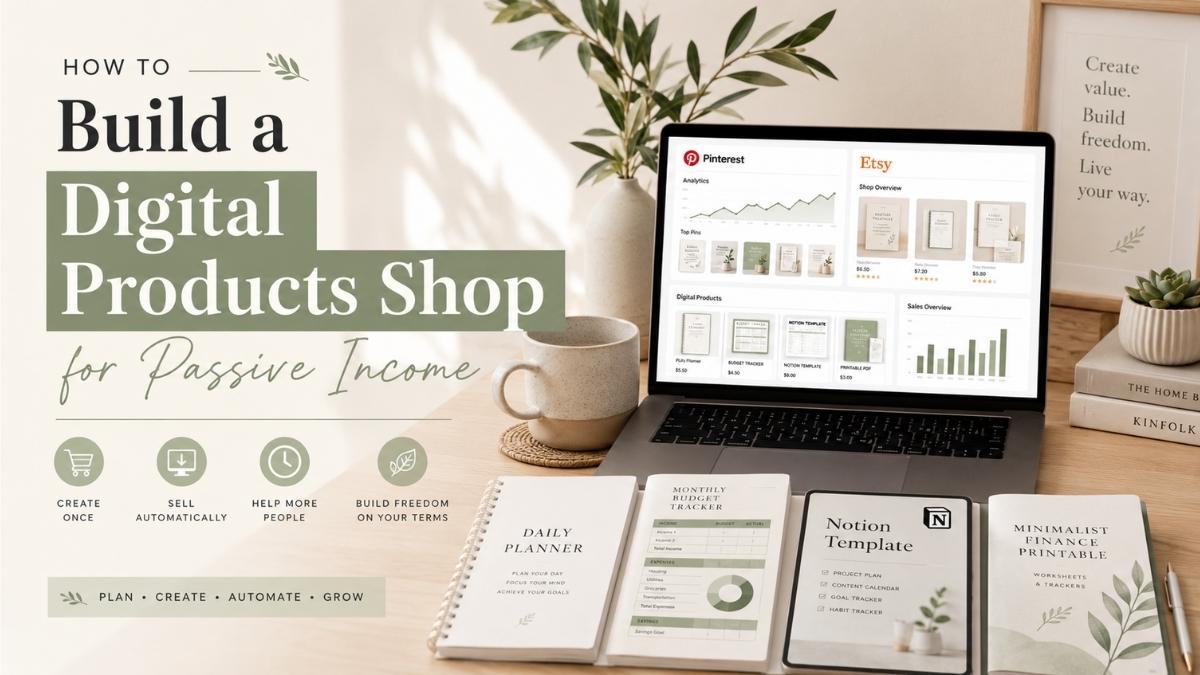
Most people like the idea of passive income — but they usually skip the part that actually makes it work.
They look for a perfect idea, watch tutorials, save screenshots of other people’s income reports, and then jump to the next shiny opportunity when things don’t move fast enough. Building something online can feel slow in the beginning, especially when you’re creating products, writing content, posting pins, and still waiting for the first signs of momentum.
But if I had to choose one realistic passive income model for beginners in 2026, I’d focus on digital products.
Not because digital products are effortless — they’re not. You still need to create something useful, package it clearly, write strong product descriptions, and get traffic. But once the product is made, it can keep working in the background. A budget tracker, tax tracker, printable planner, Notion template, content calendar, or spreadsheet can be sold again and again without being recreated every time.
That is what makes digital products different from a normal side hustle. You’re not just doing work. You’re building an asset.
Table of Contents
Why Digital Products Are Such a Strong Passive Income Idea
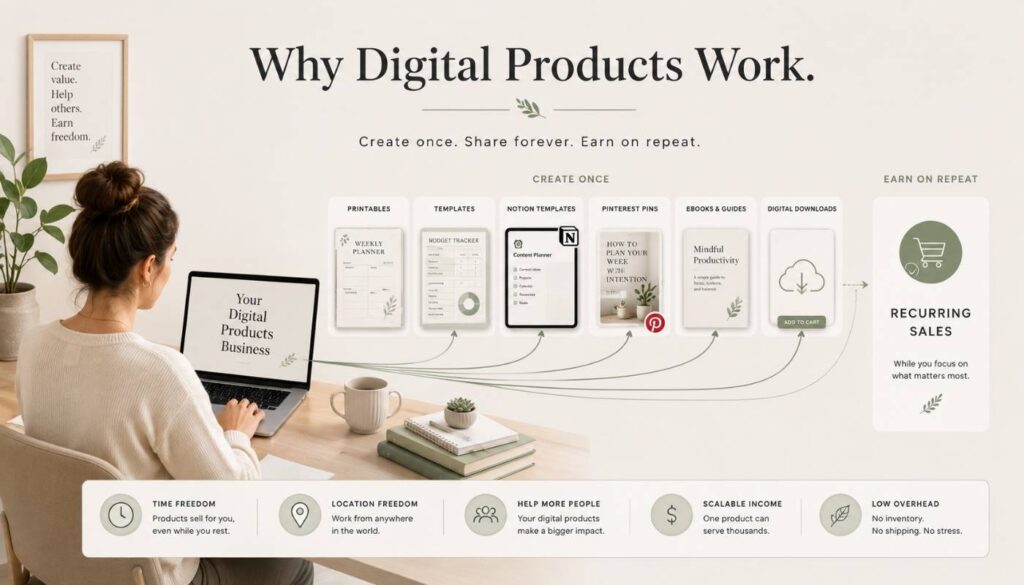
Digital products remove many of the problems that come with physical products. No inventory, packaging, shipping, or storage. Once a customer buys the file, it can be delivered automatically — giving digital products strong profit potential, especially for creators working with a small budget.
Easy Digital Downloads explains that digital products have lower overhead because there’s no physical manufacturing, packaging, or shipping involved — and they can be delivered to customers online, which makes them easier to scale than physical products.
This is why digital products work so well for creators, bloggers, Etsy sellers, Pinterest marketers, and small business owners. You create something once, improve it over time, and keep sending traffic through content.
Imagine you create a simple monthly budget spreadsheet. At first, it’s one product. But later, it can become part of a larger bundle — with a debt payoff calculator, tax tracker, savings challenge, and yearly finance dashboard. Suddenly, you’re not just selling a file. You’re building a product ecosystem around one clear problem.
You’re not trying to make quick money from one random download. You’re building a small library of useful assets that can compound. That’s the mindset shift that matters.
Step 1: Choose a Niche That Has Buyer Intent
The first mistake many beginners make is choosing a niche that sounds interesting but has no clear buyer intent.
“Productivity” is broad. “Notion templates for freelance designers” is clearer. “Personal finance” is broad. “Budget trackers for self-employed creators” is more specific. The more specific the problem, the easier it becomes to create a product that feels genuinely useful.
Inkfluence AI’s research on profitable digital product niches for 2026 highlights several strong categories: Notion and productivity templates, social media content calendars, resume templates, small business financial templates, and side hustle playbooks.
A good niche usually has three things: people are already looking for a solution, they understand the problem clearly, and they’re willing to pay for something that saves time, reduces stress, or helps them get a result faster.
A simple niche test
| 1 | Who exactly is this for? |
| 2 | What problem does it solve? |
| 3 | Would someone search for this on Google, Etsy, or Pinterest? |
| 4 | Are people already selling similar products? |
| 5 | Can I make my version clearer, simpler, more useful, or more niche-specific? |
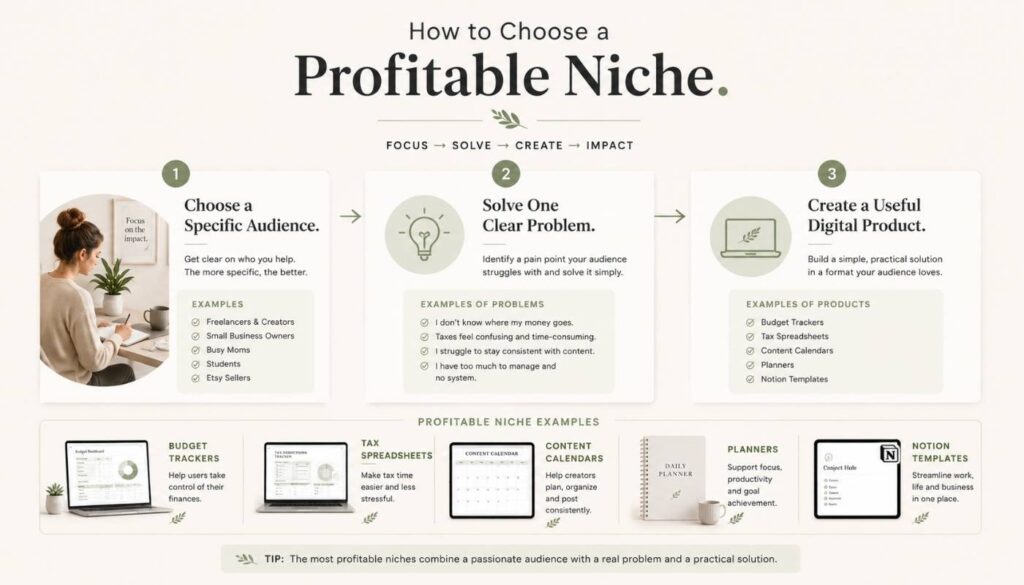
Competition isn’t always a bad sign. If others are selling budget planners, content calendars, or Notion dashboards, buyers exist. The goal is to find a specific angle. “Budget planner” is broad — but these angles are stronger:
- Budget planner for freelancers
- Budget tracker for beginners
- Monthly money tracker for couples
- Tax tracker for Etsy sellers
- Income and expense tracker for digital product creators
The product becomes stronger when the buyer can immediately think, “This was made for me.”
Step 2: Start With a Simple Product That Solves One Clear Problem
A lot of beginners overcomplicate the first product. They think they need a massive course, a huge template bundle, or a perfect 80-page planner before launching anything. You don’t.
A better approach: create one simple product that solves one specific problem. A one-page budgeting worksheet, a Google Sheets income tracker, a printable weekly planner, a Notion habit tracker, or a content calendar template.
Here are beginner-friendly product ideas that align with a passive income content direction:
- Monthly budget tracker
- Tax tracker for creators
- Side hustle income tracker
- Digital product launch checklist
- Pinterest content calendar
- Etsy product research worksheet
- Blog post planner
- Freelance invoice tracker
- Savings challenge printable
- Notion finance dashboard
The product shouldn’t feel random. It should connect to your content. A reader who finds your article about why most people fail at passive income may be ready to understand why assets matter — and that’s exactly where a relevant product fits.
Step 3: Make the Product Easy to Understand and Easy to Use
A digital product doesn’t need to be complicated to be valuable. In fact, simple products often sell better because people understand them faster.
Think about the buyer. They’re not buying your spreadsheet because they love spreadsheets. They’re buying it because they want less confusion around money. So your product should be clean, useful, and easy to understand.
For a spreadsheet: include clear tabs, simple labels, automatic calculations, and a short instruction page. For a printable: use clean spacing, readable fonts, and practical sections. For a Notion template: include a walkthrough explaining how to duplicate and use it.
Imagine a beginner Etsy seller buys a tax tracker from your shop. They’re not an accountant — they feel confused about expenses, income, fees, and deductions. If your tracker has too many complicated tabs, users feel overwhelmed. But if it has simple sections for income, platform fees, business expenses, estimated tax, and monthly totals, it becomes useful immediately. That’s what makes a digital product valuable: it gives the customer relief.
You can also improve perceived value with small extras — a quick start guide, sample pin title formulas for a Pinterest calendar, or a bonus product idea worksheet. These make the product feel more complete without requiring you to build something huge.
Step 4: Decide Where to Sell On Etsy or Your Own Website
For beginners, Etsy is usually the easiest place to start because people already search there for printables, templates, planners, and digital downloads. The benefit is simple: it already has buyers.
The downside is that Etsy controls the platform. You pay fees, compete with many sellers, and don’t fully own the customer relationship.
Your own website gives you more control. You can sell through tools like Easy Digital Downloads, Gumroad, or Shopify. This is better long-term because you can build your brand, email list, and customer base outside of a marketplace.
The best approach for many beginners: use both. Start with Etsy for marketplace discovery, and build your own site to create independent traffic over time through Pinterest and blog content.
Step 5: Create Product Listings That Sell the Result
A weak listing describes the file. A strong listing sells the outcome.
Instead of only saying “Monthly Budget Spreadsheet,” write: “This simple monthly budget tracker helps you organize income, expenses, savings, and debt payments in one clean spreadsheet, so you can see where your money is going without feeling overwhelmed.”
Your listing should include
| 1 | A clear product title with keywords |
| 2 | A short benefit-focused description |
| 3 | File format details |
| 4 | What is included |
| 5 | Who it is for |
| 6 | How the customer will receive it |
| 7 | Clear mockup images |
| 8 | A short FAQ section |
For Etsy, use words buyers actually search: “tax tracker spreadsheet,” “small business expense tracker,” “Etsy seller tax template,” or “self-employed income tracker” — not just “Finance Sheet.”
Step 6: Price Your Products Without Undervaluing Them
Many beginners price too low out of fear. But pricing too low can make your product feel less valuable. A well-built spreadsheet, Notion dashboard, or bundle can be priced higher because it saves time and solves a specific problem.
| Product type | Suggested price |
|---|---|
| Simple printable | $3 – $7 |
| Spreadsheet template | $7 – $19 |
| Notion dashboard | $9 – $29 |
| Template bundle | $19 – $49 |
| Mini course with templates | $49 – $199 |
Bundles are especially useful. If someone buys a budget tracker, they may also want a tax tracker, savings tracker, debt payoff calculator, and yearly finance dashboard. Instead of selling just one product, bundle them — this increases average order value without needing a completely different audience.
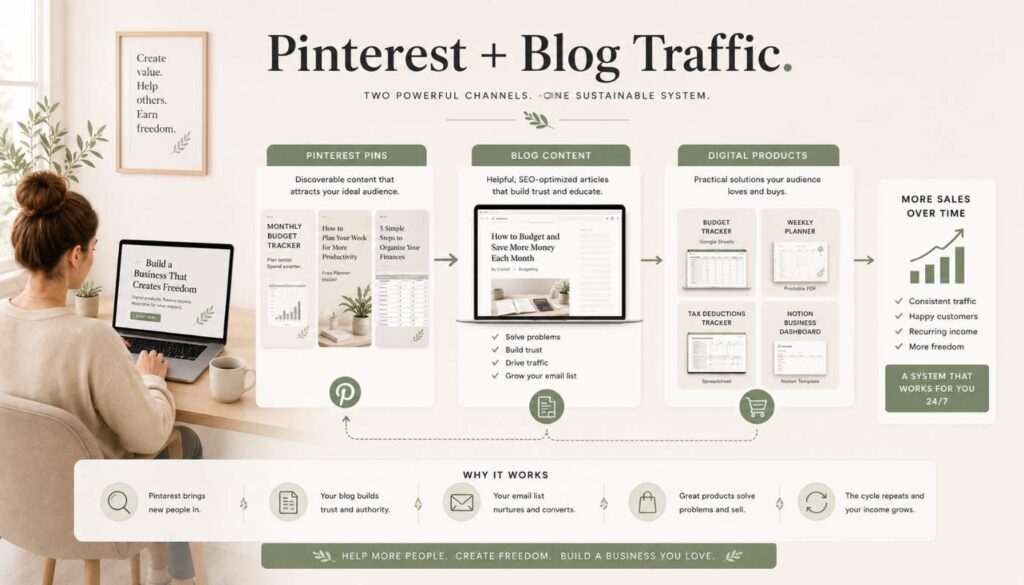
Step 7: Use Pinterest to Drive Visual Traffic
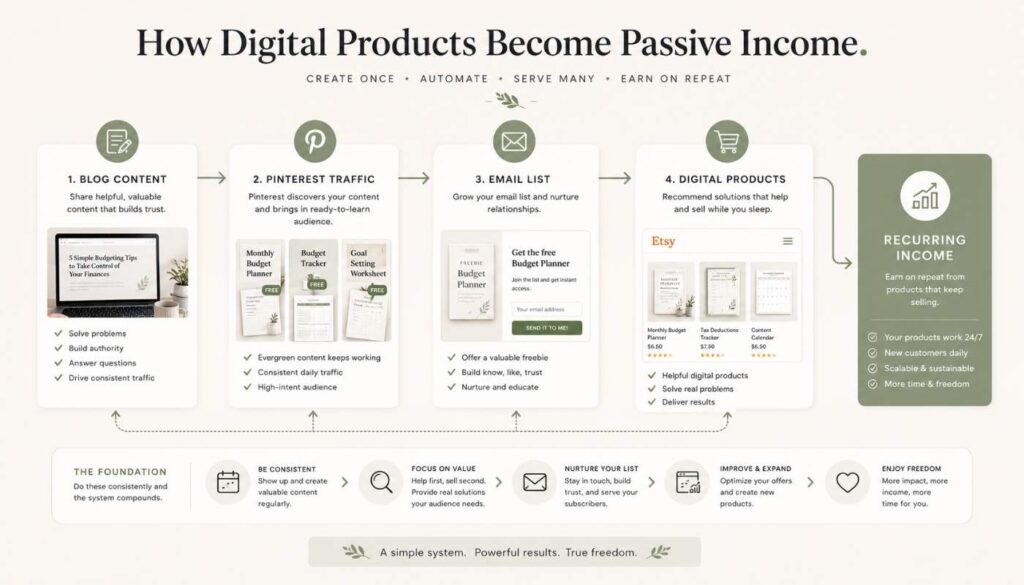
Pinterest is one of the best platforms for digital products because people use it to search for ideas, solutions, templates, planners, and inspiration. Pins keep getting impressions long after they’re published.
Set up a Pinterest Business account and publish pins that link to your blog posts, product pages, or Etsy listings. Create pins around problems, not just products:
| Pin title idea | Why it works |
|---|---|
| How to Finally Organize Your Side Hustle Income | Speaks to a real frustration — “finally” signals the reader has been struggling with this for a while |
| The Budget Tracker I Wish I Had Started With | Personal and relatable — implies a lesson learned, creates curiosity |
| Simple Tax Tracker for Etsy Sellers | Hyper-specific audience targeting — Etsy sellers searching this know exactly what they need |
| Stop Guessing Where Your Money Goes | Addresses anxiety directly — the reader feels seen and wants the solution |
| Digital Product Planner for Beginners | Keyword-rich and beginner-friendly — targets people just starting out who are actively searching |
For every product or blog post, create multiple pins with different angles — one focused on the problem, another on the result, another on a common mistake. Keep your designs clean, consistent, and readable.
Step 8: Use Blog Content to Build Trust Before the Sale
A lot of people won’t buy a digital product the first time they see it. They need context. They need to understand the problem. They need to trust that your product can help. That’s what blog content does.
For example, a reader searching “why is my side hustle not growing” might find your article on 3 reasons your side hustle still isn’t growing. After reading it, they understand they need systems and assets — and your digital products become the natural next step.
A reader who finds your post on passive income ideas under $100 may be introduced to digital products as a low-cost idea. The goal is to create a clear content path:
- The reader has a problem
- The blog post explains the problem
- Internal link sends them to the next useful article
- The product solves a specific part of the problem
- An email list keeps the relationship going
Step 9: Build an Email List Early
Pinterest can send traffic. Google can send traffic. Etsy can bring buyers. But your email list is the audience you can reach again without depending on an algorithm.
Start with a simple freebie — a one-page budget checklist, side hustle income tracker, digital product idea worksheet, or tax deduction checklist. Then send a short welcome sequence:
| What it covers | Goal | |
|---|---|---|
| Email 1 | Deliver the freebie and introduce your story | Build trust and set expectations |
| Email 2 | Share a useful tip related to the freebie | Reinforce value and keep them engaged |
| Email 3 | Explain a common mistake beginners make | Position your paid product as the solution |
| Email 4 | Introduce your paid product as the next step | Convert subscriber into a buyer naturally |
The best email marketing feels helpful — you’re guiding someone from a free solution to a more complete paid one. If someone downloads a free tax deduction checklist, your paid tax tracker is a natural follow-up.
Step 10: Turn One Product Into a Product Stack
Creators who make digital products work long-term usually don’t stop at one product. They build a product stack — multiple offers around the same audience and problem.
Inkfluence AI also discusses how creators can build from a free lead magnet to low-ticket products, bundles, courses, and memberships. Here’s what a simple finance template stack could look like:
| Level | Product | Purpose |
|---|---|---|
| Free | Side hustle income checklist | Lead magnet to grow your email list |
| Low ticket | Monthly budget tracker | First paid product — simple, specific problem |
| Second offer | Tax tracker for creators | Natural upsell for existing buyers |
| Bundle | Complete creator finance tracker | All templates together at higher value |
| Higher ticket | Mini course on side hustle money | Deeper guide for buyers who want the full system |
You don’t need to build all of this at once. Start with one useful product. Then listen to what buyers ask for—their questions will often tell you what to create next.
Before setting your prices, use this free Etsy Digital Product Pricing Calculator to estimate your profit after fees.
Common Mistakes to Avoid
| Mistake | What to do instead |
|---|---|
| Creating a product before understanding the buyer | Research the problem first. A pretty template is not enough if it does not solve a clear need. |
| Making the product too complicated | Start simple. One clear problem, one clean solution. Simple and useful beats complex and confusing every time. |
| Relying only on Etsy or one platform | Build your own traffic too. Use Pinterest, blogging, and email so you are not dependent on one algorithm. |
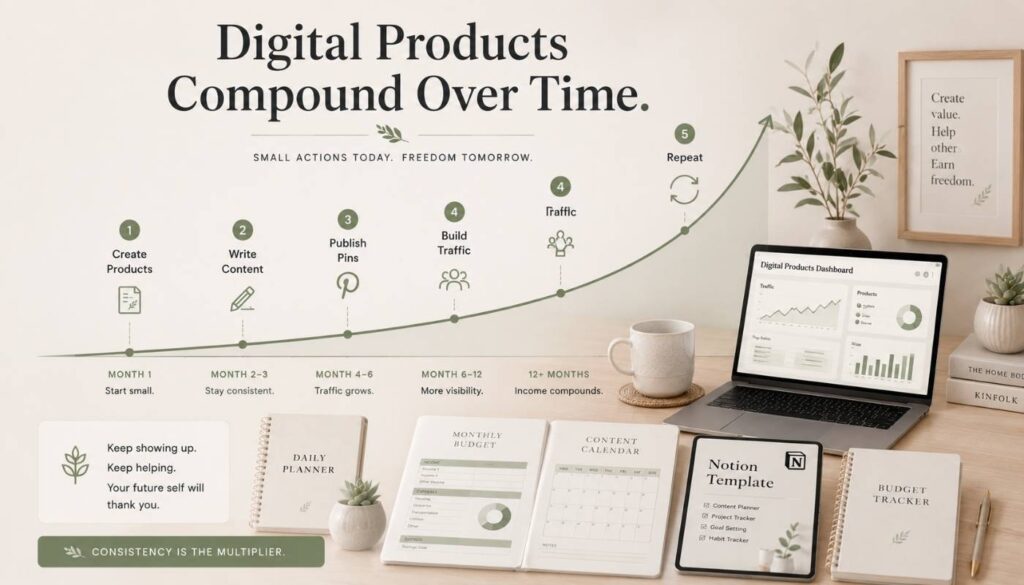
| Quitting too early | Digital products take time. Improve your mockups, rewrite descriptions, test keywords, and keep publishing content before expecting consistent sales. |
| Creating random products with no connection | Build a focused product library around one clear audience. A connected product stack is far stronger than scattered individual files. |
Final Thoughts
Building a digital products shop for passive income in 2026 isn’t about creating one random file and hoping it sells forever. It’s about choosing a clear audience, solving a real problem, and building assets that can work together over time.
Start with one product. Make it useful. List it clearly. Create Pinterest pins for it. Write blog posts around the problem it solves. Build an email list. Then create the next product based on what your audience needs.
If you want a simple example of what this looks like, check out beginner-friendly budget and tax trackers in the ImproveImprovise Etsy shop — examples of simple digital products that solve a clear problem, which is exactly where most beginners should start.
You don’t need to build a perfect shop in one week. You just need to stop chasing random ideas and start building useful assets one at a time.
That’s the real foundation of passive income.
Leave a Reply