
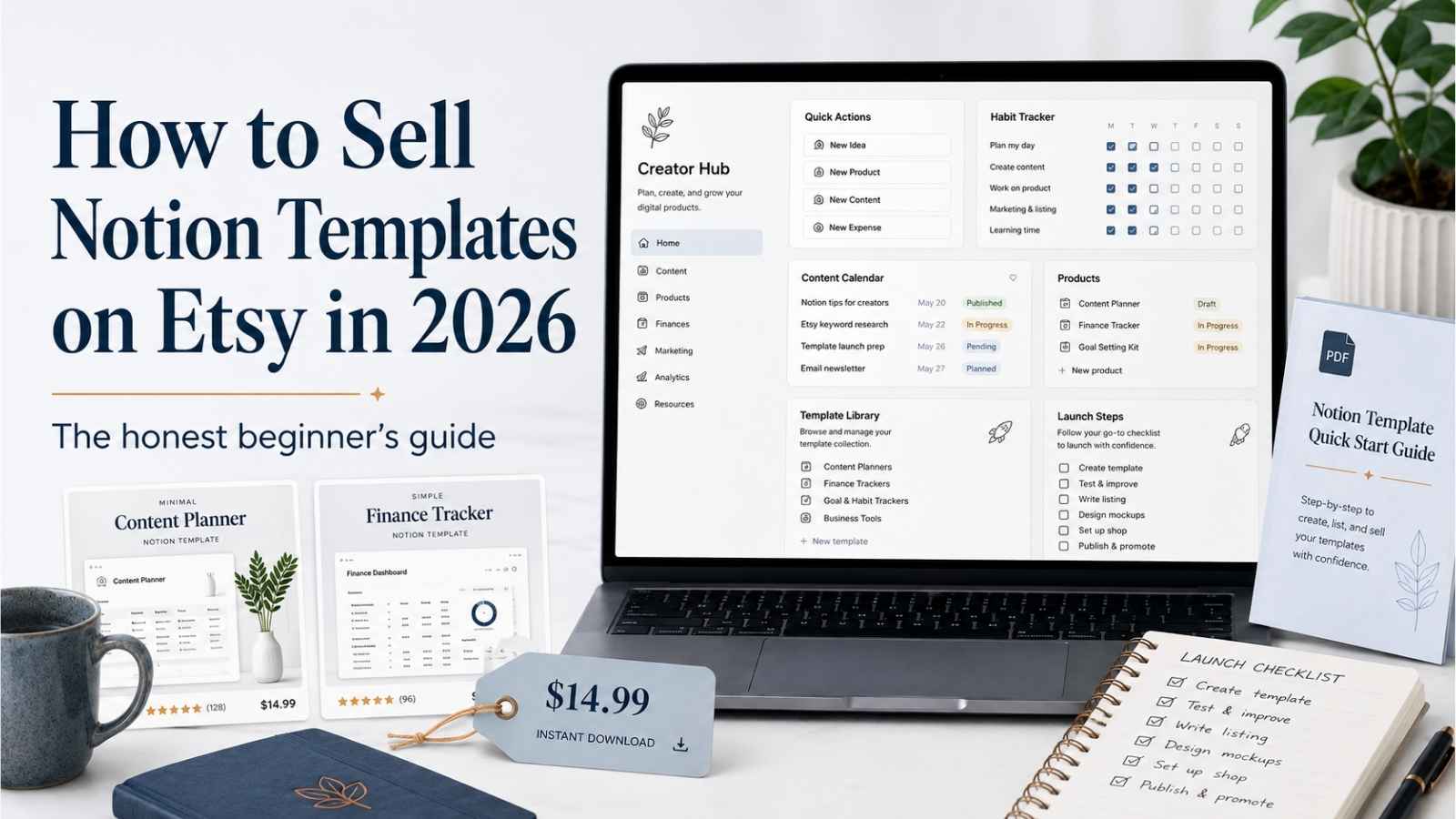
Most guides about selling Notion templates read like they were written by someone who has never actually opened an Etsy shop.
They tell you to “find a niche,” “create something amazing,” and “watch the passive income roll in.” They skip the part where you stare at your two listings with zero sales and wonder if anyone will ever find your shop.
I know that feeling because I am living it right now.
I run a small Etsy shop called ImproveImprovise, where I currently sell two finance templates, a freelancer tax tracker, and a budget planner, both priced at $5.99. As of this writing, I have zero sales. I am not a six-figure Etsy seller. I am not a productivity guru. I am a freelancer who is building this one step at a time.
This guide is what I wish someone had written for me before I started. Not a hype filled listicle, but an honest walkthrough of how selling Notion templates on Etsy actually works in 2026, what I have learned so far, and what I am building next.
Quick Summary
Selling Notion templates on Etsy in 2026 is a real opportunity, but it requires more than uploading a pretty dashboard and hoping for sales. The Notion template market is growing, buyers are actively searching, and the startup cost is nearly zero. But the sellers who actually make money are the ones who solve a specific problem for a specific person, package their product properly, and show up consistently.
Quick takeaways:
Quick takeaways
| 1 | Notion templates are one of the fastest-growing digital product categories on Etsy right now |
| 2 | The realistic starting price for a beginner with no reviews is $5 to $15, scaling to $25 to $50 as you build trust |
| 3 | The biggest mistake beginners make is building a generic productivity dashboard instead of solving one specific problem |
| 4 | Your first template does not need to be perfect — it needs to be useful, well packaged, and findable |
| 5 | Pinterest is one of the strongest free traffic channels for Notion template sellers |
Table of Contents
Why Notion Templates? Why Etsy? Why Now?
Notion templates are one of the few digital product categories where demand is still growing faster than supply.
Notion crossed 100 million users worldwide by late 2024, with over 4 million paying customers and a template marketplace listing more than 30,000 templates. The platform keeps expanding, and many of those users want pre-built systems they can duplicate into their own workspace rather than building from scratch. That is exactly what a Notion template offers.
The demand for Notion templates specifically has been identified as one of the fastest-growing digital product trends heading into 2026. Buyers increasingly want niche-specific systems built around particular workflows and audiences, not generic productivity dashboards. Sellers who position templates around specific problems are seeing stronger results than those competing on aesthetics alone.
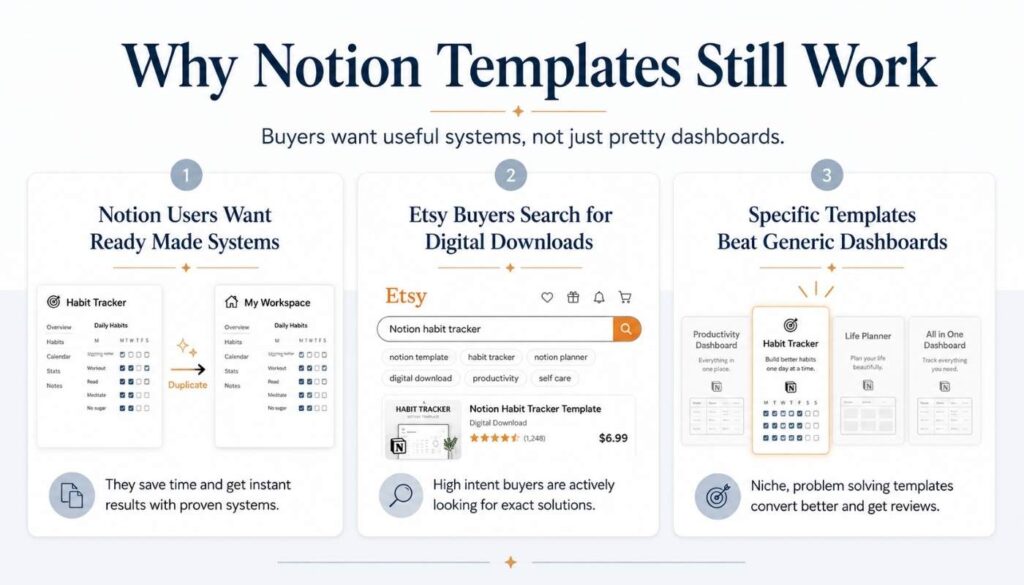
Etsy is the natural marketplace for this because buyers already go there looking for digital downloads. Unlike Gumroad or your own website, Etsy has built-in search traffic. People type “Notion habit tracker” or “Notion budget planner” directly into Etsy’s search bar with a credit card ready. You do not have to build an audience first.
The timing matters too. In my research for 7 Surprisingly Simple Notion Templates People Are Quietly Paying For in 2026, I noticed that the Notion template category on Etsy is still growing rapidly, while many other digital product categories (like generic printable planners) have become oversaturated.
That does not mean it is easy. It means there is still room if you are strategic about what you build and who you build it for.
Step 1: Pick a Specific Problem, Not a Broad Category
The fastest way to fail selling Notion templates is to create “another productivity dashboard.”
This is the mistake I almost made myself. When I first started thinking about adding Notion templates to my Etsy shop, my instinct was to build something big and impressive. A full life planner. An all-in-one dashboard. Something that looks beautiful in screenshots.
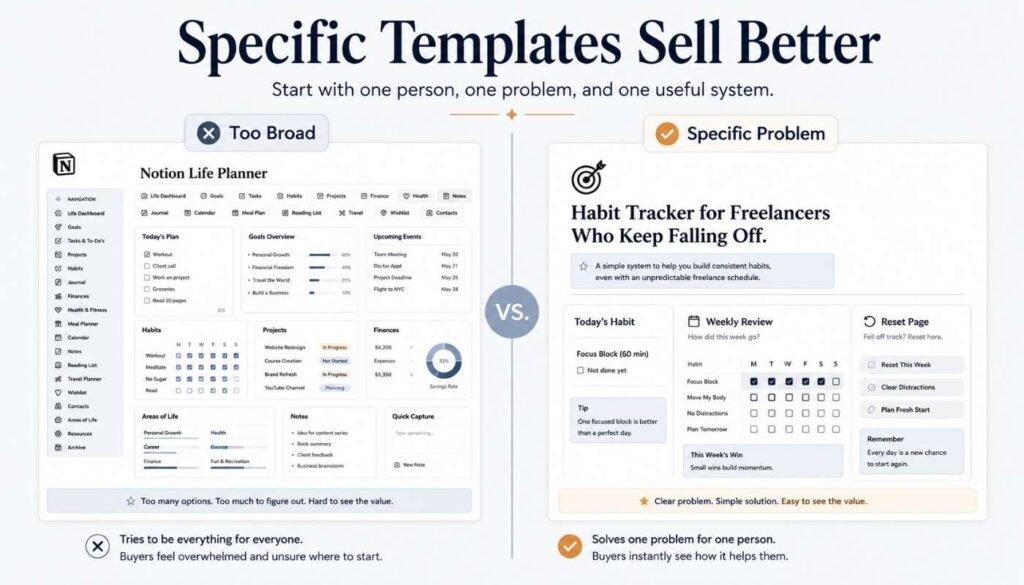
But after studying the market carefully for my article on 20 premium ADHD Notion templates on Etsy, I realized the templates that stand out are not the biggest ones. They are the most specific ones.
A generic “Notion planner” competes with thousands of listings. A “Notion habit tracker for people who keep quitting habits after two weeks” competes with almost nobody.
How to Think About Niche Selection
How to think about niche selection
| 1 | Start with a person, not a product. Who is this for? A freelancer? A student? A parent? A content creator? The clearer the person, the easier the product becomes. |
| 2 | Start with a frustration, not a feature. What problem does this person keep running into? Forgetting deadlines? Abandoning habits? The more painful and repeated the problem, the more valuable the template. |
| 3 | Start small. Your first template should solve one problem well. You can build a full system later. |
What I Am Building First
My first Notion template is going to be a habit tracker. Not a generic one. One specifically designed for people who have tried building habits before and kept quitting. The angle is not “track your habits.” It is “a system that helps you come back after you fall off.”
That second framing is more specific, more emotional, and more sellable.
Step 2: Build the Template in Notion
You do not need design skills to build a sellable Notion template. You need clarity.
Building a Notion template is simpler than most people expect. Notion is free for personal use, and the platform is designed to be flexible without requiring any coding. The Notion Help Center has free tutorials that cover everything you need to learn.
The Basic Build Process
The basic build process
| 1 | Create a new Notion page and build your template structure using databases, views, pages, and toggles |
| 2 | Add clear labels, instructions, and example content so the buyer understands the system immediately |
| 3 | Clean up the layout so it is visually organized without being cluttered |
| 4 | Test it by duplicating it yourself — if anything feels confusing during duplication, fix it before listing |
Three Things I Learned While Building
| Lesson | Why it matters |
|---|---|
| Include a quick start section | Most buyers will not read a long manual but will follow three clear steps. “Step 1: Duplicate. Step 2: Delete example data. Step 3: Start today.” That is all you need. |
| Add a reset page | A page that says “Welcome back — here is how to pick up where you left off” can be the difference between a five-star review and an abandoned template. |
| Keep it simpler than you think | Beginners tend to overbuild. Buyers do not want complexity — they want a system they can actually use. If setup takes more than five minutes, it is probably too complex. |
Step 3: Package It Properly
The template itself is only half the product. The packaging is the other half.
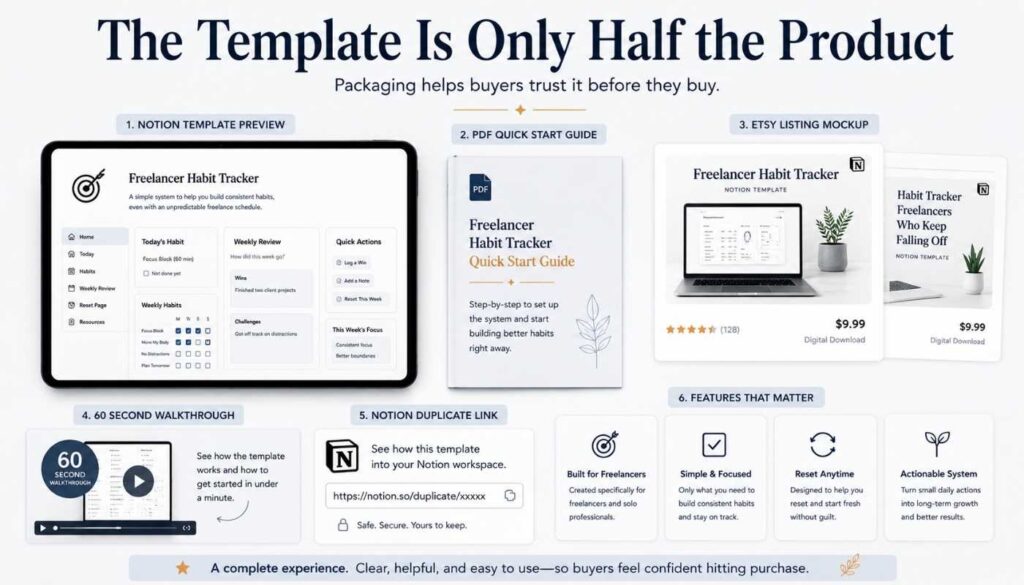
This is where most beginner sellers lose. They build a decent template and then upload it to Etsy with one blurry screenshot and a two-sentence description. That listing will never sell, no matter how good the template is.
What a Properly Packaged Notion Template Includes
What a properly packaged Notion template includes
| 1 | A PDF quick start guide with screenshots showing how to duplicate and use the template |
| 2 | A short walkthrough video — even a 60 second screen recording showing the template in action builds trust |
| 3 | 5 to 8 listing photos including mockups, feature callouts, and before and after screenshots |
| 4 | A clear Notion duplicate link that works immediately after purchase |
Writing the Listing Description
The listing description matters just as much as the photos. Write it like a friend explaining what the template does, not like a marketer trying to close a deal. Describe the problem it solves, what is inside, who it is for, and how to get started.
I learned this the hard way with my own Etsy listings. My first two products, a tax tracker and a budget planner, have clean mockups and decent descriptions, but I know the packaging could be stronger. That is something I am actively improving.
Step 4: Set Up Your Etsy Shop and Optimize Your Listing
Setting up an Etsy shop takes about 30 minutes. Setting up a listing that actually sells takes much longer.
Creating your shop on Etsy is straightforward. You pick a shop name, add your payment information, and you’re live. The Etsy Seller Handbook walks you through the technical setup.
The part that matters more is how you optimize your listing. Etsy is a search engine, and your listing needs to be findable.
Key Listing Optimization Points
| Element | What to do |
|---|---|
| Title | Front load your primary keyword. “Notion Habit Tracker | Daily Routine Planner | ADHD Friendly Digital Template 2026” beats “My Cool Planner Template” every time |
| Tags | Use all 13 tags. Mix broad terms like “Notion template” with specific long-tail phrases like “habit tracker for beginners” and “digital routine dashboard” |
| Category | Choose the most specific category that fits — “Templates” under “Digital Downloads” is usually correct for Notion products |
| Pricing | For a beginner with no reviews, start between $5 and $12. Raise prices once you have reviews and social proof |
| Description | Write like a friend explaining what the template does. Cover the problem it solves, what is inside, who it is for, and how to get started |
A Research Tool Worth Knowing
Everbee is a browser extension that shows estimated monthly revenue for Etsy listings. It is not perfectly accurate, but it gives you a useful sense of which keywords and product types are getting traction. I used it during my ADHD Notion template research, and it helped me understand pricing patterns across the market.
Step 5: Price It Realistically
Premium pricing is the destination, not the starting line.
This is something I covered in detail in my research on premium ADHD Notion templates, but the lesson applies to all Notion template sellers.
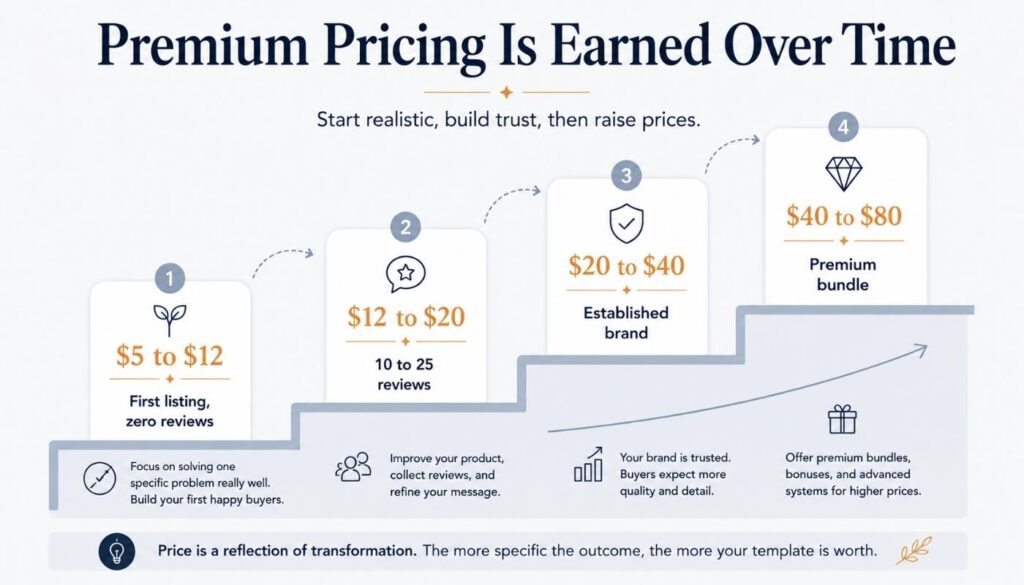
The typical Notion template on Etsy sells for $10 to $15. Premium templates with strong branding, multiple tiers, and deep functionality can reach $30 to $80. But those premium prices are earned over time, not claimed on day one.
Before you set your Notion template price, run your numbers through this free Etsy Digital Product Pricing Calculator to see your actual profit after Etsy fees.
The Realistic Pricing Ladder for a New Seller
| Stage | Price range | What you need at this stage |
|---|---|---|
| First listing, zero reviews | $5 to $12 | A clean, useful template with good listing photos |
| 10 to 25 reviews | $12 to $20 | Proven product, improved packaging, quick start guide |
| 50 or more reviews | $20 to $40 | Tiered bundles, video walkthroughs, niche authority |
| Premium tier | $40 to $80 | Full systems, multiple templates, strong social presence |
I am at stage one right now. My templates are $5.99. I chose that price because I know my shop has no social proof yet, and asking a stranger to pay $30 for a product from a shop with zero reviews is unrealistic. Once I have feedback and can show that my products actually help people, I will raise prices.
That patience is hard, but it is honest.
Step 6: Drive Traffic (Because Etsy Search Alone Is Not Enough)
Etsy gives you a marketplace, but it does not give you an audience.
New shops with zero reviews and zero sales sit at the bottom of Etsy’s search results. Etsy’s algorithm favors shops with sales velocity, positive reviews, and listing quality. That means relying on Etsy search alone as a new seller is like opening a store in a mall and hoping people wander in.
You need to bring your own traffic.
Pinterest: Your Biggest Free Opportunity
Notion templates, planners, and productivity content perform extremely well on Pinterest because the platform rewards visual, evergreen, save-worthy content. Create 4 to 6 pins per template listing, pin them across multiple boards, and be consistent.
This is the traffic strategy I am building for my own shop and for MoneyCornucopia.
Your Blog: The Second Traffic Engine
If you have a blog, every article you write about Notion templates, digital products, or productivity can link directly to your Etsy listings. The blog captures Google search traffic and funnels it to your shop. That is exactly why I wrote my article on how to build a digital products shop for passive income and why you are reading this one right now.
Short Form Social Content
TikTok and Instagram Reels showing your template in action can drive traffic, but they require consistent content creation. If you have the bandwidth, a 15-second walkthrough of your Notion template is one of the highest-converting content formats. But this is optional, not essential. Pinterest and blog content should come first.
Step 7: Build a Product Ladder, Not Just One Template
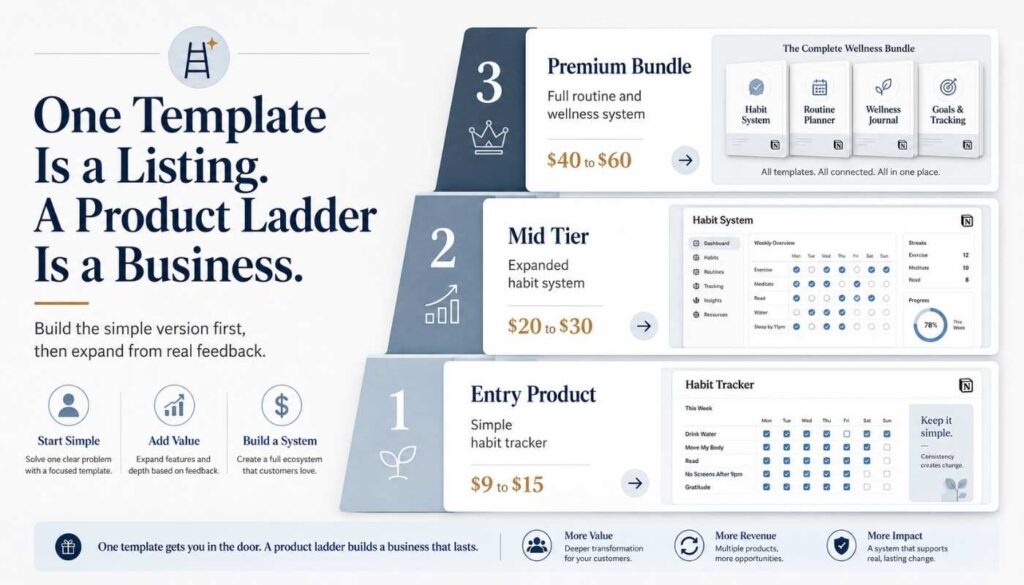
One template is a listing. A product ladder is a business.
The most successful Notion template sellers I studied do not sell one product. They sell a system of products at different price points that capture different buyer types.
How a Product Ladder Works (Using My Habit Tracker as an Example)
| Tier | Price range | What it includes |
|---|---|---|
| Entry product | $9 to $15 | Simple habit tracker with daily check-ins and a weekly review |
| Mid tier | $20 to $30 | Expanded system with habit stacking, streak tracking, energy matching, and a reset page |
| Premium bundle | $40 to $60 | Full habit and routine system with morning dashboard, evening review, monthly reflection, and bonus wellness tracker |
Each tier captures a different buyer. The curious browser buys the entry product. The committed buyer goes straight to mid tier. The “I want everything” buyer grabs the bundle.
My Plan
My first habit tracker will be the entry product. Once it has reviews and feedback, I will build the expanded version and then the full bundle.
That approach follows the same principle I explored in why most people fail at passive income: the people who succeed are the ones who build systems that compound, not the ones who launch one product and hope for the best.
Common Mistakes I See Beginners Make
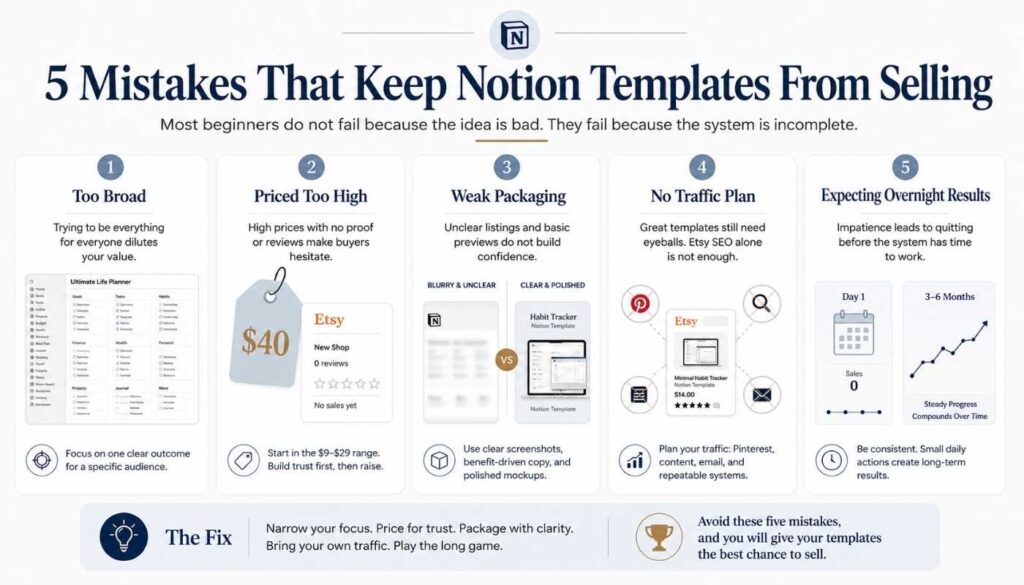
After studying dozens of Etsy shops and building my own, here are the patterns that hold new sellers back.
1. Building Something Too Broad
“Notion life planner” is too generic. “”Notion habit tracker for freelancers who work from home” is specific enough to stand out. The more specific your product, the less competition you face and the easier it becomes to explain the value.
2. Pricing Too High on Day One
No reviews means no trust. A new shop asking $40 for a Notion template will be ignored in favor of an established shop with 200 reviews selling a similar product at the same price. Start lower and earn the right to charge more.
3. Skipping the Packaging
A great template with bad listing photos will not sell. A mediocre template with excellent photos and clear descriptions might. The packaging is what the buyer sees before they ever open the product.
4. Expecting Overnight Results
Most successful Etsy shops took 3 to 6 months to get traction. My shop is brand new with zero sales, and I am not panicking. I am building.
5. Not Driving External Traffic
Sitting and waiting for Etsy search to send buyers does not work for new shops. Pinterest and blog content are how you jumpstart the process.
In 3 Reasons Your Side Hustle Still Isn’t Growing, I wrote about how most side hustles stall because people do tasks instead of building assets. A Notion template is an asset. A listing with good SEO is an asset. A Pinterest pin that keeps getting saved is an asset. The goal is to stack these small assets until they start compounding.
Frequently Asked Questions
Is selling Notion templates on Etsy still worth it in 2026?
Yes. Notion’s user base has surpassed 100 million users, Etsy search traffic for Notion templates is increasing, and the category still has less saturation than older digital product niches like printable planners. It is not a get-rich-quick opportunity, but it is a real one for sellers who are specific and consistent.
How much can you realistically make selling Notion templates?
That depends on your niche, pricing, and traffic. A single well-positioned template selling 5 to 10 copies per month at $12 generates $60 to $120 per month. A shop with 10 to 15 templates and steady Pinterest traffic can realistically reach $500 to $1,500 per month over time. Premium sellers with deep catalogs and strong brands can go higher. But most new sellers should expect slow, gradual growth for the first 3 to 6 months.
Do I need to know how to code to make Notion templates?
No. Notion is a no-code platform. Everything is built using drag-and-drop blocks, databases, and page layouts. If you can create a spreadsheet, you can build a Notion template. The Notion help center has free tutorials that cover everything you need to learn.
What is the best Notion template to sell as a beginner?
Start with something simple that solves one clear problem. Habit trackers, budget planners, content calendars, student assignment trackers, and weekly planning dashboards are all strong beginner products. Avoid building a massive Life OS as your first template. It takes too long, is harder to sell, and competes with established sellers who have been building theirs for years.
How do I deliver a Notion template on Etsy?
You create the template in Notion, click “Share” in the top right corner, enable “Share to web,” and copy the template link. Then create a simple PDF with the link and brief instructions, and upload that PDF as your Etsy digital download file. Buyers purchase on Etsy, download the PDF, click the link, and duplicate the template into their own Notion workspace.
What tools do I need to get started?
You need very little to start:
1. A free Notion account to build your template
2. A free Canva account to create listing mockups and a quick start PDF
3. An Etsy seller account (listing fees are $0.20 per listing)
4. Optionally, Everbee for product research
5. A Pinterest account for free traffic
The total startup cost is essentially zero beyond
Final Thoughts
Selling Notion templates on Etsy is not passive income on day one. It is a slow build that compounds over time if you are consistent and strategic.
I am at the very beginning of this journey. My shop has two listings, zero sales, and a lot of learning ahead. But I am building with a plan, not guessing.
The plan is simple.
Build one specific template that solves one real problem. Package it well. Price it fairly. Drive traffic through Pinterest and blog content. Gather reviews. Then build the next one.
That is not glamorous. It is not going to make anyone rich by next month. But it is the kind of quiet, realistic strategy that actually works over time.
If you are thinking about selling Notion templates on Etsy in 2026, I would not wait until you have the perfect product or the perfect plan. I would start with something simple, list it, and learn by doing.
That is what I am doing. I will keep sharing what I learn along the way.
Leave a Reply